


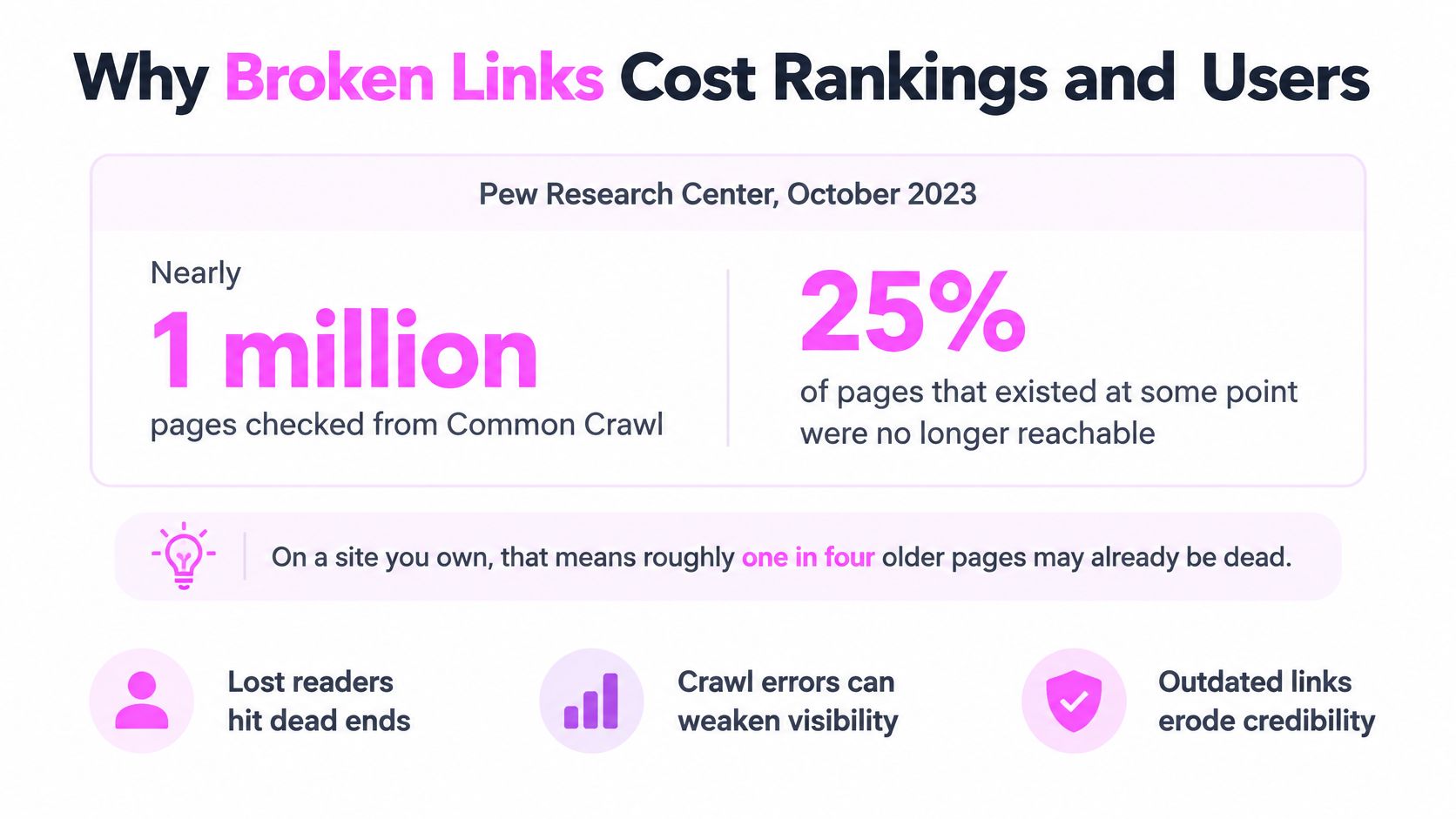
Pew Research Center pulled nearly one million web pages from Common Crawl and rechecked them in October 2023. Pages first published in 2022 were already 15% gone. Pages from 2023, barely a year old, were 8% gone (Pew Research Center's 2024 link-rot report). If you still think of dead links as an archive problem, that finding disagrees with you.
It's common to treat a broken link as a one-time cleanup job, something you fix in a sprint and close out. That mental model, a simple picture of what are broken links as "a page that shows a 404", is exactly why the cleanup keeps coming back. A status-code sweep misses the failures that cost the most, and a tidy redirect chain can look perfectly healthy while it drops every visitor onto a homepage.
Here's how I define broken links, how I find them, and where I'd spend the first hour with a site I hadn't seen before.
Inhaltsverzeichnis
- What a Broken Link Is and Why It Fails
- Why Broken Links Cost Rankings and Users
- Status Codes That Signal a Broken Link
- How to Find Every Broken Link on Your Site
- Choosing Between Redirect, Replace and Remove
- Schedule a Monthly Broken Link Check
What a Broken Link Is and Why It Fails
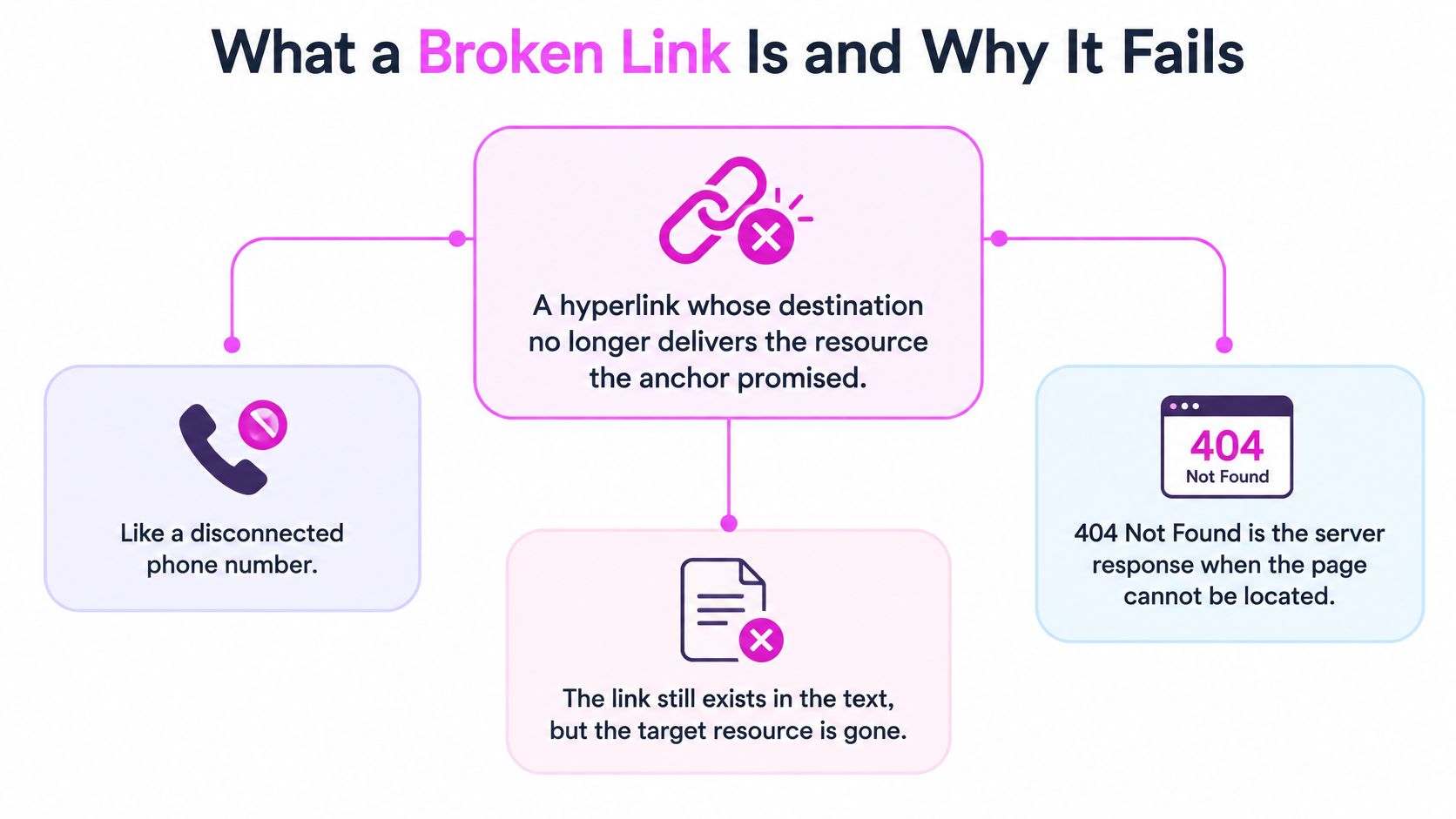
A broken link is a hyperlink whose destination no longer delivers the resource the anchor promised. Picture a disconnected phone number. The digits still sit there in the text, unchanged and printed, but nobody answers at the other end.
The failure shows up in more forms than expected. 404 Not Found is the one everybody recognizes, but a link is just as broken when it returns 410 Gone, throws a 5xx server error, fails at DNS or connection level, times out, or redirects to a page that has nothing to do with the anchor. Google's documentation on soft 404 errors groups all of these under the same practical heading: the destination does not successfully deliver the intended resource.
The failure that returns a success code
The variant that wrecks audits is the soft 404. The server answers 200 OK, so every status-code check reports the URL as healthy, while the rendered page tells the visitor the content doesn't exist or serves an empty shell around a header and a footer.
This is the distinction that matters in implementation. A basic status check classifies a soft 404 as healthy, which is how a dead citation survives three consecutive clean audits and a green dashboard. Auditing has to combine HTTP response handling with rendered-content validation, redirect inspection, canonical checks, and repeat tests over time, because that's the only combination that separates a permanent failure from a hosting blip.
Working test: read the anchor text, then read the destination. If the anchor promises a pricing table and the destination is a blog index, the link is broken no matter what status code came back.
That test is the definition I use from here on. A broken link covers both technically dead URLs and links whose destination still loads but no longer serves the original informational purpose.
Why Broken Links Cost Rankings and Users
Pew Research Center found that 25% of webpages that existed at some point between 2013 and 2023 were no longer accessible when checked in October 2023. For pages that existed in 2013, the inaccessible share rose to 38% (the analysis of Pew's link-rot data walks through the methodology). Those two figures describe a decay curve rather than a defect list. The older a page gets, the more chances its destination has had to change hands, restructure URLs, or lose its hosting entirely.
The finding that kills the "only neglected sites rot" argument is the second one. Pew found at least one broken link on 23% of sampled news webpages und 21% of government webpages. Organizations with full-time web teams and formal publishing workflows still ship pages that decay, because the decay is caused by the rest of the web moving, not by carelessness on one site.
| Measure | Share |
|---|---|
| Pages existing at some point 2013 to 2023, no longer accessible | 25% |
| Pages that existed in 2013, no longer accessible | 38% |
| Sampled news pages with at least one broken link | 23% |
| Sampled government pages with at least one broken link | 21% |
The two cost channels
Dead inbound links. A backlink that used to send visitors and potential ranking value to your URL now sends them to an error page. Nobody emails you about this. The referring site's author doesn't know, and you only find out by monitoring the URLs other people link to.
Dead outbound links. The reader's journey stops mid-sentence, and the doubt spreads further than the one link. Say a 2019 guide carries five external citations and two of them are dead. A reader who clicks the first dead one starts doubting the other three, and the page loses the credibility that made it worth citing in the first place.
The practical consequence: an old URL is not a fixed asset. It is a promise that has to be re-checked, and the check gets more valuable the older the page is.
Status Codes That Signal a Broken Link
| Response | What it means | First fix |
|---|---|---|
| 404 Not Found | No current resource at this URL, cause unknown | Repeat the request, then restore the page or add a 301 |
| 410 Gone | Resource intentionally and permanently removed | Keep it only if no equivalent page exists |
| 5xx server error | Server failing, often temporary | Retest over several days, then check hosting if it persists |
| DNS or connection failure | Domain not resolving or host unreachable | Check domain expiry and DNS records |
| Timeout | Server too slow to answer the checker | Retest from another network, check for bot blocking |
| Redirect chain or loop | Multiple hops or a circular path that may never resolve | Collapse to one 301 pointing at the final URL |
| 200 OK soft 404 | Page says content is gone but returns success | Return a real 404 or 410, or restore the content |
| Redirect to unrelated page | Link loads but lands on content the visitor did not expect | Map it to the closest equivalent with a 301 |
404 or 410, decide from what you know
The table is the easy part. The decision underneath it is where I see the most damage, and it comes down to a single question: do you know whether the removal was permanent?
A 404 says only that no current representation exists at this URL. It says nothing about whether the absence is temporary or forever, which makes it the safe default when you're unsure. 410 is a commitment. The HTTP specification in RFC 9110 explicitly prefers 410 when you know a resource was intentionally and permanently removed, and that signal saves crawlers the effort of coming back to check.
The mistake I watch for is returning 410 during a deployment fault or a migration that hasn't finished. You've just made an avoidable outage look like a deliberate retirement, and you'll be arguing with a client about a "deleted" page that was not deployed.
My rule: confirm the failure with repeated requests first. If it's persistent and you know the content is gone for good, use 410. If there's any doubt, use 404.
Redirects are for continuity, not for tidiness. A single-hop 301 belongs on a URL whose content moved to a genuine equivalent. An error response belongs on a URL with no successor. Pointing every dead URL at the homepage is neither, and crawlers tend to read that pattern as a soft 404 rather than a real replacement, while users get dumped somewhere that answers none of their question.
How to Find Every Broken Link on Your Site
A clean status code is not evidence. I test the full response chain, because a link can redirect to an unrelated homepage, serve a soft 404 with 200 OK, fail only on HTTPS, or work in a browser while returning an error to a crawler due to DNS, timeout, or access controls (Google's documentation on HTTP and network errors covers the response classes worth separating).
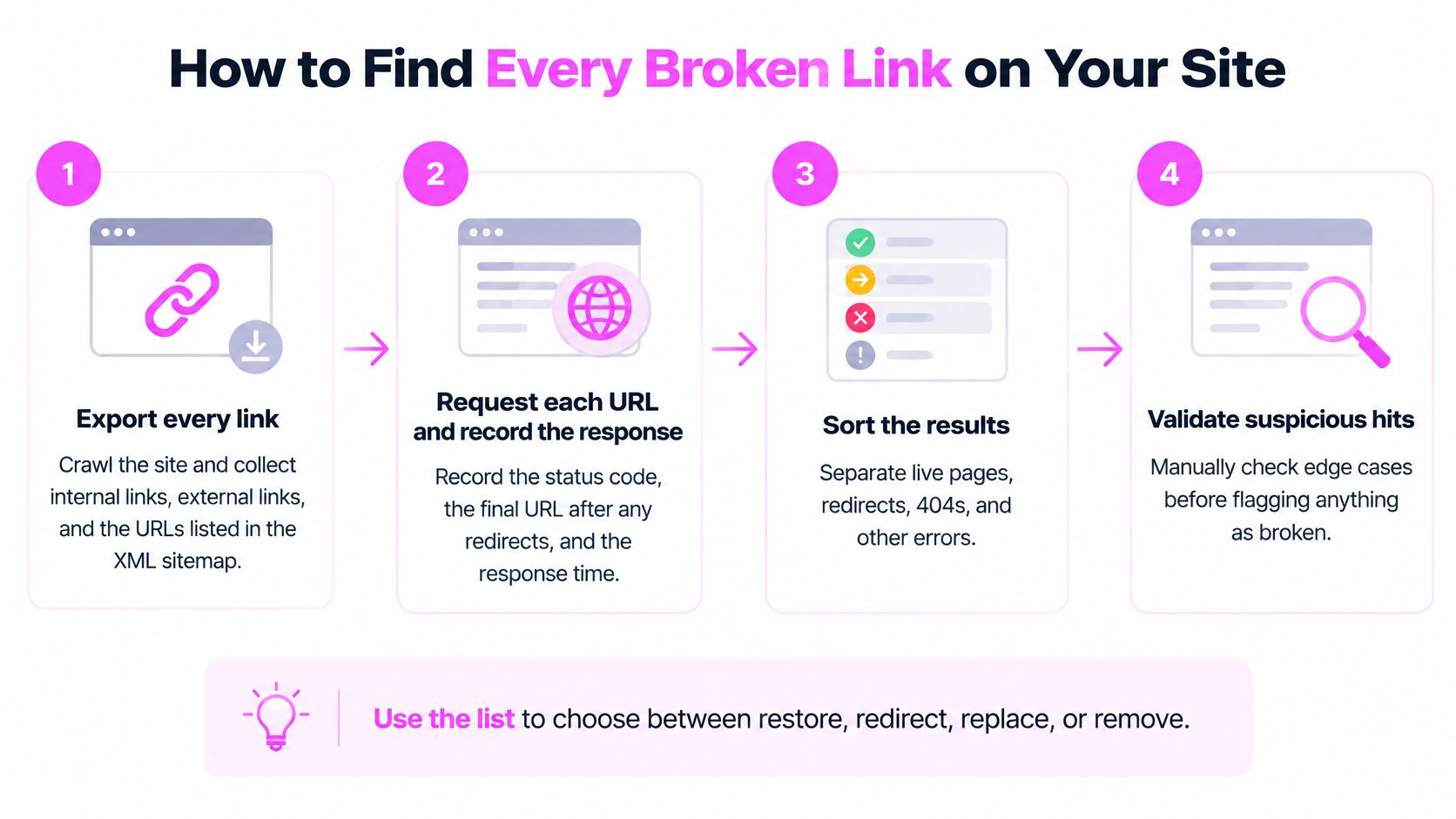
- Export every link. Crawl the site and collect internal links, external links, and the URLs listed in the XML sitemap. Skipping the sitemap is the usual slip, and it hides orphaned URLs that nothing else links to.
- Request each URL and record the full chain. Log the status code, the final URL, and every hop in between. A link reported as "200" that travelled through three redirects is a maintenance problem you'll want to collapse.
- Retest every failure on another day or network. Transient 5xx errors, DNS hiccups and firewall blocks look identical to permanent failures in a single crawl, and acting on them deletes healthy pages.
- Read the rendered content of every 200. Search the main content area for "not found", "no longer available", empty product grids, or a body with less text than the navigation. This is the only step that catches soft 404s.
- Test the HTTPS and www variants separately. Plenty of links only fail on one protocol or one hostname, and the crawl of your canonical version will never show it.
- Sort by value, not by count. Referring domains and inbound links come first, then high-traffic pages, then everything else. Fixing 400 links in a tag archive ahead of one dead URL with 60 referring domains is the most common priority error I see.
- Export a working file. Columns for source page, target URL, status, final destination, and planned fix. Without that file the audit becomes a conversation instead of a work queue.
What your browser sees and what the crawler gets
There's a failure mode nobody warns you about until it wastes a day: 429 Too Many Requests. Crawl your own site too fast and the server rate-limits you, and the tool then reports perfectly healthy links as broken.
The fix is boring and effective. Throttle the crawl to a few requests per second, retest every 429 at a slower pace, and only log a failure after a clean retest. Same discipline applies to bot protection: if the CDN blocks the crawler, everything behind it looks dead.
If crawl and canonical problems keep surfacing in the same audit, fixing crawl and canonical tag issues as a dedicated piece of work is worth pairing with the link cleanup, since both funnel through the same set of URLs. And afterwards, walk the internal references and the sitemap so the site stops advertising retired addresses.
Choosing Between Redirect, Replace and Remove
Every repair starts with one question: does a page still exist that serves the purpose the original served? The answer sorts the work into four paths, and the path you take changes what a crawler and a reader each learn from the URL.
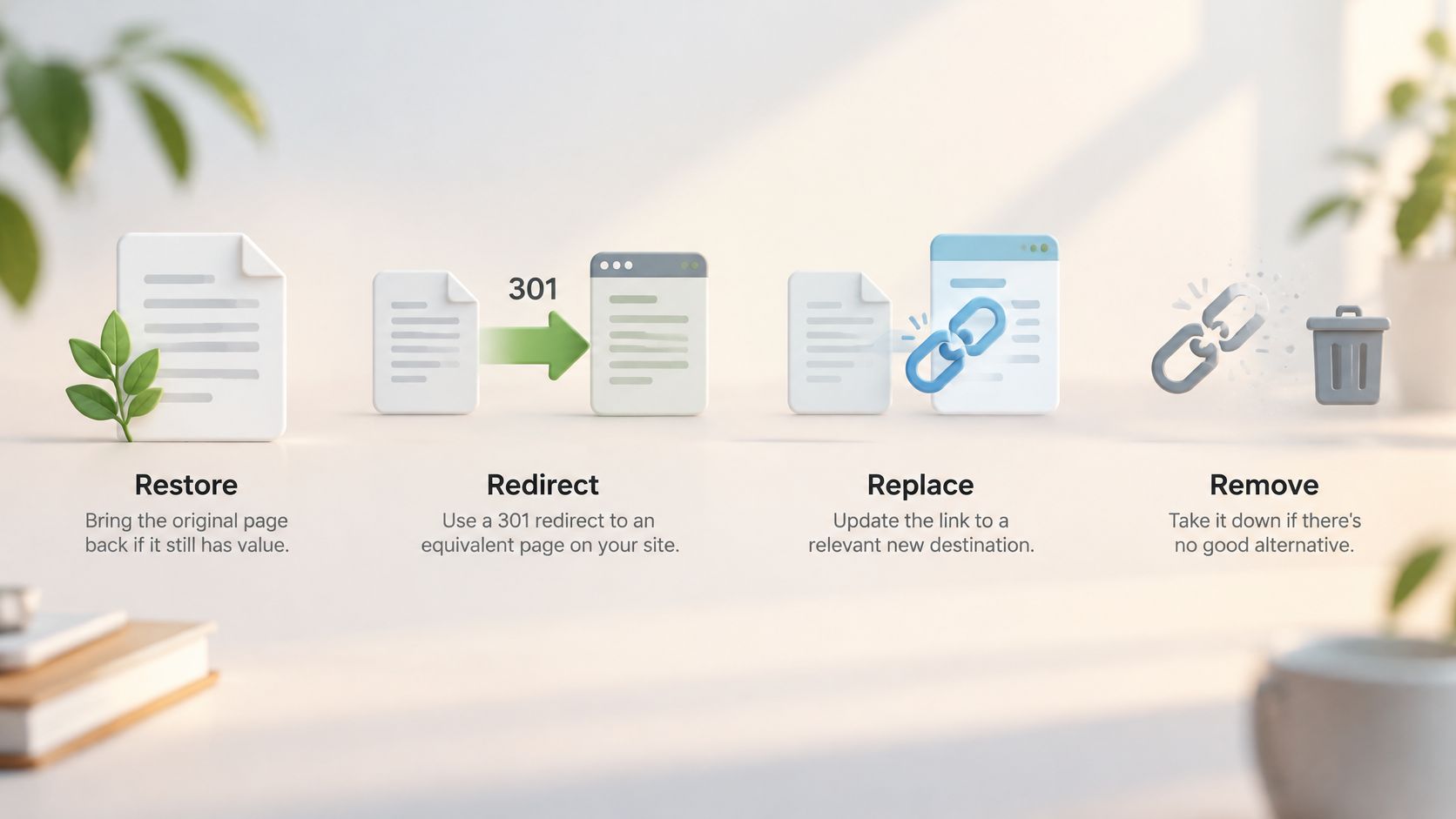
Restore, when the page still earns its keep. If a URL has referring domains, steady traffic and citations, republishing or recovering the content beats any redirect. It's the first thing I check and the one most audits skip, because restoring takes an author and a redirect takes ten seconds.
Redirect, when a genuine equivalent exists on your own site. One hop, pointing at the closest match. A deleted product guide with a v2 version is the textbook 301. A deleted guide with no successor is not an excuse to redirect to the category page.
Replace, when the resource lives somewhere else. External citations break constantly, and swapping in an authoritative source that still supports the same claim is usually better than deleting the sentence. Match the claim, not just the topic.
Remove, or return 404 or 410, when nothing useful remains. A retired event page with no successor should return a real error response. Strip the hyperlink and keep the surrounding text when it still reads correctly, and cut the paragraph when the whole point depended on the missing source.
If you'd rather watch this walked through than read it, this covers the same ground.
Preserving the source when the page itself disappears
Here's the part most guides skip. A 2025 longitudinal analysis of scholarly web references found inaccessible resources rising from 27.2% three years after publication to 41.9% after five years (the study on reference rot). Repair alone is reactive. You'll fix the same reference again in three years when the domain restructures or expires.
What I do instead is preserve provenance before I substitute anything: the original URL, the retrieval date, the page title, the quoted claim it supported, the redirect history, and an archived copy where that's legal and technically appropriate. Then link to the best current source and note what changed.
Why this matters more than the redirect: in research, healthcare and regulated industries, silently swapping a source can change what the evidence says. A reader can't tell that the new citation supports a weaker claim than the old one did.
SemDash identifies broken backlinks pointing to your site so they can be fixed or redirected, which is the part of this work that stays invisible until someone goes looking for it. Either way, finish by retesting both the old URL and its replacement, then update the internal links and the sitemap so nothing still points at the retired address.
Schedule a Monthly Broken Link Check
Cadence should follow how fast the site changes, not a calendar habit. Active blogs and ecommerce sites get a monthly run. Static archives, documentation and resource pages get a quarterly one. Both get an alert layer on top, because a full crawl won't happen on the day a URL breaks.
The alert set I configure: any new 4xx on the top pages by traffic, and any new 4xx on a URL with strong referring domains. Those two rules catch the failures that cost money. Everything else can wait for the scheduled run.
What belongs in the log
Date, URL, status code, final destination, fix applied, and who approved it. That log answers two questions a single audit can't. Did the fix hold, and does the same destination keep breaking?
It also stops the most expensive mistake in this workflow: making a permanent change during a temporary outage. A persistent 4xx is a decision. A 5xx, a DNS failure or a timeout is a question, and the answer is to retest before you delete anything.
Two other habits pay for themselves. Check every redirect you add by requesting the old URL, since a rule that looks right in a config file can still land on a 404. And review new links at publish time, because a five-second check on a live URL beats a cleanup ticket in eighteen months.
If you're starting from scratch, here's the concrete version. Run the audit above this week, fix the ten highest-value failures first, and schedule the next check before you close the task. That last step is the one people skip, and it's the reason the same links break for years.
SemDash finds the broken backlinks pointing at your site, including links that dropped off because of a 404 or a redirect problem, so you can restore the page or point the link somewhere useful again. The Backlink Gap report shows domains linking to competitors but not to you, which is where the next round of link building usually starts. Head to SemDash and run your domain through the backlink tools before the next link dies.