


Publishing fast and submitting every URL is poor launch advice when you haven't proved that your templates work. If you release an entire content library before checking how Google processes it, you make every indexing problem harder to isolate.
I'd approach SEO for a new website as a staged launch: publish a small, useful batch, inspect what happens, then expand. You're not trying to make the publication counter rise. You're trying to establish which pages Google can access, understand, index, and show for the queries you intended.
Inhaltsverzeichnis
- Make the First Pages Crawlable and Indexable
- Core Web Vitals Targets Worth Hitting Before Launch
- Mapping Keywords to Pages Before You Write
- Design Pages That Still Earn Clicks
- Publishing Order for the First 90 Days
- Measuring Indexing and Visibility from Week One
- Confirm the Launch Baseline This Week
Make the First Pages Crawlable and Indexable
Pre-launch checks for a new website
| Check | What to verify | Pass condition | Where to check |
|---|---|---|---|
| robots.txt | Target pages and their CSS, JavaScript and images are crawlable | No Disallow rule covers a target page or asset | Open /robots.txt in a browser |
| Noindex directives | Pages meant to rank carry no noindex | No noindex in meta tags or X-Robots-Tag headers on target pages | View page source and HTTP headers |
| Canonical tags | Each target page points to itself or to its intended original | Self-referencing canonical on every target URL | URL Inspection in Search Console |
| Status codes | Target URLs return a successful response | No redirect chains, 4xx or 5xx errors on target URLs | Crawler run or manual check |
| Rendered content | Title, main copy and internal links appear without JavaScript | Key content present in the raw server HTML | Disable JavaScript in the browser |
| XML sitemap | Lists only canonical, indexable URLs | No redirects, noindex pages or duplicate parameter URLs in the file | Sitemaps report in Search Console |
| Internal links | Every target page is reachable from another findable page | No orphan pages without inbound links | Crawl the site or check the navigation |
| Structured data | JSON-LD matches the visible name, price, availability and image | Markup is crawlable and not paired with noindex | Rich Results Test |
| Bing verification | Domain is verified and sitemap submitted | Sitemap accepted without errors | Bing Webmaster Tools dashboard |
I'd run this sheet against three to five priority URLs, not just the homepage. Include a service page and a guide so you test different templates before repeating either across the site.
Keep discovered, crawled, and indexed as separate states. As Google's explanation of how Search works makes clear, finding a URL, fetching its content, and deciding to index it are different operations. A sitemap submission doesn't prove that any particular page has completed that process.
Run access checks before submission
Open robots.txt. Check the rules against each priority page and the resources needed to render it. Don't stop when the page URL is allowed: blocking a stylesheet or script can leave Google with an incomplete representation of the page.
Remove staging restrictions. Inspect both the HTML and HTTP headers for noindex, then test anonymously for password walls. Google's SEO Starter Guide distinguishes crawling controls from indexing controls: robots.txt isn't a reliable way to keep a URL out of search. Use noindex when crawling can remain available, or authentication when the content must be private.
Test without JavaScript. Look for the title, main copy, canonical, and internal links in the raw response. I'd prefer server-rendered content for commercially important templates because it reduces dependence on later rendering. JavaScript-dependent content isn't automatically unindexable, but Google's JavaScript SEO documentation describes separate crawling, rendering, and indexing phases. Give each meaningful application screen its own URL and use standard
<a href>links.
Check the URL signals before opening the queue
Require a clean destination. Each target should return a successful page directly, with a self-referencing canonical when it's the intended original. If you intentionally canonicalize it elsewhere, don't also treat it as an independent ranking target. Test the final URL rather than assuming your CMS settings reached the published page.
Connect the priority pages. Link from the homepage or a relevant hub using descriptive anchor text. Google's developer guidance recommends making important pages reachable from another findable page. A page listed only in a sitemap is a weak launch arrangement because visitors can't find it naturally.
Submit a clean inventory. Verify Search Console, submit the XML sitemap, and request indexing for the homepage plus two to four priority URLs as a launch workflow. Verify the domain and submit the sitemap in Bing Webmaster Tools too. The Bing submission guide distinguishes the sitemap inventory from IndexNow change notifications; I'd automate notifications for publishing, updates, and deletions rather than repeatedly sending unchanged URLs.
Validate structured data across representative templates before expanding. Under Google's structured-data policies, markup must accurately describe accessible, visible content; copying product schema onto unrelated pages doesn't create eligibility.
Launch gate: A submitted URL isn't a passed test. Record the actual response, rendered content, canonical, and indexing state.
Use this guide to getting Google to index your site when a priority URL stalls. Diagnose the failed stage before making another submission.
Core Web Vitals Targets Worth Hitting Before Launch
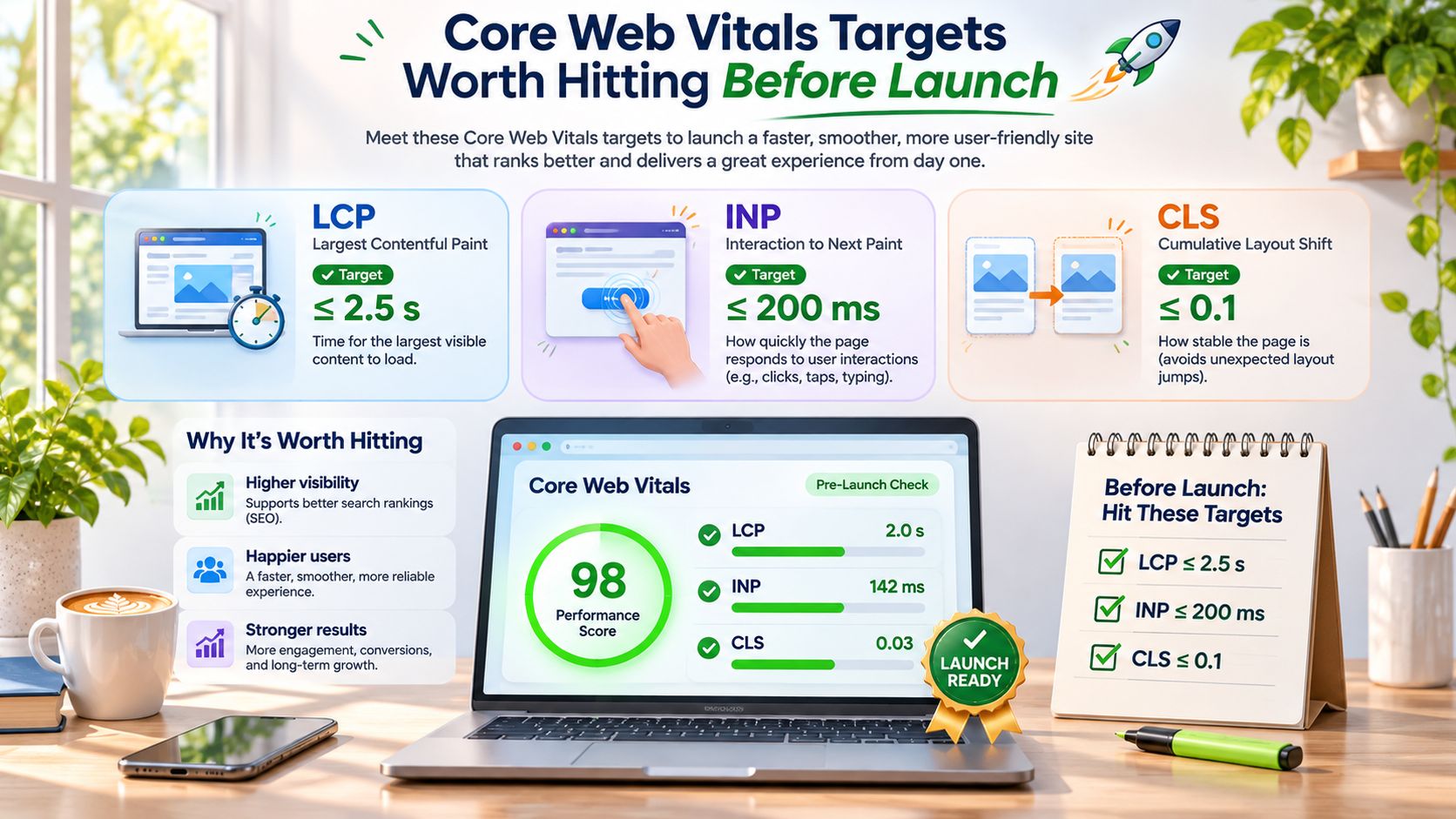
A green Lighthouse run isn't proof that your visitors get a fast page. Google evaluates Core Web Vitals using real-user data at the 75th percentile, with good targets of LCP within 2.5 seconds, INP below 200 milliseconds, and CLS below 0.1.
That distinction matters because your development laptop doesn't represent a visitor using an older phone with third-party scripts running. In the 2025 Web Almanac, 48% of mobile websites achieved good Core Web Vitals, compared with 56% of desktop websites. I'd build and test the mobile template first.
Core Web Vitals thresholds and first fixes
| Metrik | Good threshold | Usual new-site failure | First fix |
|---|---|---|---|
| Largest Contentful Paint (LCP) | Within 2.5 seconds | Oversized hero image or render-blocking CSS | Compress and preload the hero image, defer non-critical CSS |
| Interaction to Next Paint (INP) | Below 200 milliseconds | Third-party tags and long JavaScript tasks | Remove unused tags, split bundles, defer non-essential scripts |
| Cumulative Layout Shift (CLS) | Below 0.1 | Images, embeds and banners without reserved space | Set width and height or aspect ratio, reserve ad and embed space |
Use the targets to identify the failure, not just to collect a score.
Fix the template before polishing individual pages
Für LCP, identify the actual largest visible element first. If it's the hero image, deliver an appropriately sized file and prioritize that asset. Preloading every image creates competing requests rather than a useful priority.
Für INP, question each chat widget, tracking tag, and interactive component. Removing unnecessary JavaScript reduces work on the browser's main thread; splitting long tasks gives the browser opportunities to respond to input.
Für CLS, reserve space before images, consent banners, and embeds arrive. A fast download won't prevent a layout shift if the browser doesn't know how much space to leave.
- Baseline both device types. Save a repeatable mobile and desktop test before changing anything.
- Fix in dependency order. Address the largest loading asset, trim third-party scripts, then reserve missing dimensions.
- Remeasure after deployment. Check the live template again after adding analytics, forms, and consent tools.
A new domain may lack enough field data for a useful assessment. Use staging lab tests and comparable pages on the same template as temporary diagnostic proxies, not as a claimed field-data pass. Good performance supports usability; it doesn't guarantee rankings.
Mapping Keywords to Pages Before You Write
Exporting a keyword list and commissioning a page for every variation creates unnecessary overlap. You don't need separate pages for phrases that describe the same task, audience, and buying decision.
I'd group queries by shared intent, assign each group an intended URL, then inspect the live results before approving a draft. Keep wording differences separate from genuine differences in what the searcher needs.
Map the bookkeeper's business, not just the vocabulary
Say you're launching a freelance bookkeeping business in Leeds. Your map could look like this:
| Query | Intended page | What the reader needs |
|---|---|---|
| bookkeeper for sole traders | Service page | Scope, suitability, process, and a way to enquire |
| how to file a VAT return | Practical guide | Instructions, required records, and common errors |
| Xero vs QuickBooks | Comparison page | Decision criteria, limitations, and suitable use cases |
Don't force the VAT tutorial into the service page because both mention bookkeeping. The visitor trying to complete a filing task needs a different experience from someone choosing a provider.
Equally, don't split closely related service queries into interchangeable landing pages. If you can swap the titles without changing the body copy, reconsider whether you've identified distinct intents.
Let the results challenge your preferred format
Inspect the top ten results as a working review sample. Record whether you see service businesses, directories, guides, comparison pages, or tools, then note what those pages let the visitor accomplish.
If directories and marketplaces dominate, I wouldn't lead with a broad service-page target. Consider a narrower customer segment or a useful guide instead. That's a prioritization decision, not a declaration that a service page can never rank.
If guides and tools dominate, match that task. A sales page with an introductory definition isn't a substitute for instructions or a working calculator.
Choose the page format before you choose the word count.
For a new domain, I'd prioritize specific, commercially relevant clusters over broad head terms. Specificity gives you a clearer promise to fulfill, but long-tail doesn't automatically mean easy. Check the competing pages, the quality of their evidence, and whether you can offer something meaningfully different.
Use a documented SEO keyword research process so another writer can understand why you assigned a query to a URL.
My drafting rule is one primary keyword, two to four related terms, and one intent per target page. Treat that as an editorial constraint, not a Google requirement. If a related term needs a different answer or page format, assign it elsewhere or drop it.
Design Pages That Still Earn Clicks
Rankings alone won't tell you whether your first templates deserve more investment. You also need to consider what happens when Google answers the question before someone reaches your page.
Pew Research Center's analysis, covered by Search Engine Land, examined 900 U.S. adults' Google searches in March 2025: users clicked a traditional result in 8% of visits with an AI summary, versus 15% without one, and clicked a cited summary source in only 1% of visits. In that analysis, 26% ended the browsing session immediately when a summary appeared, compared with 16% without one.
Those observations don't predict your site's click-through rate. They do justify designing for useful visibility and post-click value, rather than assuming an impression will become a visit.
Give a reader something beyond the extracted answer
I'd build these requirements into the initial content template:
- Answer immediately. Put a direct answer within the first 100 words as an editorial target, then provide the conditions and evidence needed to interpret it.
- Use the searcher's question. Make the heading specific and answer it once. Rephrasing the same answer across several sections adds bulk without helping the reader.
- Contribute an original element. Add a worked example, documented tool output, comparison worksheet, or a sourced local detail that a generic summary can't replace.
- Make the brand identifiable. Use the brand naturally in the title and a clear sentence explaining what you offer, so someone can recognize or search for you later.
For the bookkeeping guide, a useful differentiator might be an annotated reconciliation example with fictional transactions clearly labeled. The summary can explain reconciliation; your page lets the reader work through the decisions.
Editorial test: If the answer gets extracted, does the remaining page still offer a reason to visit?
Don't withhold the basic answer to manufacture a click. Earn the visit with depth, evidence, a usable resource, or a relevant next action.
Clear answer blocks don't guarantee AI citations, and brand naming doesn't guarantee later searches. Treat these choices as testable page-design decisions, then measure citations, branded demand, enquiries, and the usefulness of the visits you receive.
Publishing Order for the First 90 Days
I'd treat the first 90 days as a controlled rollout, not a production quota. For the Leeds bookkeeper, the schedule below is a proposed operating plan, not an indexing promise.
Use this visibility checklist to judge progress before increasing output.
Start with a coherent business offering
Week one: publish the homepage, about page, contact page, two core service pages, and a flagship guide. For example, the service pages could distinguish sole-trader bookkeeping from ongoing bookkeeping for small limited companies, provided you offer different services.
Finish the navigation and contextual links before releasing supporting articles. Otherwise, you're testing unfinished architecture alongside unfinished content, which makes the results harder to interpret.
Weeks two to four: add supporting guides from the same cluster. A sole-trader recordkeeping guide should help the reader complete that task and link naturally to the relevant service, rather than sending every visitor to a generic homepage.
Keep each batch recognizable in your tracking sheet. Record the template, topic cluster, and source of its inbound internal links so you can compare like with like.
Let evidence determine the next batch
Weeks five to eight: consider comparisons and FAQs based on queries already generating Search Console impressions. If impressions reveal demand for software migration help, investigate whether a migration guide or comparison supports your offering before publishing it.
After day 60: expand clusters showing relevant impressions and pause the rest. Don't automatically delete quiet pages; review whether they're accessible, useful, and aimed at a realistic intent before deciding their next step.
My initial pacing ceiling would be about ten new URLs per week, with the previous batch indexed and showing for its intended queries before expanding. That's a diagnostic rule, not a search-engine limit. If a batch stalls, investigate before adding more variables.
The practical trade-off is slower visible output. In return, you can narrow an investigation to a shared template or link pattern, although timing alone won't prove which change caused the problem.
For a video walkthrough alongside the rollout, use the following resource.
Before approving any page, require a clear query and a useful contribution: a specific example, a documented number, or a tool output missing from the competing pages. If you can't identify that contribution, improve the draft rather than publishing another interchangeable URL.
Measuring Indexing and Visibility from Week One
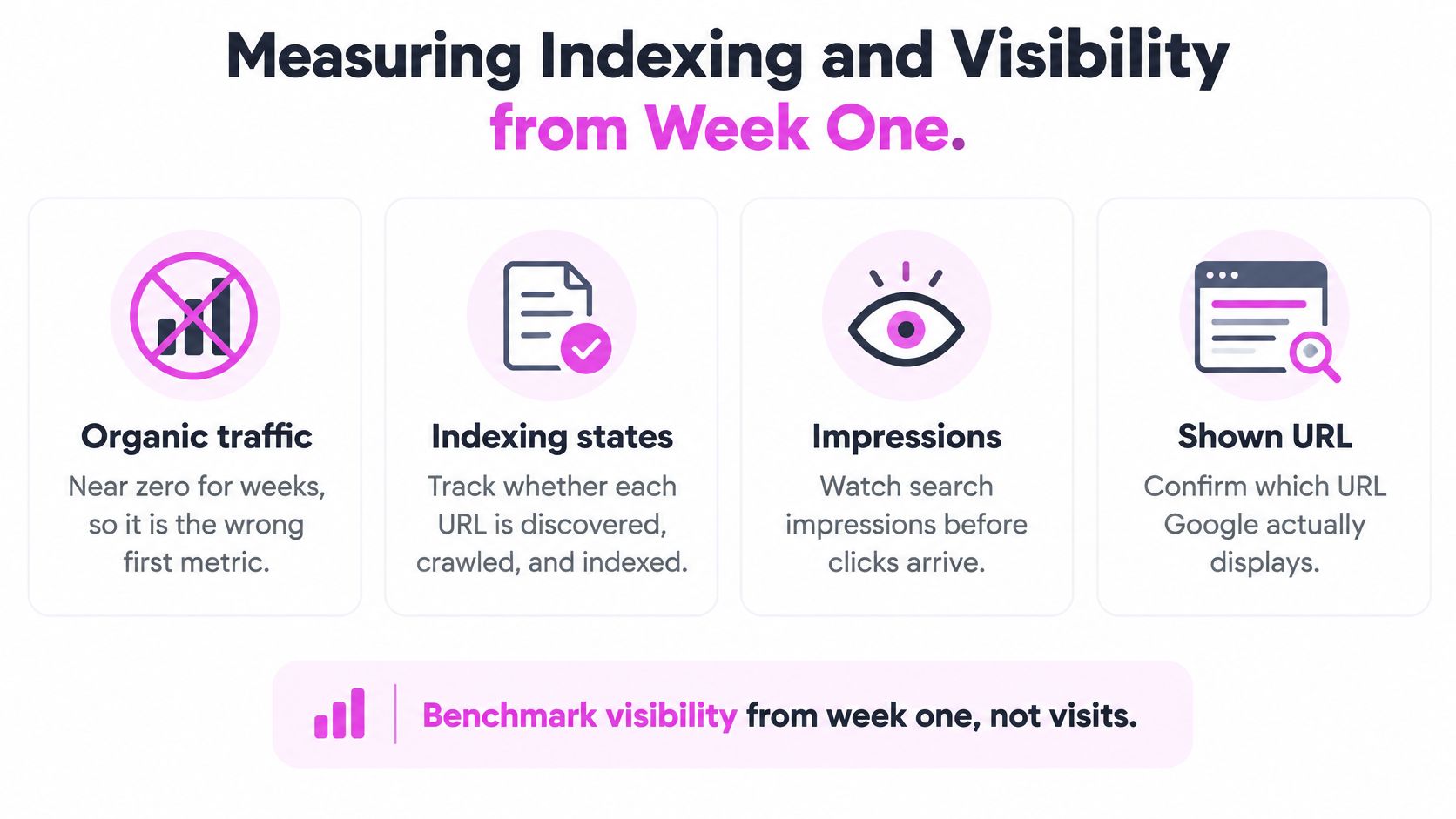
Organic traffic is the wrong first success metric when you don't yet know whether your priority pages are eligible to appear. You can have negligible visits while still making useful progress through indexing and relevant impressions.
Track the URL's state and the query it appears for before judging its click total. An indexed guide showing for an unrelated query needs a different response from a service page Google hasn't crawled.
Use benchmarks without turning them into deadlines
A 2025 IndexCheckr study of 16 million web pages found an average indexing time of 27.4 daysmit 14.00% indexed within seven days und 64.86% within 30 days. These are page-level study benchmarks, not a forecast specifically for your new domain.
Indexing benchmarks for new pages
| Meilenstein | Benchmark | What to check | Action if behind |
|---|---|---|---|
| Indexed within 7 days | 14.00% of pages | Priority URLs show as indexed in URL Inspection | Check canonical and internal links instead of resubmitting |
| Indexed within 30 days | 64.86% of pages | Target URLs appear in the Pages report | Add links from indexed pages to the stalled URL |
| Average time to index | 27.4 days | Pages still unindexed past this point | Audit the template and the crawl path |
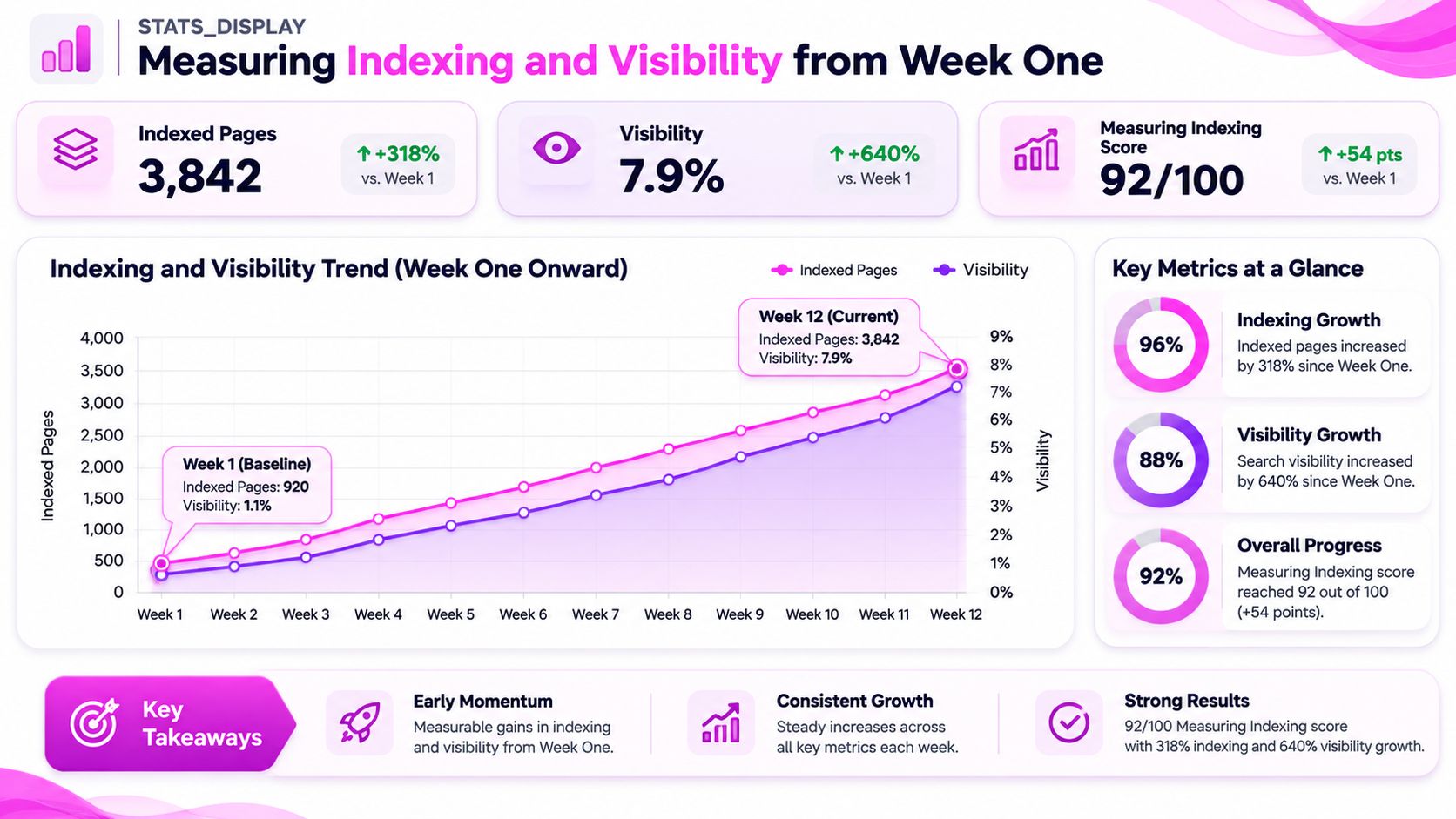
Use the dashboard as a monitoring model, not a promised growth curve.
Keep the diagnosis tied to a URL
Your baseline sheet should contain publication date, indexing status, first impression, first click, the query producing it, and whether you observe the page cited in an AI Overview. Record the checked query and observation date for AI results because a citation check isn't permanent evidence of visibility.
Filter the Search Console Performance report by page, then inspect its queries. If Google shows a different URL from the intended one, investigate overlap before commissioning more content.
For falling click-through rate, compare clicks with impressions for the same query, device, location, and position context. Stable impressions with fewer clicks can justify checking changed result features; falling impressions may instead reflect ranking changes or reduced demand. Don't attribute either pattern to AI summaries without examining the results and independent query-demand signals.
Confirm the Launch Baseline This Week
I'd turn this week's launch work into a short acceptance test: check five priority URLs, complete the baseline sheet, and schedule a 30-day review. Don't commission the flagship drafts until you've checked the keyword map against live results.
Keep the release decision explicit rather than letting an editorial calendar make it for you.
- Go: If the homepage and two priority pages are indexed and showing for their intended queries, release the next batch of about ten URLs.
- No-go: If they aren't, identify whether you're dealing with access, indexing, or relevance before expanding.
- Review: Invest further in clusters earning relevant impressions; keep unsupported expansion drafts unpublished while you investigate.
At the review, record one actionable lesson: which check failed, what you changed, and what URL Inspection showed afterward. Separate an observed improvement from an assumed cause so you don't turn a coincidence into your next launch policy.
Publish the next batch when you have evidence that the current batch works, not because the drafts are ready.
An unresolved canonical, crawl, or navigation fault won't become easier to diagnose after you replicate it. Make the smallest useful correction, document the result, and use that evidence to approve the next release.
We offer free tools including a Free Backlink Sites List, GSC Claude MCP, Keywords Search Volume, Competitor Finder, and Script Timer to support your launch preparation. Visit SemDash to explore those tools or join a free live call where you can speak to an SEO specialist about your keyword map and launch priorities.