%20(1)-B86R08ZzwhPzS6UZbG3mSxRWPCwGwn.png)


Lost Backlinks: How to Find, Verify, and Recover Them

A lost backlink is a previously live link that no longer points to your page. It was there, Google counted it, and now it’s gone, either because the target page changed, the linking page was edited or deleted, or a tool misread the crawl.
The verdict first: verify before you do anything else, then triage ruthlessly. Most lost-link panic is wasted effort chasing links that were never worth much or that no longer exist to be recovered.
Your first five minutes should include:
- Check Google Search Console’s Links report confirming the drop is real, not a tool glitch, and run a free SEO audit with Seo Checker: Free, Private & Offline | TabTasker for detailed on-page insights.
- Open the actual source URL and search the page for your domain before you write a single outreach email.
Once confirmed, two moves recover the most value fastest: 301 redirect any of your own 404s to a genuinely relevant live page, and filter your lost-link list down to the ones with real authority, traffic, or topical fit. Everything else can wait.
Wichtige Erkenntnisse
Recovering a lost backlink works best when you verify the loss first, then chase only the links with real authority, relevance, and traffic behind them.
| Punkt | Details |
|---|---|
| Verify before acting | Confirm every lost-link report by opening the source page and checking status, anchor text, and rel attributes. |
| Fix your own 404s first | Redirecting your own deleted pages to a relevant live page recovers most cases. |
| Score before outreach | Weigh topical relevance, authority, and traffic, and skip nofollow or low-traffic links entirely. |
| Reclaim unlinked mentions too | Monitor brand mentions and send brief requests to convert mentions into links. |
| Automate the recurring check | Semdash’s backlink research tool flags new losses and mentions so you’re not exporting manually every month. |
What Causes Lost Backlinks, and When Does It Actually Matter?
Three things cause most lost backlinks. Publishers edit old posts and trim outbound links during a content refresh. Your own site breaks something, deleting a page or bungling a URL migration, turning a linked page into a 404. Sometimes, nothing actually happened. The tool’s crawler simply missed the page on that pass, or the index state lagged behind reality. Backlink tracking tools vary in what they report as “lost,” and manual verification catches false positives crawlers introduce.
Not every lost link deserves your attention. A loss matters when the link carried real authority, sat on a page relevant to your topic, was dofollow, and sent measurable referral traffic. A nofollow link buried in a comment thread on a defunct blog does not.
A few real-world patterns show up constantly:
- A journalist cites you in a news piece, then the outlet redesigns and drops half its outbound links six months later.
- A resource page you were listed on gets pruned because the site owner “cleaned up” dead sections, and yours was collateral damage.
- Your own blog migration flattens old URLs into a new folder structure, and nobody mapped the redirects.
How Do You Find Lost Backlinks?
Detection is a two-tool job, and skipping either half leaves gaps.
- Pull your Links report from Google Search Console. It shows which of your pages attract the most links and, critically, which of your top-linked pages currently return a 404. This is the fastest free way to catch target-side breakage.
- Export the full candidate list. Record the source URL, date discovered, the anchor text used, and the target page that was linked.
- Run each entry through a verification checklist before it goes anywhere near an outreach queue.
The verification checklist matters more than the detection step itself. Most reported losses trace back to edited or deleted pages, and many are genuinely recoverable if you move quickly, but only if you confirm the loss first. Load the page. Search it for your domain or brand name. Follow any redirect chain to its end. Check the HTTP status code and whether a rel="nofollow" oder rel="sponsored" attribute quietly appeared. Confirm the page is even indexed.
Profi-Tipp: Keep a standing spreadsheet tab for “unverified vs. confirmed” losses. A tool flags loss the moment a crawl fails once, and treating that flag as fact wastes outreach hours on links that were never actually gone.
Which Lost Backlinks Are Worth Chasing?
Not all lost links deserve equal effort, and treating them that way is the fastest way to burn a week on low-value recoveries. Score each candidate against a short set of quality and operational signals.
Quality signals to weigh:
- Topical relevance to the linking page’s content, not just its domain
- Domain-level authority, using whatever authority proxy your backlink tool provides
- Estimated organic traffic the linking page actually receives
Operational signals matter just as much:
- Does the link point to a 404 on your own site? That is a fast, high-certainty fix.
- Was it removed by an editor during a content refresh? That requires outreach, and outreach has a lower hit rate.
A workable rubric: chase links scoring high on relevance and authority where the fix is on your side (redirect it, done). Chase moderate-authority links only if outreach effort is low and the page still ranks for something relevant. Ignore anything nofollow, low-traffic, and off-topic. Recovery odds differ sharply by type: restoring or redirecting your own dead page recovers most cases, while outreach to fix an edited or removed link succeeds less often.. That gap alone should decide where your hours go.
How Do You Recover Lost Backlinks?
Recovery splits into four distinct plays, and matching the right play to each lost link is most of the work.
- Fix your own side first. If the link points to a page you deleted, either restore that page or 301-redirect it to the closest relevant live equivalent. Mapping old URLs to genuinely related pages, rather than dumping everything on the homepage, preserves far more of the link’s value. Rebuild at the old URL when the content still has demand; redirect when the topic has been folded into a newer, better page.
- Run outreach for editor-removed links. Keep the first message short: name the exact page, name the exact link that disappeared, and frame the ask as fixing something broken on their end, not as a favor to you. Follow up once after a week of silence, then let it go. Reclamation outreach converts far better than cold link building because the publisher already chose to reference you once.
- Reclaim unlinked mentions. Set up brand mention monitoring, then send a brief note asking the site to convert the mention into a link. This is a distinct tactic from lost-link recovery, but it draws on the same monitoring habit and the same low-friction pitch.
- Replace, don’t chase, when the math doesn’t work. If a link sat on a low-authority page that got deindexed, or the publisher has a history of ignoring outreach, spend that time earning a fresh link elsewhere instead.
Profi-Tipp: Batch your outreach by publisher, not by link. If three of your lost links trace back to the same site’s redesign, one email covering all three lands better than three separate ones.
How Do You Prevent Future Backlink Loss?
Catching losses early beats recovering them later, and most prevention is policy, not tooling.
- Set daily lost-link alerts and weekly brand mention monitoring so you’re not relying on memory.
- Run a full backlink audit monthly for most sites; fast-changing or large sites should check every two weeks instead.
- Adopt a strict internal rule: never delete a URL that has inbound links without redirecting it first.
- Audit every redirect map after a site migration or CMS switch. This is where the most damage happens, silently.
- Diversify how you earn links in the first place. A backlink profile built heavily on one fragile source, like a single directory or a single guest-posting relationship, loses value fast when that source disappears.
How Does Semdash Fit Into a Lost Backlink Workflow?
Semdashs Backlink-Analyse tool covers the detection and monitoring load this whole workflow depends on:
- A Lost Backlinks view that flags links dropped since your last crawl, so you’re not waiting on a manual export.
- Alerting that surfaces new losses without a manual re-check.
- Mention tracking that feeds directly into the reclaim-unlinked-mentions play covered above.
- Historical backlink data, useful for confirming whether a link was ever really there before you spend time chasing it.
Detection, triage, and monitoring work best as one continuous loop rather than three separate tasks done on different days. Pull the lost-link list, score each entry against the rubric above, act on the fast wins immediately, and let alerts handle the next round.
A link you earned once is almost always cheaper to get back than a new one is to build from scratch, because the publisher already decided you were worth citing. Losing that link doesn’t erase that decision. It just breaks the pointer.
When Should You Handle This Yourself vs. Bring in Help?
Handle reclamation in-house when volume is low and your team already owns the outreach relationships. Bring in an agency or specialist when the backlog runs into hundreds of links or outreach requires relationships you don’t have. My own workflow tip: triage in bulk once a month, don’t dribble it out link by link.

Get Alerts Before Small Losses Become Big Problems
Semdash turns backlink monitoring from a manual export-and-check chore into a running feed. Instead of waiting for a monthly audit to notice a high-authority link went dark, you get flagged the moment it drops, with the same view showing referral traffic and authority signals you need for triage.
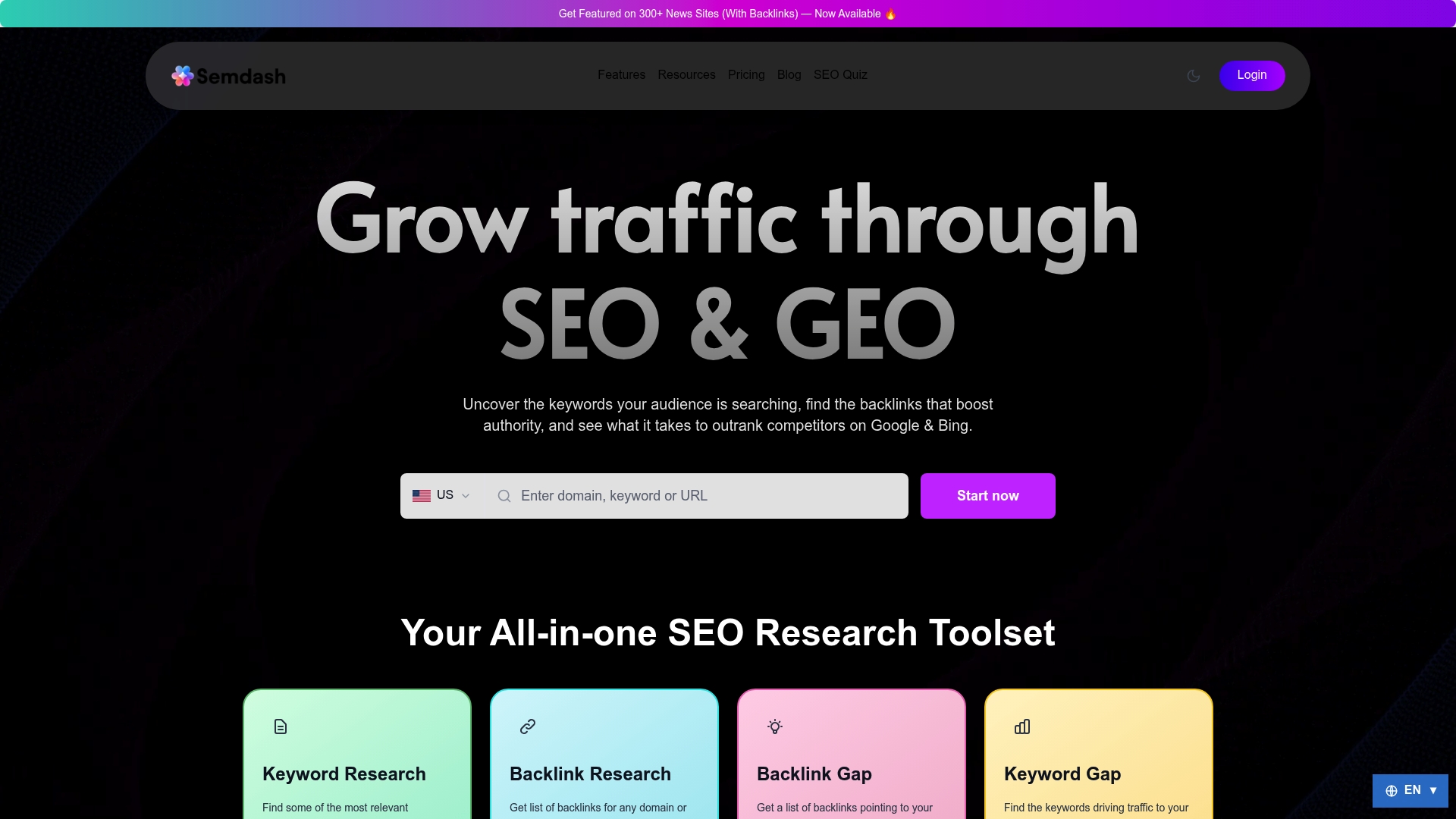
Agencies managing multiple client portfolios get the most out of this because losses compound fast across dozens of domains. In-house SEOs get a workflow that fits into a single weekly check instead of a scattered spreadsheet habit. Solo practitioners get a way to run the whole detection to triage to monitor loop without a second tool for backlink data and a third for alerts.
If you’re still relying on a single free backlink checker and manual spreadsheet exports, start a trial and run your current backlink profile through Semdash’s backlink research tool to see what it flags that your current setup missed.
Quellen
- Link reclamation: recover lost backlinks | Link Inbound
- Link Reclamation: How to Find and Reclaim Lost Backlinks
- Lost Backlinks Recently? How to Recover Lost Links
Häufig gestellte Fragen
Are Backlinks Still Relevant in 2026?
Yes. Backlinks remain one of Google’s core ranking signals, and losing high-authority, topically relevant links still measurably affects visibility for the pages that relied on them.
How Do I Find My Backlinks?
Pull your Links report from Google Search Console for a free first-party view, then run your domain through a backlink tool such as Semdash’s backlink research tool or a free checker like Ubersuggest for external link data Search Console doesn’t cover.
What Is a Backlink on a Website?
A backlink is a link from one website pointing to a page on yours, and search engines treat it as a signal of relevance and authority for that page.
Is There a Free Way to Check Backlinks?
Yes. Google Search Console is free and shows your own link data directly from Google’s index, and free-tier backlink checkers like Ubersuggest add limited external link visibility on top of that.