%20(1)-B86R08ZzwhPzS6UZbG3mSxRWPCwGwn.png)


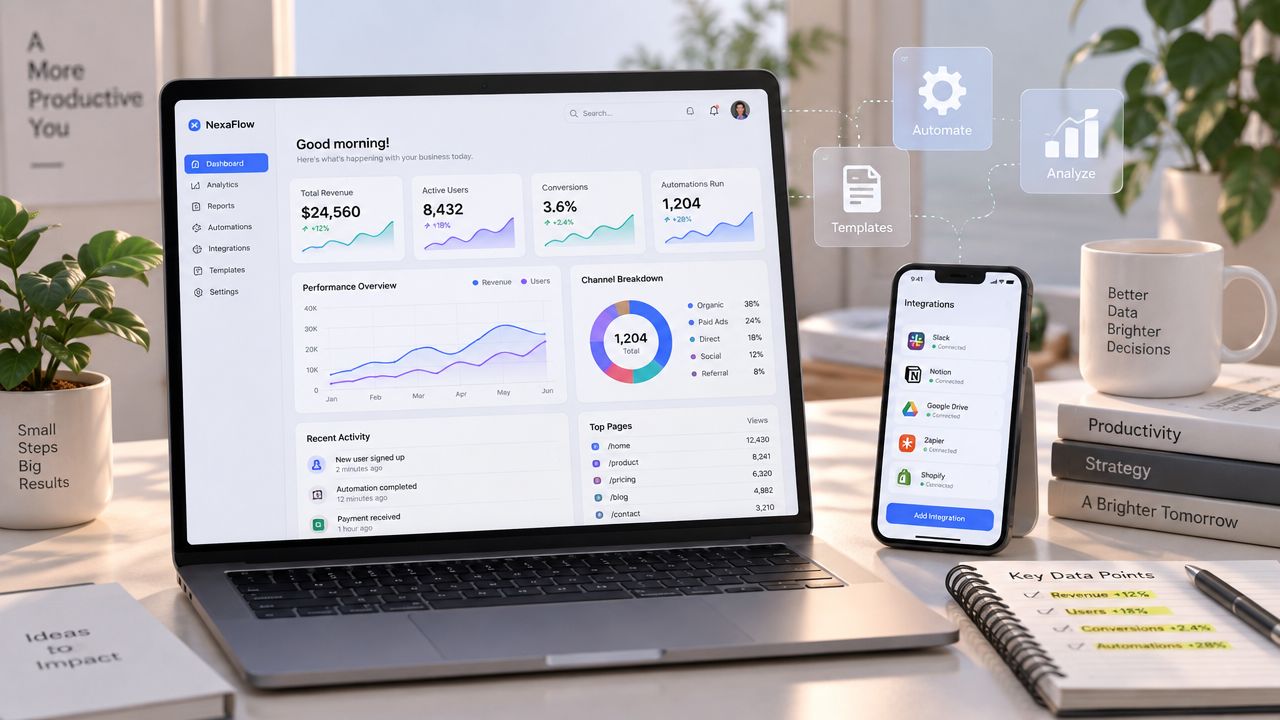
The best SEO report isn't the longest one. Exporting every available metric into a monthly PDF creates the appearance of rigor while making it harder for a client, executive, or SEO specialist to decide what to do next. I'd rather open a report and immediately see whether rankings, organic traffic, crawl health, and conversions are moving together than spend time interpreting a crowded page of disconnected charts. That outcome-first dashboard structure is also recommended in practical SEO dashboard guidance from Geckoboard.
The right SEO reporting tool depends on who acts on the report, which decisions it must support, how much data needs blending, and whether the workflow includes research as well as delivery. A research platform can uncover the keyword and backlink opportunity, but it may not produce the best client portal. A reporting-first platform can automate branded delivery, yet still require another system for competitive analysis.
I've compared the options below by the workflow they improve: research, rank tracking, client delivery, multi-source dashboards, or automation. I'm also looking at KPI design, integrations, template control, maintenance effort, and agency scale. Before adopting any tool, I'd test whether it helps explain a change, assign an action, and preserve enough context to avoid misleading conclusions.
Inhaltsverzeichnis
- 1. SemDash
- 2. Semrush
- 3. Ahrefs
- 4. SE Ranking
- 5. AgencyAnalytics
- 6. DashThis
- 7. Swydo
- 8. Databox
- 9. AccuRanker
- 10. Google Looker Studio
- Top 10 SEO Reporting Tools Comparison
- Build the Report Around the Decision
1. SemDash
SemDash is the strongest fit when reporting needs to start with research and competitive discovery, not end with a polished PDF. I use that distinction deliberately. A recurring report can tell me that a page lost visibility, but the next decision usually requires keyword-level context, the exact ranking URL, competitor pages, SERP intent, and realistic link prospects.
SemDash brings keyword, backlink, and SERP intelligence into one cloud workspace. Its database includes 6.6 billion Google keywords updated monthly, a 2.7 trillion-link index with daily crawls, and 600 million SERPs refreshed monthly, according to the product information provided for this comparison. Those datasets support domain- and URL-level keyword reports, Keyword Gap and Backlink Gap analysis, long-tail, PAA, and PASF discovery, and competitor reverse-engineering.
I'd use it to build a report around questions such as:
- Which pages should we improve: URL-level mapping connects a query to the page ranking, which helps separate a content problem from a cannibalization problem.
- Which links can we pursue: Backlink Gap, anchors, unlinked mentions, and broken-link recovery turn a backlink chart into an outreach queue.
- What changed in the SERP: 12-month SERP history and volatility tracking provide more context than a single rank snapshot.
- How is AI visibility behaving: AI Overviews tracking identifies keywords that trigger domain mentions and the exact URLs cited inside Google's AI answers.
Wo SemDash seinen Platz hat
The practical advantage is consolidation. I can move from competitor keywords to content briefs, clustering, backlink prospects, and AI citation visibility without exporting every intermediate dataset into spreadsheets. The platform also offers AI-assisted briefs, intent classification from live SERP data, and an MCP connector for querying live SEO data through Claude or ChatGPT.
SemDash also supports branded SEO reports and an AI SEO Audit that uses live web search and Google Search Console data for clean, client-ready deliverables. The interface is fast and uncluttered, and customer feedback describes it as a budget-friendly alternative to more expensive suites. I'd still verify export limits before committing. Some users report fewer per-domain keyword pulls than the largest incumbents, and agencies needing extensive batch analysis across many domains should confirm bulk limits and account permissions.
Praktische Regel: Use SemDash when the report must explain what to investigate next, not merely document what happened.
Visit SemDash to test the research, reporting, and AI visibility workflow before building your standard template.
2. Semrush
Semrush works well when I want one vendor to cover SEO research and branded reporting. My Reports can pull Semrush data alongside GA4, Google Search Console, Google Ads, and social sources, then turn the selected metrics into scheduled PDFs, live dashboards, or client-facing reports.
The drag-and-drop builder is useful for agencies that don't want to maintain separate research and delivery systems. I can start with Position Tracking, Site Audit, Keyword research, and Backlink Analytics, then add traffic and conversion context from Google sources. That keeps the narrative closer to the work. A ranking movement can be discussed beside the landing page, organic sessions, and business outcome rather than in an isolated SEO section.
The trade-off is complexity. Semrush is a broad marketing suite, so teams that only need a simple SEO dashboard may be paying for capabilities they won't use. The reporting layer also needs careful configuration around branding, user access, data sources, and schedules. I'd test a complete client workflow, from data connection to final PDF, rather than judging the builder from a template preview.
Best use and adoption check
Semrush is a good choice for an agency with mixed SEO, content, PPC, and social responsibilities. It's also practical for an in-house team that wants research depth and reporting within the same ecosystem.
Before adoption, I'd verify:
- Limit behavior: Check how project, user, keyword, and report allowances change across the plan you're considering.
- Data blending: Confirm that GA4 and GSC fields map cleanly to the Semrush metrics you want beside them.
- Client experience: Test white-label settings, portal access, scheduled delivery, and PDF readability.
- Maintenance ownership: Decide who will update connectors, templates, annotations, and KPI definitions when campaigns change.
Explore Semrush when research depth and client-ready reporting need to live in one platform.
3. Ahrefs
Ahrefs is my pick when the reporting workflow is research-first and backlink-led. Site Explorer, Keywords Explorer, Site Audit, and competitor analysis give the report a strong investigative foundation. If a client asks why a competitor owns a topic, which pages attract links, or where an authority gap exists, Ahrefs generally keeps the analysis close to the source data.
The Report Builder lets me turn that research into recurring reports with automated PDF scheduling and email delivery. Its scheduling options range from hourly to quarterly, which is useful when different stakeholders need different delivery rhythms. A site owner might receive a monthly summary, while an internal SEO team receives a more frequent diagnostic report.
The main limitation is scope. Ahrefs reporting is centered on Ahrefs data plus email and PDF delivery, not on building a broad, multi-source executive dashboard. I wouldn't choose it as the only reporting layer if the final report must combine GA4, CRM outcomes, advertising spend, and call tracking in one visual workspace.
What I'd verify first
Usage and row limits matter for large exports. I'd test the exact report layout with a real project, especially if the workflow includes many keywords, competitors, landing pages, or backlink rows. I'd also verify which features are available through the free site-verification tier before treating it as a replacement for a full subscription.
The reporting process works best when I pair rank data with landing-page context and annotate content refreshes, redirects, and title changes. A keyword can improve while clicks remain flat, and a page can lose visibility after a technical change that no one recorded. Ahrefs supplies useful evidence, but the analyst still has to connect the event to the recommendation.
See Ahrefs if your reports need strong competitive and backlink evidence more than broad dashboard blending.
4. SE Ranking
SE Ranking suits teams that need scheduled, white-label SEO reports without moving immediately into a heavier enterprise suite. Its Report Builder can package rankings, audits, backlinks, and competitor information into branded reports with daily, weekly, or monthly scheduling and time-zone controls.
That flexibility helps when stakeholders consume information differently. I can create a short pulse report for anomalies and a deeper monthly report for KPI review, trend interpretation, wins, losses, and next actions. Reporting guidance from AIO Copilot supports that split, while a separate framework recommends monthly reporting as a practical standard because it gives enough time to distinguish trend from noise.
The platform also offers API access for rankings, keywords, backlinks, and SERP data. That matters if the built-in report is close to the required format but not quite right. I can move selected data into an existing dashboard or internal workflow instead of rebuilding every view from scratch.
Where the trade-off appears
SE Ranking's feature coverage is attractive for modest budgets, but quotas and advanced capabilities vary by subscription. I'd never compare plans only by the headline feature list. I'd create a test project with the expected keyword set, report recipients, ranking locations, audit needs, API requests, and white-label requirements.
A useful report should answer a business question. One reporting framework recommends keeping 4 to 6 primary KPI scorecards at the top and using 12 to 24 month trend lines for context, with like-for-like comparisons such as month over month or year over year. See Digital Applied's SEO reporting framework for that structure. SE Ranking can support the delivery, but I'd keep the first screen intentionally narrow.
Compare SE Ranking if branded scheduling and practical SEO coverage matter more than an extensive all-channel data warehouse.
5. AgencyAnalytics
AgencyAnalytics is built around repeatable agency delivery. When an agency manages many client accounts, the hard part isn't creating one attractive dashboard. It's standardizing data connections, branding, permissions, schedules, and report layouts without forcing every account manager to rebuild the same work.
The platform offers 85+ native integrations across SEO, advertising, social, and call tracking, along with drag-and-drop dashboards, scheduled branded reports, white-labeling, custom domains, and Google Sheets support. Those integrations make it easier to include custom metrics when a client's CRM, internal spreadsheet, or niche platform isn't available through a native connector.
What works at agency scale
I'd use AgencyAnalytics when the client portal and presentation layer are central to the service. Templates help the team deliver a consistent experience, while custom domains and branding keep the reporting environment aligned with the agency rather than the underlying software.
The cost trade-off becomes more visible as client count and connected sources grow. I'd model the total account structure before signing, including integration limits, dashboard counts, add-ons, staff access, and whether a rank tracker is included in the plan you need. A platform can be easy to deploy and still become expensive if every new client or source expands the bill.
For a broader comparison of agency platforms, I'd also review SEO reporting software alternatives while testing the same template across multiple client types.
Open AgencyAnalytics if your main reporting problem is scalable client delivery rather than discovering new SEO opportunities.
6. DashThis
DashThis is a good fit for lightweight client reporting with predictable dashboard packaging. I'd choose it when the agency sells recurring reporting as a defined service and wants to forecast cost by the number of dashboards rather than by a complex combination of data connectors and user permissions.
Prebuilt SEO templates and drag-and-drop widgets reduce setup time. White-label URLs, branding, scheduling, and shareable links make it easy to deliver a polished report without asking clients to learn a new analytics system. That simplicity has real value when the report is meant for a business owner who needs a clear monthly readout, not an analyst who wants to explore every raw field.
DashThis is less suitable for deep investigation or complex data blending. If I need to reconcile Search Console queries with CRM stages, product revenue, paid media, and custom warehouse data, I'd test the available connectors carefully or use a separate BI layer. Reporting-first tools can make delivery easy while leaving the analytical model underdeveloped.
My implementation approach
I'd create one template around the client's decision cycle:
- Outcome panel: Organic traffic, conversions, and the primary business result.
- Visibility panel: Ranking distribution, impressions, and landing-page movement.
- Diagnostic panel: Technical issues, backlink activity, and annotated changes.
- Action panel: The next content, technical, or link-building decisions.
A rank-reporting guide from Reporting Ninja recommends ranking distribution, CTR by landing page, keyword growth, and annotations for changes such as redirects and title edits. Those details prevent a polished dashboard from becoming a vanity report.
Try DashThis if fast setup and predictable recurring delivery matter more than advanced analytical flexibility.
7. Swydo
Swydo is useful when I want multi-channel agency reporting with more automation in report creation. Its native connectors cover SEO, advertising, and social sources, while the Google Sheets connector provides an escape hatch for custom or non-native data.
The AI-powered Report Builder can speed up template creation and updates. I'd treat that as a drafting aid rather than an analyst. Automation can place the right widgets in a report, but it can't reliably decide whether a traffic decline came from seasonality, tracking changes, a redirect, SERP volatility, or a genuine loss of demand without a carefully designed data model and human review.
The cost of many sources
Swydo's pricing model is tied to data sources, so the economics can change quickly for agencies with many accounts and channels. I'd list every required source before adoption, including the number of GA4 properties, GSC properties, advertising accounts, social profiles, and Sheets connections. Then I'd confirm how the platform handles authentication failures, renamed fields, missing periods, and source-level limits.
The reporting cadence should also match the speed of meaningful change. A short report can flag an anomaly, while a monthly report should carry the interpretation and recommendations. I wouldn't use a weekly ranking shift as proof that a content program worked, especially on a lower-traffic site where the sample may be noisy.
Swydo works best when the agency already has a stable KPI framework and needs to reduce production time. It works less well as a substitute for deciding what success means.
Visit Swydo if recurring multi-channel reports and assisted template maintenance are your main bottlenecks.
8. Databox
Databox fits teams that need SEO inside a broader marketing KPI dashboard. It offers hundreds of native integrations, one-click SEO dashboard templates, custom metrics, goals, performance summaries, and anomaly detection. That makes it useful when an executive or client wants SEO beside paid media, sales, ecommerce, or product metrics.
The advantage is the shared operating view. I can show organic traffic and conversions alongside the other acquisition channels, then use custom metrics to keep the discussion focused on business outcomes. AI-assisted summaries and anomaly detection can help surface what deserves attention before a meeting, although I'd still validate every explanation against GA4, GSC, and the underlying SEO platform.
Where Databox needs discipline
Pricing is tied to data sources, and multi-account setups can increase cost. The free tier also limits users, sources, and dashboards, so I'd calculate the full reporting architecture rather than testing only one small dashboard. Source reliability matters too. A dashboard that looks automated but loses a connector can create more risk than a manual report that clearly shows its data date.
I'd define the metric logic before designing the visual layer. For example, “organic conversions” needs a consistent channel definition, conversion event, attribution approach, and reporting window. Mixing GA4 conversions with a CRM's qualified leads without explaining the relationship produces a persuasive-looking but unusable KPI.
Databox is strongest for executive readability and blended performance management. It's not the first tool I'd choose for deep keyword discovery, backlink prospecting, or URL-level competitor analysis.
Explore Databox when SEO reporting needs to sit inside a wider marketing performance system.
9. AccuRanker
AccuRanker is the specialist choice for rank-focused reporting. If keyword position is a core client deliverable and the team needs fast refreshes, detailed segmentation, SERP feature tracking, and shareable reports, its narrower scope becomes an advantage rather than a weakness.
I'd organize campaigns with tags, landing pages, locations, devices, and priority groups, then build reports that answer specific questions. A client may need a view of commercial terms, while an internal SEO needs to isolate pages affected by a template change. Segmentation makes those views easier to maintain than one enormous ranking export.
What rank reporting cannot explain alone
Rankings need landing-page and business context. Search Console impressions and clicks, GA4 traffic, conversions, and technical health help explain whether a ranking change mattered. A keyword can hold its position while clicks decline because the SERP has changed, or a page can gain visibility without producing qualified actions.
AI Overviews make that distinction more urgent. One cited study found that AI Overviews moved from appearing for 6.49% of keywords in January 2025 to nearly 25% in July and 15.69% in November, and another dataset found that AI Overviews reduced organic CTR for position one by 58%. Those figures come from the Semrush AI Overviews study, and they show why rank position alone can't define visibility.
AccuRanker is a strong rank layer, not a complete SEO reporting stack. I'd connect it to analytics, Search Console, crawl data, and conversion reporting before presenting it as the full story.
See AccuRanker if fast, segmented ranking reports are the central product you deliver.
10. Google Looker Studio
Google Looker Studio is the best fit when I need flexible, blended KPI reporting and can accept responsibility for setup and maintenance. The standard version is free, and its Google ecosystem includes connectors for GA4, Google Search Console, Google Ads, Sheets, and BigQuery. Community and third-party connectors extend coverage to other SEO platforms.
That flexibility lets me design a report around the business model instead of the menu of one SEO vendor. I can blend landing-page performance, Search Console visibility, GA4 conversions, spreadsheet-based campaign annotations, and warehouse data into a single dashboard. For custom reporting teams, that control is difficult to match with a more packaged platform.
The maintenance burden is real
Looker Studio is not a set-and-forget reporting solution. Connector reliability, quotas, authentication, field changes, blended data behavior, and date controls all need monitoring. If a client report breaks the morning before a review, the person who built the data model must be able to diagnose the source rather than refresh the page.
I'd build a data dictionary before creating charts. Define channel groupings, conversion events, branded versus non-branded logic, ranking sources, date comparisons, and the difference between a ranking URL, a cited URL, and a landing page receiving traffic. Research from SEO Clarity highlights why those distinctions matter as AI Overviews and SERP features become more volatile. A separate resource on SEO-Dashboard-Tools can help compare the surrounding stack.
Looker Studio works for teams with technical ownership and stable data sources. For an automated SEO reporting setup, I'd stabilize the underlying connections and definitions before adding more automation.
Use Google Looker Studio when customization and multi-source blending outweigh the convenience of a prebuilt SEO suite.
Top 10 SEO Reporting Tools Comparison
| Product | Kernfunktionen | UX / Quality ★ | Value & Pricing 💰 | Best for 👥 | Alleinstellungsmerkmale ✨ |
|---|---|---|---|---|---|
| 🏆 SemDash | Keywords (6.6B), Backlinks (2.7T), 12‑mo SERP history, AI briefs, Keyword/Backlink Gap, URL-level mapping | ★★★★☆, fast, uncluttered UI | 💰 Competitive; free trial & starter tiers | 👥 Solo SEOs, small teams, agencies | ✨ URL‑level mapping, AI Overviews (citation tracking), backlink recovery |
| Semrush | All‑in‑one SEO + reporting, Site Audit, Position Tracking, many integrations | ★★★★☆, mature, full‑featured | 💰 Mid–high; tiered enterprise plans | 👥 Agencies & in‑house teams needing integrated reporting | ✨ White‑label reports, broad integrations |
| Ahrefs | Site Explorer, Keywords Explorer, massive backlink index, Report Builder | ★★★★☆, research‑first, deep data | 💰 Mid–high; usage/export limits | 👥 Research teams & SEOs needing deep backlink data | ✨ Very deep link index and exports |
| SE-Rangliste | Rank tracking, scheduled white‑label reports, API, audits | ★★★☆☆, straightforward, easy setup | 💰 Low–mid; flexible pricing options | 👥 Small teams & budget-conscious agencies | ✨ Affordable white‑label + API access |
| AgencyAnalytics | 85+ native connectors, drag‑drop dashboards, white‑label & custom domains | ★★★★☆, agency‑scale UX | 💰 Mid; scales with client count | 👥 Agencies with multi‑client reporting workflows | ✨ Custom domains, templates for scale |
| DashThis | Prebuilt SEO templates, drag‑drop widgets, per‑dashboard pricing, scheduling | ★★★★☆, very low setup overhead | 💰 Predictable per‑dashboard pricing | 👥 Agencies with fixed monthly report packages | ✨ Per‑dashboard pricing simplicity |
| Swydo | Multi‑channel connectors, AI Report Builder, Google Sheets support, scheduling | ★★★☆☆, automation + connectors | 💰 Mid; per‑source pricing can scale | 👥 Agencies wanting AI‑assisted report creation | ✨ AI‑powered report drafting |
| Databox | One‑click SEO templates, custom metrics, AI summaries & anomaly detection | ★★★★☆, exec‑friendly dashboards | 💰 Mid; pricing tied to sources/accounts | 👥 Marketing teams & exec reporting | ✨ Genie AI summaries, anomaly alerts |
| AccuRanker | Fast rank refreshes, SERP feature tracking, segmentation, shareable reports | ★★★★☆, very fast & reliable | 💰 Mid; per‑keyword/pricing model | 👥 Agencies needing frequent rank updates | ✨ Very fast refresh cadence & detailed segmentation |
| Google Looker Studio | Free Google connectors + community connectors, BI‑style blending, custom dashboards | ★★★☆☆, highly flexible but setup required | 💰 Free standard; Pro via Google Cloud | 👥 Analysts, BI teams & advanced custom reporting | ✨ No‑cost starter; powerful data blending abilities |
Build the Report Around the Decision
The right choice depends less on the longest feature list than on the workflow that fails today.
Für research-led reporting, I'd shortlist SemDash, Semrush, and Ahrefs. SemDash is the most compelling when competitive discovery, URL-level keyword mapping, backlink gaps, content planning, clustering, and AI Overviews citations need to live together. Semrush makes sense when research spans SEO, content, PPC, and social and the agency wants branded reporting from the same vendor. Ahrefs is the better fit when backlink and competitor research provide the evidence behind recurring reports, especially when automated PDF delivery is enough.
Für agency delivery, AgencyAnalytics, DashThis, and Swydo deserve the closest comparison. AgencyAnalytics is built for repeatable client portals, branding, permissions, and broad integrations. DashThis keeps recurring dashboard delivery simple and makes dashboard-based cost forecasting easier. Swydo adds useful automation for agencies that already know which sources and KPIs they need. I'd compare actual client counts, connected accounts, white-label requirements, dashboard limits, and support needs rather than relying on the lowest advertised plan.
Für blended KPI dashboards, Databox and Looker Studio are the practical candidates. Databox reduces setup through templates, native connectors, summaries, and anomaly detection. Looker Studio gives more control over data blending and layout, but I'd assign someone to maintain connectors, calculated fields, filters, and permissions. A flexible dashboard is only valuable if its numbers remain trustworthy after the first campaign change.
Für rank-focused programs, AccuRanker is the specialist option. It handles segmentation, refreshes, SERP features, and shareable rank reporting well, but it needs analytics, Search Console, crawl, backlink, and conversion sources around it.
My implementation sequence is simple:
- Define the audience and decisions: Decide whether the report is for an executive, client, account manager, content team, or technical SEO. Write down the decisions the reader should make after reviewing it.
- Select a small KPI set: Put outcome metrics first, then visibility and diagnostic metrics. Keep supporting detail below the fold.
- Connect trusted sources only: Start with GA4, GSC, one research or rank platform, and the business conversion source. Add another connector only when it answers a real question.
- Create one reusable template: Use the same structure across comparable accounts, with room for campaign-specific annotations and recommendations.
- Schedule delivery: Use a lightweight pulse report for anomalies and a monthly report for trend analysis and next steps.
- Review every metric: If a number doesn't change an action, remove it or move it to a diagnostic view.
Avoid mixing incompatible definitions. Don't compare a GA4 conversion with a CRM-qualified lead as if they were identical. Don't report rankings without landing-page context. Don't automate a report before the underlying workflow is stable, because automation can distribute a wrong definition more efficiently.
For executives, keep the narrative connected to decisions and use reporting automation for executives only after the KPI model, ownership, and review process are clear. The tool should shorten the path from signal to action. It shouldn't replace the judgment that gives the signal meaning.
SemDash brings keyword, backlink, SERP, competitor, content-planning, and AI Overviews citation data into one cloud-based SEO research and analysis workflow, with branded reporting for client delivery. If you want to replace scattered exports with a faster research-to-report process, visit SemDash and test whether its workspace fits your reporting decisions.