%20(1)-B86R08ZzwhPzS6UZbG3mSxRWPCwGwn.png)


Die Top 10 der erschwinglichen SEO-Tools für kleine Unternehmen

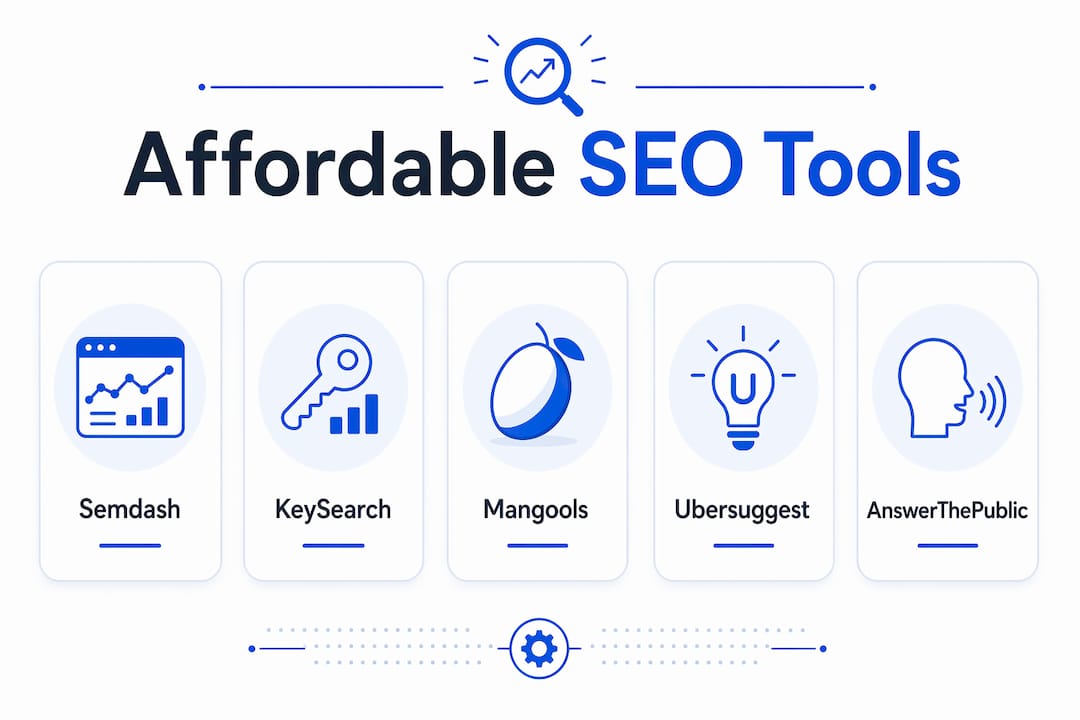
The best affordable SEO tools for small businesses in 2026 are: Semdash (best all-in-one value with credit-based pricing), KeySearch (best budget keyword research), Mangools/KWFinder (best for beginners), Ubersuggest (best free-to-paid transition), AnswerThePublic (best question-research complement), Google Search Console (essential free foundation), and Keyword Surfer (fastest in-browser keyword checks).
- Semdash — All-in-one keyword research, backlink tracking, competitor analysis, and AI Overview monitoring on a credit-based plan; the strongest cost-to-value ratio for small sites that need enterprise-level features without the enterprise price tag.
- KeySearch — Starter plans at an affordable monthly rate; purpose-built for bloggers and solopreneurs who need solid keyword difficulty scores without paying for features they’ll never use.
- Mangools (KWFinder) — Clean interface with guided workflows; the easiest ramp-up for first-time SEOs who want accurate keyword data without a steep learning curve.
- Ubersuggest — Generous free tier with a low-cost paid upgrade; a natural first step for founders moving from zero budget to their first paid SEO subscription.
- AnswerThePublic — Visualizes search questions and prepositions around any seed keyword; pairs well with any paid tool as a content-ideation layer.
- Google Search Console — Free, first-party data directly from Google; the non-negotiable foundation before spending a dollar on anything else.
- Keyword Surfer — Free Chrome extension that surfaces search volume and related keywords directly in Google SERPs; no login, no credits, instant insight.
If your site needs keyword research, backlink data, content-gap analysis, and AI Overview tracking in one place, Semdash’s credit model keeps monthly costs predictable without forcing you to pay for seat licenses or feature tiers you won’t touch. If you only need one job done (say, keyword difficulty checks), a single-feature tool like KeySearch costs less per month and does that job well.
How do these tools compare at a glance?
The table below maps each tool across the six factors that matter most to budget buyers: who it fits, starting price, core features, ease of use, and data limits.
| Werkzeug | Am besten für | Starting price / free tier | Kernfunktionen | Ease of use | Data / report limits |
|---|---|---|---|---|---|
| Semdash | All-in-one value, solopreneurs, small agencies | Paid plans (credit-based); kostenlosen Tools available | Keyword research, competitor analysis, backlink tracking, AI Overview monitoring, SERP tracking, content-gap analysis | Moderate; clean UI with guided workflows | Credits consumed per query; tiered plans scale with usage |
| KeySearch | Budget keyword research, bloggers | ~$24/month; limited free trial | Keyword difficulty, search volume, competitor research, rank tracking | Easy; minimal setup | Daily search limits on starter plan |
| Mangools (KWFinder) | Beginners, visual learners | ~$29/month; 10-day free trial | Keyword research, SERP analysis, rank tracking, backlink checker | Very easy; guided UI | Monthly keyword lookups capped by plan |
| Ubersuggest | Free-to-paid transition, solo founders | Free tier (3 searches/day); paid from ~$29/month | Keyword ideas, site audit, backlink data, content ideas | Einfach | Daily search limits on free; monthly on paid |
| AnswerThePublic | Content ideation, question research | Free (limited searches/day); paid from ~$9/month | Question-based keyword visualization, content ideas | Sehr einfach | Daily search cap on free tier |
| Google Search Console | Every site owner | Kostenlos | Indexing status, search appearance, click/impression data, Core Web Vitals | Moderate; data-rich but no competitive intel | Unlimited for your own site; no competitor data |
| Keyword Surfer | Quick in-SERP checks | Free (Chrome extension) | Search volume, CPC, related keywords in SERP | Very easy; zero setup | Unlimited in-browser lookups |
A note on pricing shapes: Semdash uses a credit-based model, meaning you pay for what you actually query rather than a flat seat license. For a small site running 50–100 keyword checks and a handful of audits per month, that tends to cost less than a seat-based tool priced for power users. KeySearch and Mangools use monthly caps, which are predictable but can feel restrictive if you’re doing a content sprint. Credit-based pricing requires estimating your monthly workflow volume upfront — a quick audit of your typical monthly tasks before signing up saves surprises.
How these tools were selected
Seven criteria drove the shortlist, in priority order:
- Price transparency — public pricing pages with no “contact sales” gatekeeping for small-business tiers.
- Free tier or trial — at least a meaningful free tier or a trial period long enough to test real workflows.
- Core feature coverage — keyword research, site audit, backlink data, or rank tracking; tools that do at least one of these well.
- Data and credit limits — starter-plan limits that are workable for a site publishing 2–4 pieces of content per week.
- Ease of use — time-to-first-insight under 10 minutes for a new user.
- Data accuracy — tools that pull from established search APIs or first-party sources rather than stale scraped indexes.
- Trial and cancellation policies — no prepaid-only traps; month-to-month options available.
Each tool was evaluated against a single U.S.-market test site: a 10-page crawl, a basic keyword difficulty check for five target terms, a backlink spot-check against a known domain, and a time-to-first-insight clock. Top-ranking review posts that include methodology sections and explicit pricing notes earn more trust from budget buyers — that same standard applies here.
Profi-Tipp: Before committing to any paid plan, run your typical monthly workflow (keyword checks, audits, backlink lookups) on the free tier or trial. Count the credits or searches you consume. That number is your minimum plan requirement.
Freshness matters for CTR, but the core buying factors — price, limits, and feature fit — are stable year over year. A tool that was good value in 2024 is almost always still good value in 2026, unless its pricing changed.
Short reviews of each affordable SEO tool
Semdash
Semdash is the strongest all-in-one option on this list for small businesses that need more than keyword research. The credit-based model means you’re not paying for a seat license sized for an enterprise team; you pay for the queries you actually run.
Price snapshot: Tiered credit-based plans; free tools available with no subscription required.
- Keyword-Recherche with SERP analysis, keyword difficulty, and semantic clustering
- Competitor and content-gap analysis
- Backlink discovery and automated link recovery
- AI Overview monitoring and featured snippet tracking
Pros: Covers keyword research, backlink data, competitor analysis, and AI Overview tracking in one interface. Credit model keeps costs low for sites with moderate query volumes.
Cons: Credits require upfront estimation of your workflow; new users may need a session or two to calibrate their monthly usage.

Am besten für: Solopreneurs, bloggers, and small agencies that want one tool instead of three subscriptions.
Setup note: Clean UI with guided workflows; most users reach their first keyword report within minutes of signing up.
AI Overview monitoring is a feature most budget tools skip entirely. As generative AI search formats reshape what “ranking” means, tracking whether your brand appears in AI-generated answers is becoming as important as tracking a position-3 keyword.
KeySearch
KeySearch targets bloggers and content creators who need accurate keyword difficulty scores without paying for a full suite. Starter plans are affordably priced, making it one of the cheapest paid options with reliable data.
Price snapshot: ~$24/month starter; limited free trial available.
- Keyword difficulty scoring and search volume
- Competitor keyword research
- Basic rank tracking
- YouTube keyword research (useful for video-first creators)
Pros: Genuinely low price point; keyword difficulty scores are accurate enough for most content decisions.
Cons: Daily search limits on the starter plan can slow down content sprints; backlink data is thin compared to Semdash or enterprise tools.
Am besten für: Bloggers and solo content creators who need keyword research and nothing else.
Setup note: Minimal configuration; most users are running searches within five minutes.
Mangools (KWFinder)
Mangools bundles KWFinder (keyword research), SERPChecker, SERPWatcher (rank tracking), LinkMiner (backlinks), and SiteProfiler into one subscription. The interface is the most beginner-friendly on this list, with color-coded difficulty scores and guided SERP breakdowns.
Price snapshot: ~$29/month; 10-day free trial with no credit card required.
- Keyword research with visual difficulty indicators
- SERP analysis with competitor metrics
- Rank tracking and backlink checker
Pros: Easiest learning curve on the list; the 10-day free trial is genuinely useful for testing real workflows.
Cons: Monthly keyword lookup caps can be restrictive during a content audit; data depth on backlinks is lighter than dedicated backlink tools.

Am besten für: First-time SEOs and small business owners who want guided, visual workflows without reading a manual.
Setup note: No technical configuration needed; the onboarding flow walks new users through their first keyword report.
Ubersuggest
Ubersuggest offers one of the most generous free tiers among paid SEO tools: three keyword searches per day with no credit card. The paid upgrade is priced accessibly, making it a natural first paid SEO subscription for founders who’ve outgrown the free tier.
Price snapshot: Free (3 searches/day); paid plans from ~$29/month.
- Keyword ideas and search volume
- Site audit with basic technical checks
- Backlink data and competitor analysis
- Content ideas based on top-performing pages
Pros: Free tier is genuinely useful for low-volume needs; the site audit catches common technical issues without requiring a paid plan.
Cons: Data accuracy on backlinks and keyword difficulty can lag behind tools that update their indexes more frequently; the free tier’s daily cap is easy to hit.
Am besten für: Founders and freelancers testing SEO for the first time before committing to a paid subscription.
Setup note: Browser-based with no installation; free tier requires only an email signup.
AnswerThePublic
AnswerThePublic visualizes the questions, prepositions, and comparisons people search around any seed keyword. It’s not a rank tracker or site auditor — it’s a content-ideation layer that pairs with any keyword tool.
Price snapshot: Free (limited searches/day); paid from ~$9/month.
- Question-based keyword visualization (who, what, when, where, why, how)
- Preposition and comparison keyword maps
- CSV export on paid plans
Pros: Unmatched for surfacing long-tail question keywords; the visual format makes content planning fast.
Cons: No rank tracking, no backlink data, no site audit; it’s a single-purpose tool that needs a partner for full SEO coverage.
Am besten für: Content marketers and bloggers building topic clusters or FAQ sections.
Setup note: Zero setup; enter a seed keyword and the visualization loads in seconds.
Google Search Console
Google Search Console is free, first-party, and non-negotiable. GSC and GA4 provide the most accurate signals about how Google sees your site — impressions, clicks, index coverage, Core Web Vitals — and no paid tool replicates that accuracy because no paid tool has direct access to Google’s index.
Price snapshot: Free.
- Search performance (impressions, clicks, CTR, average position)
- Index coverage and crawl errors
- Core Web Vitals and page experience signals
- Rich result status and manual action alerts
Pros: Free and authoritative; the only tool that shows you exactly which queries Google is serving your pages for.
Cons: No competitor data; no keyword difficulty scores; historical data window is limited to 16 months.
Am besten für: Every site owner, full stop. Use it before spending money on anything else.
Setup note: Requires DNS or HTML verification; setup takes 10–15 minutes and data starts populating within 24–48 hours.
Keyword Surfer
Keyword Surfer is a free Chrome extension that surfaces search volume, CPC, and related keyword suggestions directly in Google search results. No login, no credits, no dashboard.
Price snapshot: Free.
- Search volume and CPC displayed in Google SERPs
- Related keyword suggestions in the sidebar
- Domain-level traffic estimates for ranking pages
Pros: Zero friction; data appears instantly without leaving the search results page.
Cons: No historical data, no rank tracking, no site audit; useful only for quick checks during research.
Am besten für: Anyone who wants a fast sanity check on search volume without opening a separate tool.
Setup note: Install from the Chrome Web Store; no account required.
Profi-Tipp: Pair Keyword Surfer with Google Search Console for a fast, zero-cost keyword research workflow: GSC shows what you already rank for, and Keyword Surfer shows volume for new terms you’re considering targeting.
How to choose the right budget SEO tool for your needs
The right tool depends on your primary SEO job, not on which tool has the longest feature list.
Match your main job to the right tool type:
- Local business owner — You need local rank tracking and Google Business Profile signals. Start with Google Search Console, then add a tool with local SERP tracking. Semdash’s SERP tracking covers U.S. search signals and gives you competitive context your local competitors likely don’t have.
- Content-first blogger or creator — Keyword research and content-gap analysis are your core needs. KeySearch or Mangools handle keyword difficulty well at low cost; Semdash adds content-gap analysis and competitor research if you want to go deeper.
- DIY founder managing everything — You need one tool that covers keyword research, backlinks, and audits without juggling three subscriptions. Semdash’s credit model is built for this use case.
- Freelancer managing multiple client sites — Volume matters. Estimate your monthly query count across all clients before choosing a plan; credit-based models like Semdash can be more economical than per-seat tools when client counts are low.
Questions to ask before buying:
- How many keyword checks, audits, and backlink lookups do I run in a typical month?
- Do I need backlink data, or is keyword research enough for now?
- Will my site outgrow the free tier within 90 days?
- Is there a month-to-month option, or am I locked into an annual commitment?
- Does the tool export data (CSV, API) so I’m not locked in?
Warnsignale, auf die du achten solltest:
- No public pricing page; “contact sales” for any small-business tier.
- Credit or query limits so low that a single content audit exhausts the monthly allowance.
- No data export; your research is trapped in the tool’s dashboard.
- Prepaid-only billing with no monthly option and no refund policy.
- Trial periods shorter than seven days, or trials that require a credit card upfront.
For a deeper look at how keyword position tracking fits into a broader SEO workflow, the Ranksector guide covers implementation strategies worth reading before you commit to a rank-tracking plan.
Free tools and low-cost complements worth pairing with any paid plan
Paid tools cover competitive intelligence. Free tools cover your own site’s ground truth. Use both.
- Google Search Console — Indexing status, search appearance, and click data directly from Google. Pair with any paid keyword tool for reliable intent signals. Free SEO tools like GSC are endorsed by the U.S. Chamber of Commerce as accessible starting points for small businesses.
- Google Analytics 4 — Behavior and conversion data; tells you what users do after they land. Essential for measuring whether your SEO work is actually driving business outcomes.
- Keyword Surfer — In-SERP volume checks with zero friction; useful for quick research without burning credits.
- AnswerThePublic — Question-based keyword discovery; use it to build FAQ sections and topic clusters before running deeper keyword research in a paid tool.
- Screaming Frog SEO Spider (free tier) — Crawls up to 500 URLs for free; catches broken links, missing meta tags, and redirect chains without a subscription.
- Semdash free tools — Semdash’s free tools collection includes keyword and AI Overview checks you can run without a paid plan; a practical starting point before committing to a subscription.
For a curated list of free tools for entrepreneurs, the Ranksector guide maps each tool to a specific use case and is worth bookmarking alongside this article.
Practical pairing: If you’re using Semdash as your paid tool, GSC and GA4 handle first-party data while Semdash handles competitive research, backlinks, and AI Overview monitoring. If you’re on a single-feature tool like KeySearch, add Screaming Frog for technical audits and AnswerThePublic for content ideation to cover the gaps.
Why budget tools are often good enough (and when they’re not)
Industry analysis shows that many budget-friendly SEO tools pull from the same third-party data sources as enterprise suites. The differences between a $29/month tool and a $400/month tool are primarily in features, UI polish, and query limits, not in the underlying data quality. For a small site targeting a few hundred keywords, that distinction matters a lot.
The misconception that higher price equals better accuracy leads many small businesses to overspend. In practice, a solopreneur running 50 keyword checks per month gets nearly identical data from a budget tool as from an enterprise platform. Where enterprise tools earn their price is in bulk data processing, advanced API access, and team collaboration features — none of which most small sites need.
The 2026 shift worth paying attention to is generative AI search. AI Overviews are changing what businesses should monitor: rank tracking alone no longer tells the full story of your search visibility. A site that ranks position 5 for a keyword but appears in the AI Overview for that query may get more clicks than the position-1 result. Tools that track AI Overview appearances, like Semdash’s KI-Übersichtsprüfer, give small businesses a signal that most budget tools don’t offer yet.
| Scenario | Budget tool sufficient? | What to add |
|---|---|---|
| Keyword research for a content blog | Yes | GSC for first-party validation |
| Technical site audit (under 500 pages) | Yes (Screaming Frog free) | Paid tool for ongoing monitoring |
| Backlink analysis for a new site | Yes (basic data) | Semdash for deeper backlink discovery |
| AI Overview / generative search tracking | No (most budget tools lack this) | Semdash AI Overview monitoring |
| Competitor content-gap analysis | Partial | Semdash or a dedicated content-gap tool |
Integrating GSC and GA4 first is the right technical starting point; paid tools should layer on top for competitive and content-gap insights, not replace first-party data.
Wichtige Erkenntnisse
The most cost-effective SEO setup for a small business combines free first-party tools (Google Search Console, GA4) with one affordable paid tool that covers competitive research, keyword analysis, and, increasingly, AI Overview tracking.
| Punkt | Details |
|---|---|
| Best all-in-one value | Semdash’s credit-based model covers keyword research, backlinks, competitor analysis, and AI Overview monitoring in one plan. |
| Best single-feature budget pick | KeySearch is among the most affordable paid options for keyword difficulty and search volume alone. |
| Free tools are non-negotiable | Google Search Console and GA4 provide first-party accuracy no paid tool can replicate; use them as your foundation. |
| Watch credit and query limits | Estimate your monthly workflow volume before choosing a plan; credit-based models reward moderate users, cap-based models reward predictable ones. |
| Semdash for AI-era tracking | Semdash is the only tool on this list with built-in AI Overview monitoring, a feature that matters as generative search formats grow. |
The one-week SEO action plan that actually works on a budget
Most small businesses stall on SEO because they try to do everything at once. The smarter move is a sequenced, tool-specific plan that produces measurable signals within a week.
Day 1: Connect Google Search Console to your site and verify ownership. Run a free audit using Semdash’s free tools to identify your top indexing gaps and missing meta tags. This takes under an hour and gives you a concrete punch list.
Days 2–4: Pull your top 10 existing pages from GSC (sort by impressions, not clicks). Run each page’s primary keyword through a keyword research tool to check difficulty and search volume. Update the three pages with the biggest gap between impressions and clicks — usually a title tag or meta description fix. These are the fastest wins on a small budget.
Week 2: Set up rank tracking for the five keywords you updated. Check your backlink profile for any broken inbound links using Semdash’s backlink tools, and recover the two or three highest-authority ones. Monitor your AI Overview appearances for your brand name and top product terms.
The honest expectation on a small budget: you’ll see click-through rate improvements within two to three weeks on the pages you update, and ranking shifts within four to eight weeks depending on your domain’s authority. SEO is the long game, but these steps give you real data to work with from day one rather than waiting months for a strategy to prove itself.
Semdash gives you enterprise-level SEO data at a fraction of the cost
Most small businesses don’t need a $400/month SEO platform. They need accurate keyword data, a clear view of their backlink profile, and, in 2026, visibility into how they appear in AI-generated search results. Semdash delivers all three on a credit-based plan that scales with your actual usage, not with the size of your team.
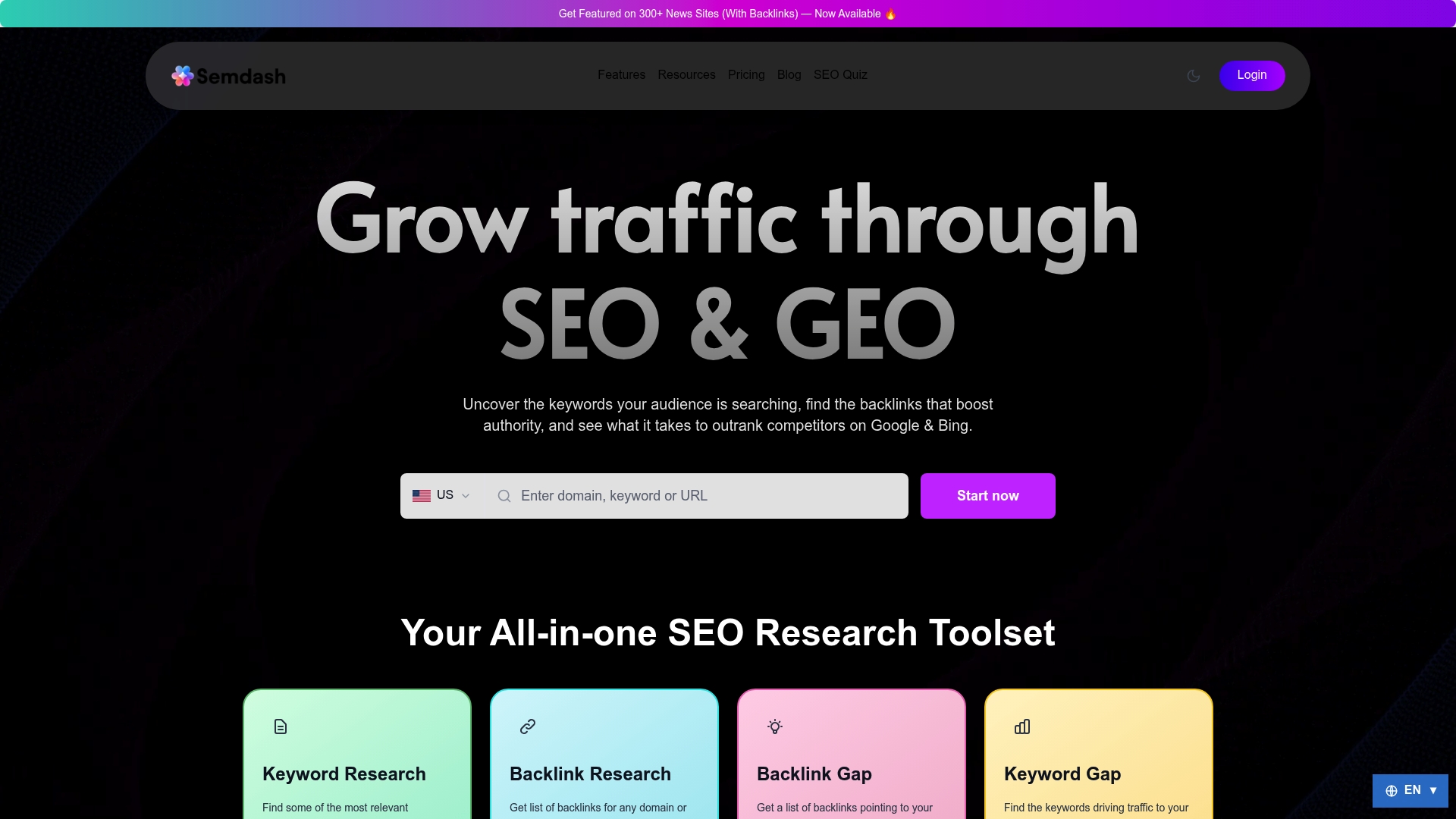
The keyword research tool covers search volume, keyword difficulty, SERP analysis, and semantic clustering. The backlink research module tracks your link profile and flags recovery opportunities. And the AI Overview checker monitors whether your brand and pages appear in Google’s generative answers — a signal most budget tools don’t track at all. You can start with Semdash’s free tools today without a subscription, or check the Frühbucher-Angebot to lock in launch rates before they change.
Nützliche Quellen und weiterführende Lektüre
- 24 Best SEO Tools in 2026 (Marketer Milk) — Practitioner-written roundup covering free and paid tools with honest notes on data quality and pricing; useful for cross-referencing tool picks.
- 10 Best Cheap SEO Tools in 2026 (TheStacc) — Budget-focused listicle with pricing breakdowns under $50/month; good for verifying starting prices.
- 10 Free SEO Tools for Small Businesses (U.S. Chamber of Commerce) — Authoritative endorsement of free-first SEO approaches for small businesses; useful for validating the GSC/GA4 foundation.
- Semdash Free Tools — Semdash’s no-subscription tool collection; the fastest way to run a keyword or AI Overview check without committing to a paid plan.
- Semdash AI Overview Checker — Feature page for tracking AI Overview appearances; relevant for any site monitoring generative search visibility.
- Keyword Position Tracking Guide (Ranksector) — Practical implementation guide for rank tracking strategies; useful for readers setting up their first tracking workflow.
- Free SEO Tools for Entrepreneurs (Ranksector) — Curated list of free tools mapped to specific use cases; a strong companion to the free-tools section above.
- Best SEO Research Tools: Features and Pricing (Semdash Blog) — Semdash’s own extended comparison of SEO research tools with feature and pricing breakdowns.
Häufig gestellte Fragen
What are the most affordable SEO tools for small businesses?
The most affordable options include Google Search Console (free), Keyword Surfer (free), KeySearch (~$24/month), Mangools (~$29/month), and Semdash, which uses a credit-based model that keeps costs low for small sites with moderate query volumes.
Is a free SEO tool good enough to start with?
Google Search Console and GA4 are free and provide the most accurate first-party data available; they’re sufficient for understanding your own site’s performance but don’t cover competitor research or keyword difficulty, which require a paid tool.
How does credit-based pricing work for SEO tools?
Credit-based tools like Semdash charge per query rather than a flat monthly seat fee, meaning you pay only for the keyword checks, audits, and backlink lookups you actually run. Estimating your typical monthly workflow volume before signing up helps you choose the right credit tier.
Do budget SEO tools use the same data as enterprise platforms?
Industry analysis confirms that many budget tools pull from the same third-party search APIs as enterprise suites; the main differences are in feature depth, UI, and query limits, not raw data quality.
Why does AI Overview tracking matter for small businesses?
Generative AI search formats mean a site can appear prominently in an AI-generated answer even without ranking in the top three organic results. Tracking those appearances, as Semdash’s AI Overview checker does, gives small businesses visibility into a search signal that classic rank tracking misses entirely.