%20(1)-B86R08ZzwhPzS6UZbG3mSxRWPCwGwn.png)


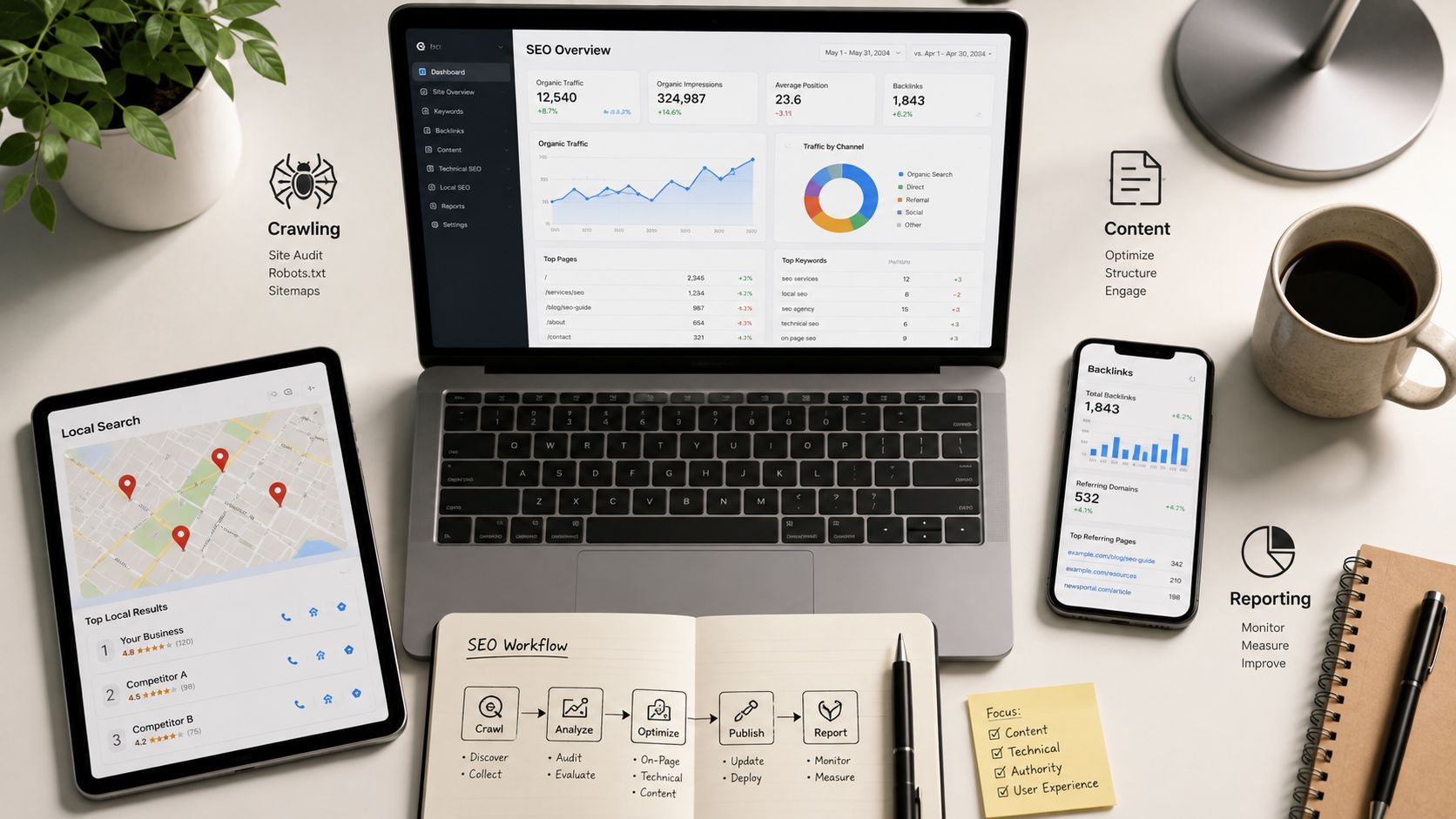
The smartest seo tools for consultants setup is usually not the biggest one. I've seen consultants buy a broad suite, then still end up stitching together crawlers, local rank trackers, content tools, and reporting exports because one platform never quite covers the whole engagement. The better move is to organize software around the job, not the brand, so you can move from discovery to prioritization, then into implementation and client proof without paying twice for the same data.
That matters even more now that consultants are working in a mixed-tool reality. A 2024 survey of SEO consultants found the most commonly used tools were Screaming Frog, Semrush, Google Search Console, and Ahrefs, which says a lot about how real consulting work runs, across audits, keyword research, backlink analysis, and reporting, not a single monolithic dashboard (SEOFOMO survey). I've found the best stack usually pairs one primary research platform with one technical crawler, then adds specialist tools for content, links, local, or AI visibility only when the retainer needs them.
Inhaltsverzeichnis
- 1. SemDash
- 2. Semrush
- 3. Ahrefs
- 4. Moz Pro
- 5. Screaming Frog SEO Spider
- 6. Majestic
- 7. Surfer
- 8. SE Ranking
- 9. Serpstat
- 10. BrightLocal
- Top 10 SEO Tools for Consultants, Feature Comparison
- Build the Stack Around the Retainer
1. SemDash
SemDash is the tool I'd reach for when I need to reverse-engineer a client's market fast and turn the findings into work I can assign. Its strength is the combination of scale and usability, with a 6.6 billion-keyword index, einer 2.7 trillion-link index, und 600M refreshed SERPs powering domain and URL-level discovery in one place. That mix matters because you're not just asking who ranks, you're asking which page ranks, why it ranks, and what the competitor is doing better.
SemDash's homepage makes its value proposition pretty clear, and in practice the useful parts are the workflows that support consulting decisions. Keyword-Lücke und Backlink-Lücke make prioritization easier because you can see where a client is missing terms or link sources that already benefit competitors. KI-Übersichten tracking is especially relevant in 2026, since consultants now need to know whether a keyword triggers an AI answer, whether the brand appears, and which URLs get cited.
Why it fits a consultant workflow
I like SemDash for the middle of the engagement, after the initial crawl and before the content or outreach sprint. The SERP-Checker mit 12-monatiger Historie helps when intent shifts or volatility changes the target page. Keyword-Clustering, PAA/PASF suggestions, und KI-gestützten Content-Briefings are useful when you need to hand work to writers without turning the brief into a vague outline.
Praktische Regel: If a tool can't tell you the exact URL Google is sending traffic to, it's harder to use for client decisions than it first appears.
The trade-off is straightforward. Some users want even deeper bulk and enterprise-style multi-domain analysis, so I wouldn't treat SemDash as the only source of truth for every edge case. But for consultants who want a budget-conscious platform that combines competitive research, link discovery, unlinked mention recovery, and AI-search visibility, it's one of the strongest all-around choices.
2. Semrush
Semrush works best when a consultant needs one workspace that can cover audits, competitive research, rank tracking, and the newer AI visibility conversation without jumping between multiple dashboards. The value here is breadth. Website-Audit, Position Tracking, keyword research, and competitor analysis live together, so it's easier to build a repeatable workflow for recurring retainers.
I usually recommend it when the client wants one visible platform they can understand, especially in agencies that need to report on many moving parts at once. The platform's newer AI visibility tracking is useful for prompts and share of voice across Google and major LLMs, which matters because consultants are now being asked about more than classic blue-link rankings. If you're comparing it with Ahrefs for a specific workflow, this internal breakdown is useful: Semrush vs Ahrefs.
Where Semrush earns its keep
Semrush is strongest when you need a broad reporting layer. Multi-location and multi-device tracking on higher tiers can be handy for retainers that cross markets, and the suite's competitive intelligence is deep enough for strategy work. I also like it when a consultant needs one set of account holders, one central workspace, and fewer moving pieces for the client to approve.
But the downsides show up as the stack grows. Add-on pricing, user limits, and reporting extras can make the total cost creep up faster than the headline plan suggests. I've also found that some consultants lean on Semrush for everything and end up with overlapping tools they don't really need.
Use Semrush when you need a broad operating system for SEO, not when you only need one narrow job done well.
3. Ahrefs
Ahrefs is still one of the best choices when backlink intelligence is central to the retainer. I use it when I need reliable competitor reverse-engineering, link profile review, or a cleaner way to understand which pages are earning authority. Its core tools, Site Explorer, Keywords Explorer, Website-Audit, Rank Tracker, und Inhalts-Explorer, make it a very practical consultant platform.
The big reason it stays in my stack is the quality of the link data for audits and outreach targeting. If I'm explaining why a competitor keeps winning a head term, Ahrefs is often the faster way to map that story. For consultants building automation or client-facing connectors, the API and integration options are also useful, even if the pricing model can feel a little complex.
Where Ahrefs fits best
Ahrefs is a good fit when the work revolves around competitive teardown, backlink forensics, and content opportunity discovery. The free limited tier can be enough for light analysis, but once you start using the full modules and add-ons, costs rise with usage and seats. That's not a flaw so much as a reminder that this is an enterprise-leaning platform, not a budget toy.
The practical trade-off is that Ahrefs is excellent for research, but you still need other tools for technical crawling, local SEO, and client-friendly reporting. I've seen consultants overspend because they assume Ahrefs will replace everything. It won't, and it shouldn't.
4. Moz Pro
Moz Pro is the suite I'd hand to a consultant who wants fundamentals, structure, and a lower-friction onboarding experience. It gives you keyword research, site audits, rank tracking, and link analysis without forcing the team to learn a complicated interface on day one. The brand also remains useful in client conversations because the metrics are familiar, especially Domain Authority.
The product's educational layer is one of its real advantages. Moz Academy and the Help Hub help standardize internal workflows, which is valuable if you're managing junior analysts, freelancers, or client teams that need a simpler system. Moz Pro also includes AI Overviews features and AI visibility dashboards, which puts it in the broader conversation about search results that are no longer purely ten blue links.
Why consultants still use it
I like Moz Pro when the retainer is SMB-oriented and the client values predictability. The packaging is clearer than some of the larger suites, and that reduces the time I spend explaining what the team is paying for. It's also easier to use as a training platform, especially when the consultant is trying to create repeatable reporting habits.
The trade-off is depth. In some niches, its link data won't feel as dense as Ahrefs or Semrush, and advanced research work can outgrow it. That doesn't make it weak, it makes it specific. I treat it as a strong all-rounder for consultants who want a friendlier operating environment and don't need the heaviest end of the market every day.
5. Screaming Frog SEO Spider
Screaming Frog is the technical crawler I trust when a site audit has to be exact. It's a desktop app, not a cloud suite, and that matters because it behaves like an auditor's instrument instead of a generalized marketing dashboard. For consultants handling migrations, rendering issues, duplicate content, or structured data checks, it's still the standard I compare everything else against.
The biggest advantage is control. You can run large crawls, extract custom fields, validate schema and AMP, and connect data from Google Analytics, Search Console, und PageSpeed Insights. The newer AI-assisted crawling modes also help speed up repetitive work, though I still prefer to use them as helpers rather than replacements for a proper audit process.
What makes it indispensable
Screaming Frog is the first tool I open when a client says traffic dropped after a redesign or migration. It exposes technical problems in a way that most all-in-one suites can't match. Because it's hardware-dependent, I always check local machine capacity before I commit to very large crawls.
If the crawl is the diagnosis, the report is the prescription. Don't confuse the export with the audit.
The limitation is obvious. It's a desktop app, so big jobs need careful configuration and decent hardware. I don't use it alone for strategic keyword or backlink decisions, but I would never build a consultant stack without it.
6. Majestic
Majestic is the specialist tool I keep around for backlink forensics. It has a narrower scope than the bigger suites, but that's exactly why it's useful. Trust Flow, Citation Flow, und Topical Trust Flow give a different angle on link quality and relevance, and that second opinion is often valuable when another platform's link profile looks noisy or incomplete.
I like Majestic when I need to answer questions about topical authority, historical link behavior, or why a link-building campaign is producing weak results. The Fresh Index und Historic Index are especially helpful when you want to compare what's happening now with what happened over time. The visual tools, including Link Graph und Clique Hunter, make it easier to spot patterns during an audit.
For a direct comparison with another link tool, this internal breakdown is useful: Ahrefs vs Majestic.
Best use cases and limits
Majestic is strongest in link-only workflows. If you only need one platform for technical SEO, keyword discovery, and content planning, this isn't it. But if you're responsible for link audits, prospecting, or forensic cleanup, it's a sharp and often cost-effective complement to a broader suite.
I've seen consultants overcomplicate link analysis by jumping between too many tools. Majestic works best when it has a defined role. Use it as the second opinion, not the only opinion.
7. Surfer
Surfer belongs in the stack when content execution has to be repeatable instead of subjective. It's built for consultants who hand off briefs, optimize pages, and need a shared scoring system that writers and editors can follow. The Content Editor, Content Score, SEO Score, und AI Search Score make it easier to standardize on-page work across multiple clients.
The other reason I use it is the link between content and AI visibility. AI Search Analytics helps track brand mentions and prompts across AI answers, which is useful now that consultants are being asked to report on more than traditional rankings. Topical Maps und SERP Analyzer also help when a site needs cleaner page-level topic planning and less cannibalization.
How I'd use it in practice
Surfer is strongest after research is done and the brief needs to become a page. It's not the best choice for backlink intelligence or technical crawling, but that's fine. I'd rather use a dedicated content tool for content and pair it with a stronger link or technical platform than pretend one system can do everything well.
A lot of consultants make the mistake of using content score as a substitute for judgment. I don't. I use Surfer to make the workflow repeatable, then I still check intent, internal linking, and client voice manually. That's where the consulting value sits.
8. SE Ranking
SE Ranking is one of the better value plays when the consultant needs breadth without committing to top-tier enterprise pricing. It covers rank tracking, competitive research, backlink monitoring, site audits, and content or local toolkits, so it's practical for people who manage several smaller retainers at once. The platform's AI Results Tracker und Share of Voice features also make it relevant for newer visibility reporting.
I like it for solo consultants and small agencies that need decent coverage, flexible limits, and reporting support. The Standalone Data API or add-on can be helpful when you want to connect the platform to other workflows instead of exporting everything by hand. Looker Studio integration and multiple manager seats make it easier to build a client reporting system that doesn't feel homemade.
Where it helps and where it doesn't
SE Ranking gives a lot for the price, but it's still a trade-off. The interface can feel lighter than the premium suites for advanced research, and some niche work needs a deeper tool behind it. I use it when cost discipline matters and the consultant still needs a credible all-in-one system.
It's especially useful when a client expects frequent updates but not a full enterprise stack. If you need strong operational coverage and decent automation options, it's a sensible candidate. If you need the deepest possible research layer, I'd still pair it with something more specialized.
9. Serpstat
Serpstat is the budget-conscious suite I'd consider for consultants who need broad coverage without paying for bigger-name overhead. It includes keyword research, site and backlink analysis, rank tracking, site audits, clustering, team features, and AI Overviews tracking. That combination makes it useful for small agencies and freelancers who need a practical operating base.
One thing I like is the regional reach. The platform's 230+ regional databases are helpful when the consultant works across markets and needs more than a narrow domestic view. Higher tiers also add white-labeling and API credits, which can support client deliverables without heavy manual formatting.
Where it makes sense
Serpstat is good when the question is coverage per dollar, not absolute depth in every category. I've found it useful for deliverables that need batch exports and team collaboration, especially when the client wants something serviceable rather than flashy. It can also be a good secondary platform if your main suite doesn't cover a specific market cleanly.
The downside is that data freshness and interface depth can trail the biggest platforms in some niches. That's not fatal, but it means I'd pair it with a technical crawler or a stronger link tool when the work gets more demanding. It's a practical choice, not a prestige one.
10. BrightLocal
BrightLocal is the local SEO specialist I'd pick when the retainer is built around maps visibility, citation cleanup, reviews, and multi-location SMB work. It's purpose-built for the tasks consultants perform in local accounts, including Local Rank Tracker, Local Search Grid, Citation Builder, listings management, review monitoring, and Google Business Profile auditing.
This is one of the few tools in the list that feels like it was designed around local reporting first. The geo-granular visibility grid is especially useful because local rankings don't mean much if you can't see how the result changes across the city. The 14-day free trial and pay-as-you-go citation building make it easier to test the workflow before committing to a larger setup.
Why local consultants keep it around
BrightLocal is strong because it turns local SEO into something easier to show. Clients understand map grids, listings sync, and reviews in a way they don't always understand a generic keyword dashboard. That makes it easier to connect work done to business outcomes, especially in SMB retainers where the value needs to be obvious.
The limit is scope. BrightLocal is not a replacement for a full research suite, and it won't replace your backlink or keyword platform. I use it as a specialist layer on top of a broader stack, not as the core engine.
Top 10 SEO Tools for Consultants, Feature Comparison
| Werkzeug | Kernfunktionen | Quality (★) | Value (💰) | Best for (👥) | Standout (✨) |
|---|---|---|---|---|---|
| SemDash 🏆 | 6.6B keywords, 2.7T backlinks, 600M SERPs; keyword/backlink gaps, AI briefs, URL‑level mapping | ★★★★★ | 💰 Competitive, free trial | 👥 SEO specialists, agencies, growth teams | ✨ AI Overviews (AI answer citations), backlink gap & recovery, URL-level targeting |
| Semrush | All‑in‑one: audits, rank tracking, keyword & competitor research, AI visibility | ★★★★☆ | 💰 Premium (add‑ons) | 👥 Agencies, consultants needing unified reporting | ✨ AI visibility + broad enterprise features |
| Ahrefs | Site Explorer, Keywords Explorer, Content & Rank tools; strong link index | ★★★★★ | 💰 Premium | 👥 Link-focused consultants, enterprises | ✨ Best-in-class backlink intelligence & APIs |
| Moz Pro | Keyword & Link Explorer, Campaigns, MozBar, AI overviews | ★★★★ | 💰 Mid-range | 👥 SMB consultants, client-facing teams | ✨ Predictable packaging + strong learning resources |
| Screaming Frog SEO Spider | Desktop crawler: JS rendering, schema checks, GA/GSC integrations | ★★★★★ | 💰 One‑time license / affordable | 👥 Technical SEOs, migration specialists | ✨ Extremely fast, customizable crawls |
| Majestic | Trust Flow, Citation Flow, topical link analysis, historic indexes | ★★★★ | 💰 Cost-effective for link work | 👥 Forensic link analysts, outreach specialists | ✨ Independent link‑quality metrics & link graph tools |
| Surfer | Content Editor, Content Score, Topical Maps, SERP Analyzer | ★★★★ | 💰 Mid-range | 👥 Content marketers, agencies delivering briefs | ✨ Real‑time content scoring & AI search analytics |
| SE-Rangliste | Rank tracker, backlink monitor, site audits, API & reporting | ★★★★ | 💰 Affordable / scalable | 👥 Agencies & solo consultants on budget | ✨ Strong feature breadth for price + reporting seats |
| Serpstat | Keyword/competitor research, clustering, site audit, AI overviews | ★★★★ | 💰 Budget-friendly plans | 👥 Small agencies, teams needing exports | ✨ Regional DBs + white‑label/team features |
| BrightLocal | Local rank tracking, listings sync, citation builder & review mgmt | ★★★★ | 💰 Pay-as-you-go options | 👥 Local SEO consultants, multi-location SMBs | ✨ Geo‑granular local grids & review workflows |
Build the Stack Around the Retainer
The best consultant stack starts with the deliverables in the retainer, not the features on a pricing page. If the client is paying for technical cleanup, content growth, link acquisition, local visibility, and reporting, then the stack needs one primary research platform, one crawler, and only the specialist tools that fill a real gap. That's how I think about the cheap versus expensive question, because the cheapest stack is not the one with the lowest subscription total, it's the one that avoids duplicated data, manual rework, and reports the client can't act on.
I'd start by choosing one main research system, then test whether it can support discovery, validation, and reporting without forcing you to export everything into spreadsheets. For some consultants, that means a broad suite like Semrush or SE Ranking. For others, it means a sharper research platform like Ahrefs or SemDash, with Screaming Frog on the technical side and BrightLocal only when local work is part of the promise. The point is not to buy the most tools, it's to cover the workflow cleanly.
I also think consultants need to document source metrics from the beginning. Keep discovery separate from rank reporting, because those two jobs answer different questions and they drift badly when they get mixed together. Discovery tells you what to do next, rank reporting tells you whether the page, content, technical fix, or outreach plan is moving.
A repeatable client update should tie every finding to an action. If a gap shows up, say which page gets built or revised. If a technical issue shows up, say what gets fixed and how you'll verify it. If backlink opportunity appears, name the prospecting lane and the reason it matters. That's the difference between a stack that looks impressive and a stack that runs the engagement.
For consultants who are also building local workflows, it's worth keeping a specialized directory handy like the AI Tools for Local SEO directory. The right stack is the one you can maintain across clients, prove inside a monthly update, and scale without paying for the same insight three times.
If you want a single platform that pulls together keyword research, backlink analysis, SERP history, and AI Overviews visibility, SemDash is built for that consultant workflow. It's a strong fit when you need one research layer to support audits, content planning, and competitive analysis without bloating your stack. Visit it if you want to see how a leaner, more actionable SEO workflow can work in practice.