%20(1)-B86R08ZzwhPzS6UZbG3mSxRWPCwGwn.png)


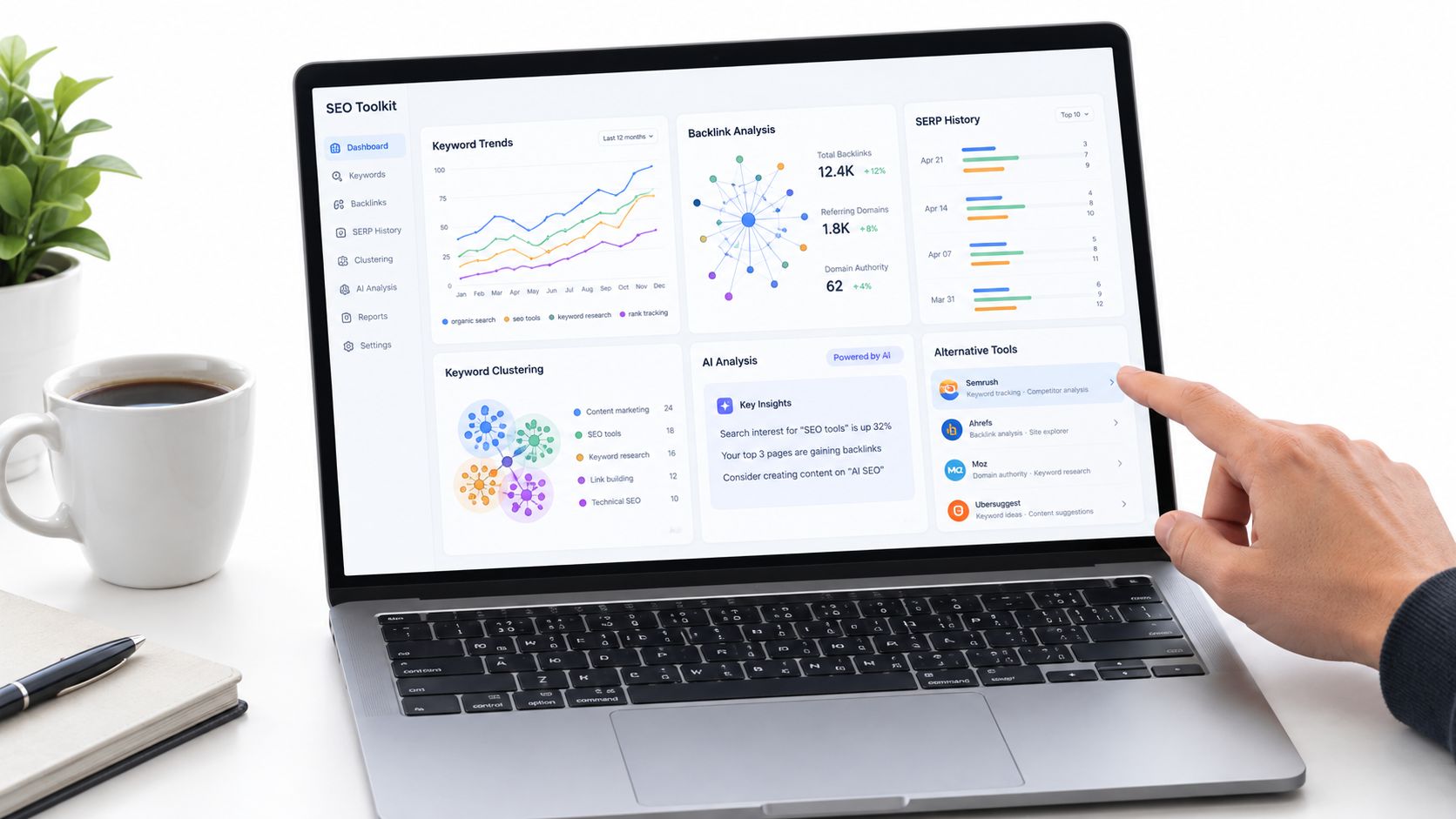
A team can live with one all-in-one SEO suite until a client asks a simple question: which exact URL ranks for this query, how has the SERP changed over the past year, and which domains link to competitors but not to us? That's where a desktop workflow can start to feel expensive in time, even when the software itself is capable.
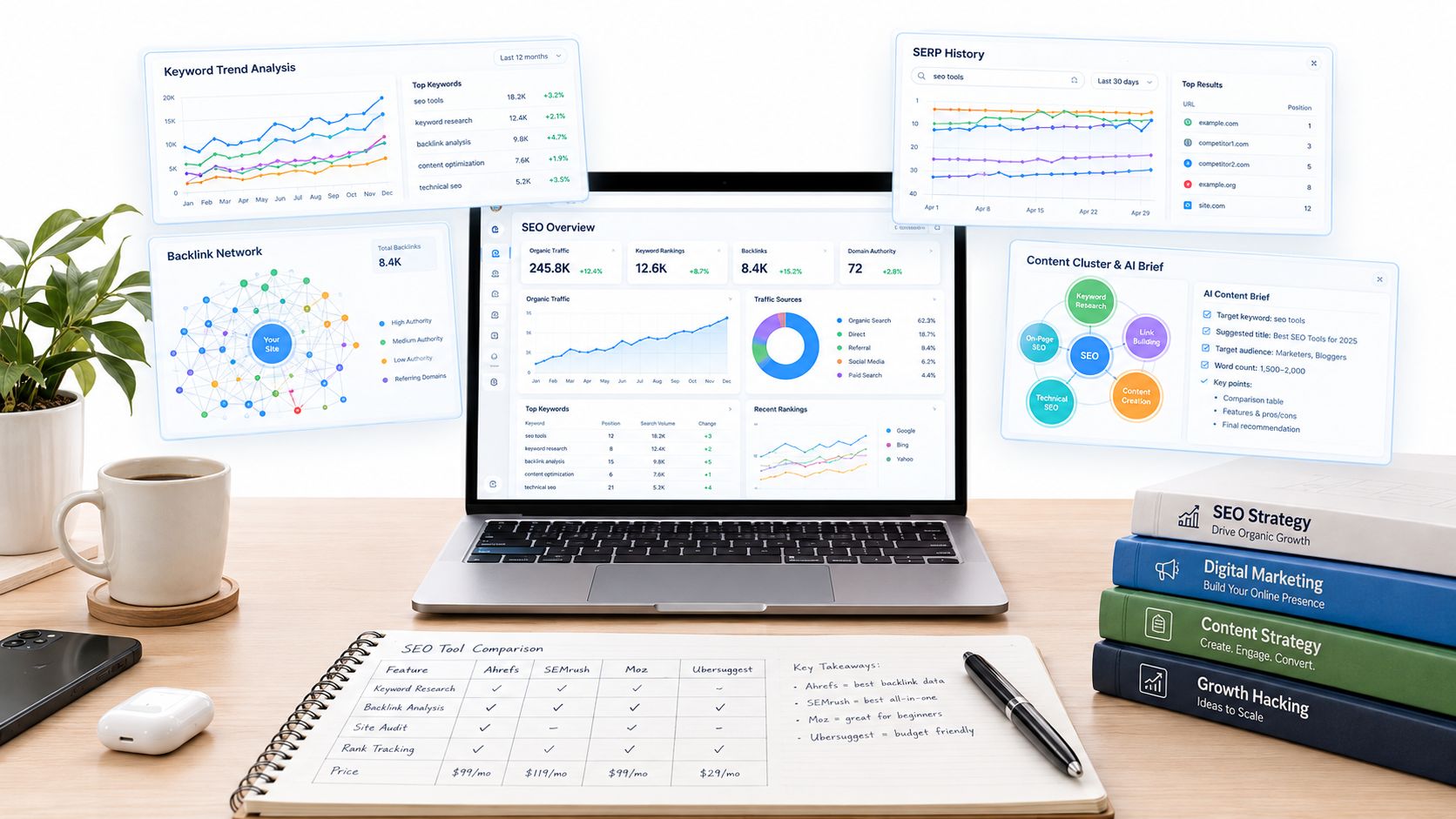
I judge SEO PowerSuite alternatives across six workflows: keyword research depth, backlink index, SERP history, clustering, AI content briefs, and URL-level mapping. Keyword depth determines whether you find strategic opportunities or only familiar terms. Backlink coverage affects outreach quality. SERP history shows whether intent and competitors changed. Clustering prevents one page from competing with another. AI briefs turn research into a usable content plan. URL-level mapping tells you which page should be updated, redirected, or created.
This list covers ten tools. Each gets one clear best-for use case, one honest limitation, and a trial check before migration. The SemDash assessment reflects the supplied product information. For the other products, I've used the available product data rather than pretending to have personally tested every workflow.
Inhaltsverzeichnis
- 1. SemDash
- 2. Semrush
- 3. Ahrefs
- 4. Moz Pro
- 5. SE Ranking
- 6. Serpstat
- 7. Mangools
- 8. SpyFu
- 9. Majestic
- 10. Screaming Frog SEO Spider
- Top 10 SEO PowerSuite Alternatives Comparison
- Pick the Alternative That Fits Your Workflow, Then Test It
1. SemDash
SemDash is the closest fit when the reason for leaving SEO PowerSuite is workflow friction rather than a missing single feature. It moves keyword, backlink, SERP, content, and competitor research into a cloud workspace, which makes it easier to move from discovery to an assigned page update or outreach task.
Its strongest workflow is URL-level competitor research. Domain Keywords and Keyword Gap reports show the terms competitors rank for, while page-level mapping identifies the exact URL behind the ranking. That distinction matters. A domain may appear to own a topic, but the page earning visibility could be an old guide, a comparison page, or a product category that your team would otherwise overlook.
SemDash also combines the six switching criteria unusually well:
- Keyword depth: A database of 6,6 Milliarden Google-Keywords, die in den letzten 30 Tagen aktualisiert wurden is listed in the supplied product data.
- Backlink-Recherche: The platform lists a 2.7 trillion-link index, with referring domains, pages by links, anchors, and Backlink Gap analysis.
- SERP history: The SERP Checker provides 12-monatige Historie, volatility checks, and intent signals.
- Clustering and briefs: Keyword clustering groups queries into page-level topics, while AI-assisted briefs use live SERP data.
- AI visibility: The AI Overviews tool identifies queries that trigger domain mentions and the exact URLs Google cites.
The scale is useful, but I wouldn't buy on database size alone. Some users report fewer raw long-tail keyword hits than Ahrefs or Semrush, and bulk multi-domain analysis is limited. Test your largest competitor set, not a small sample.
Trial test: Export the same competitor's keyword gap, backlink gap, ranking URLs, and SERP history. Then check whether each output leads to a specific page brief or outreach prospect.
SemDash includes MCP access for querying live data through assistants such as Claude or ChatGPT, plus English, German, Polish, and Spanish interfaces. It offers free trial or freemium access to core tools, with paid tiers and add-on services described on the SemDash website.
Where SemDash earns the switch
The practical advantage is consolidation. You can identify a competitor page, inspect its keyword set, review its link sources, cluster the opportunity, and generate a content brief without rebuilding the research in separate desktop files. That's the workflow SEO PowerSuite alternatives should improve.
The platform also supports unlinked mention detection and broken-backlink recovery. Those features are valuable when the best next link isn't a new pitch, but a mention or lost reference you can reclaim.
2. Semrush
Semrush is the safest choice for teams that need broad SEO and marketing coverage in one environment. It combines keyword and competitor research with paid-search insights, technical auditing, content workflows, local tools, digital PR prospecting, reporting, and AI visibility tracking. That breadth is its real advantage over a narrower SEO PowerSuite replacement.
For the six workflows, Semrush is strongest when the team needs to connect keyword research with content, PPC, local, and PR decisions. Its technical site audit includes 130+ checks, and its content tools help turn keyword research into briefs and optimization recommendations. AI and LLM visibility features also give marketing teams a way to monitor brand or content appearances beyond conventional rankings.
The limitation is operational weight. If you only need keyword gaps, backlink prospects, and a clean rank report, Semrush can feel like a large system around a smaller job. Costs also scale as you add limits and users, so a fair trial must include the whole team and the largest account you manage.
What I'd verify: Run a real agency report from project setup through client delivery. Check whether the exports preserve ranking URLs, SERP features, country and device segmentation, and AI visibility context.
Semrush is also a better fit than many alternatives when SEO sits beside PPC, local search, and digital PR. It gives those teams a shared vocabulary and reduces the need to stitch together separate datasets. That doesn't automatically make it the best SEO PowerSuite alternative for a specialist, but it makes it a strong enterprise-capable option.
Review the current modules and plan limits directly on Semrush before committing. Product packaging changes, and a feature listed on the platform may not be included at every level.
3. Ahrefs
Ahrefs is the strongest pick when the switch is driven by backlink research and competitor depth. Site Explorer, Keywords Explorer, Site Audit, Rank Tracker, Content Explorer, and Brand Radar create a serious research environment for teams that build strategy around competitors' links, top pages, and organic visibility.
Its backlink workflow is the main reason to shortlist it. I'd use it to inspect which pages attract links, compare competing domains, identify broken references, and evaluate whether a prospect is relevant before outreach. Keyword clustering and intent analysis help connect that research to content planning, while AI Content Helper and related features add support after the opportunity has been identified.
The trade-off appears when teams want a lighter operating model. Higher tiers are needed for larger projects and deeper API access, and advanced reports have a learning curve. Ahrefs can expose a great deal of data, but an inexperienced user can still export a large list without knowing which URLs deserve action.
The migration test
Take one topic cluster with competing pages, not a collection of unrelated keywords. Compare:
- Ranking URLs: Does the report show the exact page behind each opportunity?
- Link context: Can you distinguish a useful editorial link from a low-value placement?
- History: Does the historical view help explain why a competitor gained or lost visibility?
- Brief quality: Can a writer use the output without another round of manual SERP research?
Ahrefs is a serious choice for link builders and content-led teams. It's less attractive when the priority is a simple interface, lightweight reporting, or a tightly consolidated action workflow. Explore the current product and usage limits on Ahrefs.
4. Moz Pro
Moz Pro fits small teams that need clear SEO fundamentals without a long ramp-up. I recommend it when the switch away from SEO PowerSuite is driven less by raw data volume and more by workflow friction. Keyword Explorer covers keyword research depth well enough for everyday planning. Link Explorer gives you a usable backlink view with familiar Domain Authority and Page Authority metrics. Site Crawl, rank tracking, and guided recommendations keep the day-to-day work straightforward.
Its best workflow is onboarding a generalist who has to do several jobs at once. A consultant, in-house marketer, or small business team can move from keyword ideas to page decisions without getting buried in settings. That matters if your main pain point is adoption. A tool no one trusts or understands slows execution, even if it has a larger database.
Moz Pro starts to strain when your migration depends on the full six-workflow test. Backlink index depth can be the first pressure point. Long-tail coverage can be another. I would not assume either is good enough for your niche based on product messaging alone. Before migrating, compare Link Explorer's referring-domain count for your largest competitor against your current tool, then test whether Keyword Explorer surfaces the specific modifiers and adjacent terms that drive your content briefs. If SERP history, clustering, AI content briefs, or URL-level mapping are central to your process, confirm how much manual work your team still has to do.
A useful test: Give the same keyword set to a new team member. Ask them to identify one page to improve, one page to consolidate, and one link prospect without help. If they reach those actions quickly, Moz Pro is solving a real operating problem.
The training side is also part of the product. Good documentation reduces bad decisions. Before migrating, it helps to see how another niche audience is trained, which is why resources like the Readymerce Etsy SEO class are worth a look for e-commerce teams evaluating Moz Pro. Check current features, limits, and plans on Moz Pro.
5. SE Ranking
A common switch to SE Ranking starts with an agency problem, not a data problem. Rankings are being tracked, but monthly reporting still takes too much manual cleanup, screenshots, and explanation. SE Ranking fits that workflow well. It handles rank tracking and client reporting better than most all-in-one alternatives in this range, especially if you need daily desktop, mobile, and local positions, SERP feature monitoring, site audits, competitor research, and white-label outputs in one place.
Against the six migration workflows, its clearest win is reporting tied to rank tracking. URL-level mapping is workable because you can track specific pages against target terms and locations. Keyword research is serviceable for planning, but I would not make it the only research source for a large content program. Backlink index depth is the first place I would pressure-test. SERP history also needs a close check if your team relies on historical context to explain drops and gains, not just current positions. Clustering and AI content briefs are not the reason to switch here, so verify how much of that work still sits outside the platform.
That trade-off matters in real accounts. A broad local services campaign can look fine in a trial, then a niche B2B or international project exposes thinner coverage on long-tail terms, smaller markets, or competitor link data.
Skip the generic demo. Use the client account that creates the most friction today, then check three things in sequence. First, import tracked keywords and confirm that location and device settings survive the move. Second, compare historische Sichtbarkeit und SERP feature labels against your current setup, because a clean ranking chart is less useful if result-page changes are missing. Third, build the exact white-label output you send now, branded PDFs, scheduled delivery, and plain-language explanations included.
SE Ranking is a sensible pick when reporting speed and account management drive the switch. If your migration depends on the deepest backlink index, stronger clustering, or richer content briefing, test those limits early on SE-Rangliste.
6. Serpstat
Serpstat is best for cost-conscious teams that need clustering and agency features together. Its toolkit covers keyword and domain research, backlink analysis, rank tracking, site audits, keyword clustering, scheduled reports, white-label outputs, and API access on higher tiers.
Keyword clustering is the differentiator I'd test first. A raw keyword export doesn't tell a content team how many pages to create. Clustering helps group queries into page-level themes, which reduces cannibalization and makes briefs easier to assign. Domain and keyword gap reports then add competitive context around those groups.
The platform can feel denser than more lightweight rivals. That's not automatically a problem for experienced SEOs, but it can slow down a client-facing workflow if users must review several reports before they can explain the recommendation. I'd also verify whether the clustering output matches editorial judgment. Automated groups are useful starting points, not a replacement for checking intent and SERP overlap.
Use the Serpstat alternatives guide for additional context before comparing the platforms directly. Then run your own test with terms that mix informational, commercial, and branded intent.
The trial should include city-level rank tracking, scheduled reporting, backlink exports, and API requirements if those matter to your operation. Check what is included in the relevant tier, particularly white-label reporting and larger research limits. Serpstat is a credible SEO PowerSuite alternative when the team needs broad coverage and clustering without buying separate workflow tools.
Visit Serpstat for current plans and access rules. Plan structure changes, so don't rely on an old comparison for a migration decision.
7. Mangools
A common switch point is simple. You need to vet a keyword, check the live SERP, and decide whether the topic deserves a page before lunch. Mangools fits that workflow better than heavier suites because it stays fast and clear. KWFinder, SERPChecker, SERPWatcher, LinkMiner, and SiteProfiler cover the basics without forcing you through layers of reports.
I'd judge Mangools mainly on keyword research depth and day-to-day usability. For first-pass topic selection, it works well. You can move from keyword ideas to SERP inspection to rank tracking in a few minutes, which is useful for solo operators and small teams shipping content every week.
The strain shows up in the workflows that usually trigger a move away from SEO PowerSuite. Backlink index depth is lighter. SERP-Verlauf is not the reason to buy it. Clustering, AI content briefs, und URL-Mapping need careful checking because they are not the center of the product.
Here's the practical way to test it before migrating. Start with one article idea you plan to publish. Use KWFinder to narrow the query set. Open the main terms in SERPChecker and check whether the ranking pages match your intended format. Add the target term to SERPWatcher. Then use LinkMiner to review a few competing pages and see whether the link data is enough for your outreach process.
That trial exposes the key trade-off. Mangools handles early-stage research best. It starts to strain when your team needs deeper competitive analysis, heavier backlink work, or page-by-page planning across a large content calendar.
If usability matters more than breadth, Mangools deserves a serious look. Verify lookup caps, tracked keyword limits, and whether the backlink and SERP data hold up on your own projects. Current product scope is on Mangools.
8. SpyFu
A switch to SpyFu usually starts with a familiar problem. You know who the competitors are, you know they are active in search, but you need to see how their organic pages and paid campaigns connect before you rewrite pages or shift budget.
SpyFu handles SERP-Verlauf and competitor-led keyword research depth better than the other workflows that push teams away from SEO PowerSuite. I use it when the main question is commercial intent, not just rankings. Domain and URL reports, Kombat comparisons, ad history, and keyword overlap make it easier to spot terms that keep showing up in both SEO and Google Ads. That pattern matters. It often reveals which topics drive revenue, which landing pages get sustained support, and which messages a rival keeps testing because they work.
The limits show up fast if your migration depends on backlink index depth, clustering, AI content briefs, or technical audits. SpyFu can support competitive research, but it is not the tool I would pick to build page clusters at scale or map every target keyword to a full editorial plan. URL-Mapping is worth checking closely in a trial, because some reports are more useful at the domain view than at the exact page view.
Skip a generic test. Run one live market check instead. Take a competitor that is clearly spending on paid search. Pull its top organic terms, then compare them with paid keyword history and ad copy themes. Check whether repeated terms point to a category page, a comparison page, or a lead-gen landing page. Export the findings and see whether your team can turn them into content priorities or account-based outreach without extra cleanup.
That is where SpyFu earns its place. It is strong when the switch is driven by competitor intelligence and historical visibility. It starts to strain when your team needs deeper link data or heavier content planning workflows. Review the current product on SpyFu.
9. Majestic
Majestic is the specialist option for link prospecting and off-page audits. It focuses on Fresh and Historic link indexes, link maps, Trust Flow, Citation Flow, Topical Trust Flow, link context, and topical categorization. It isn't trying to be a complete keyword and technical SEO suite.
That narrow focus is useful when backlink quality is the switching trigger. I'd use Majestic to compare link profiles, inspect topical relevance, identify patterns in competitor acquisition, and assess whether a potential placement fits the site's subject area. Flow Metrics can provide a consistent language for link review, although no metric should replace reading the linking page and checking its actual relevance.
The strain is obvious if you expect one replacement for SEO PowerSuite's full workflow. Majestic won't give a content team the same keyword discovery, clustering, technical crawling, and AI brief environment as a broader platform. You'll need a second tool for those jobs.
Read the Ahrefs versus Majestic comparison before choosing between a link specialist and a broader research suite. The right choice depends on whether your next action is outreach or content planning.
A backlink index is only useful when it changes who you contact and why.
For a trial, take one competitor and classify links by topical fit, linking page type, anchor context, and recoverability. Then ask whether the output produces a prioritized outreach list rather than an impressive collection of metrics. Visit Majestic for the current index and feature details.
10. Screaming Frog SEO Spider
Screaming Frog SEO Spider is the right choice for technical crawling and granular diagnostics. It's a desktop crawler with JavaScript rendering, redirect-chain mapping, sitemap auditing, custom extraction, semantic similarity and clustering features, integrations with PageSpeed, Lighthouse, Google Search Console, and flexible exports. The free mode crawls up to 500 URLs, according to the supplied product data.
I reach for it when the question is technical and page-specific. Which canonicals disagree with sitemap entries? Where are redirect chains wasting crawl paths? Which templates have missing metadata, duplicate headings, or rendering problems? A crawler answers those questions more directly than a broad competitive suite.
It also suits consultants who need local control, repeatable crawl configurations, and offline work. List Mode is useful for targeted URL sets. Spider Mode is better for discovering site structure. Custom extraction can pull fields that a standard audit doesn't expose, which is often where a technical investigation becomes useful.
The trade-off is scope. Screaming Frog isn't an all-in-one SEO suite, and desktop resource usage can rise on very large crawls. It won't replace keyword gap research, backlink intelligence, AI citation monitoring, or broad competitor analysis.
The migration check
Before replacing SEO PowerSuite with it, crawl the same site using the same user-agent, rendering settings, exclusions, and authentication rules. Compare the issue list, then manually inspect the URLs behind the highest-priority findings. Automated flags are starting points. They don't tell you whether a blocked resource affects search rendering or whether a duplicate page is intentional.
The tool's technical depth makes it a strong companion to a cloud research platform. See the current crawler capabilities on Screaming Frog SEO Spider.
Top 10 SEO PowerSuite Alternatives Comparison
| Werkzeug | Core features / Strengths | Standout / Unique ✨ | Best for 👥 | Value & Rating 💰 / ★ |
|---|---|---|---|---|
| SemDash 🏆 | Keyword + backlink + SERP workspace; URL-level mapping; AI-assisted briefs | 6.6B keywords, 2.7T links, AI Overviews, Backlink Gap, MCP integrations ✨ | Agencies, consultants, content teams, SMEs 👥 | Freemium + affordable tiers 💰 · 5★ |
| Semrush | Enterprise SEO + PPC: keyword research, audits, rank tracking | Broad all-in-one suite; AI/LLM visibility & PR/local tools ✨ | Enterprise marketing teams, full-stack agencies 👥 | Powerful but costly at scale 💰 · 4★ |
| Ahrefs | Site Explorer (backlinks), Keywords Explorer, Site Audit | Best-in-class backlink index & SERP research; Content Explorer ✨ | Link-focused SEOs, competitive researchers 👥 | Premium pricing 💰 · 4★ |
| Moz Pro | Keyword Explorer, Link Explorer, Site Crawl, learning resources | Beginner-friendly UI and strong educational materials ✨ | Small teams, beginners, marketers learning SEO 👥 | Lower entry price 💰 · 3★ |
| SE-Rangliste | Daily rank tracking, audits, reporting, white-label options | Flexible plan limits and agency/white-label reporting ✨ | SMEs and agencies needing value & reports 👥 | Good price-to-coverage 💰 · 4★ |
| Serpstat | Keyword/domain research, clustering, rank tracking | Keyword clustering + API & white-label in higher tiers ✨ | Growing agencies and teams needing scale 👥 | Competitive pricing 💰 · 3★ |
| Mangools | KWFinder, SERPChecker, SERPWatcher, LinkMiner | Compact five-tool bundle with very approachable UI ✨ | Solo marketers, bloggers, small teams 👥 | Budget-friendly single plan 💰 · 3★ |
| SpyFu | Competitor keyword/ad history, Kombat gap analysis, leads | Strong combined PPC + SEO competitor insights ✨ | PPC+SEO competitors, lead generators 👥 | Good exports & reports on paid plans 💰 · 3★ |
| Majestic | Fresh & Historic link indexes, Flow Metrics | Trust Flow / Citation Flow / Topical Trust Flow for link value ✨ | Link builders and off‑page auditors 👥 | Paid, link-specialist value 💰 · 3★ |
| Screaming Frog SEO Spider | Desktop crawler: 300+ technical checks, custom extraction | Fast, granular on‑site audits; offline runs & rich exports ✨ | Technical SEOs, agencies, consultants 👥 | Free up to 500 URLs; paid desktop license 💰 · 4★ |
Pick the Alternative That Fits Your Workflow, Then Test It
Start with the workflow that caused the switch. If your team spends most of its time finding competitor terms and turning them into page plans, shortlist SemDash, Semrush, Ahrefs, or Serpstat. If link prospecting drives the decision, compare Ahrefs, Majestic, and SemDash. If technical crawling is the problem, test Screaming Frog before buying another all-in-one platform.
Then run the same evidence through two trials. Use the same keyword set, the same competitor domain, the same country and device settings, and the same reporting requirement. Don't compare a polished demo account with a messy production project. The production project is where limits, missing history, awkward exports, and unclear ranking URLs appear.
Migration needs its own plan. Export keyword lists and cluster groups before cancelling the old tool. Record current URL-to-keyword mappings so you can detect page drift after the move. Archive SERP history snapshots while you still have access. If URLs will change during consolidation, plan redirects before publishing the replacement pages.
Search visibility also needs more careful measurement than rank position alone. Google reported roughly 90% of worldwide search-engine share during 2025, while regional markets can differ sharply, including strong Yandex and Baidu positions in specific countries, as summarized in global search market reporting. That's why your trial should include the markets you serve, not only a global default.
AI results add another layer. A representative panel study of 900 U.S. adults found that Google generated an AI Overview on approximately 18% of searches, and only about 1% of visits to pages containing an Overview resulted in a click on a cited source, according to the study's published results. A platform that reports only traditional rankings can miss a change in click opportunity.
SemDash is particularly strong for 12-month SERP history, URL-level mapping, AI Overviews citation tracking, Backlink Gap with anchors, unlinked mention detection, and broken-backlink recovery. It trails broader incumbents in some enterprise workflows. Bulk multi-domain analysis is limited, and some users report fewer raw long-tail keyword hits than Ahrefs or Semrush. Those are trial questions, not reasons to accept or reject it without testing your own market.
For pricing, compare the workflow included in each plan rather than the headline subscription. SemDash offers a free trial or freemium access to core tools, while current limits and paid options should be checked on each vendor's website. The SEO software comparison from SearchEye is useful background, but current plan pages should control your final decision.
Führen Sie eine two-week trial on the workflow that caused the switch. Measure how quickly your team moves from a discovered gap to an approved page, outreach action, technical fix, or client-ready report. That time is more useful than a feature count.
SemDash brings keyword gaps, backlink opportunities, SERP history, clustering, AI briefs, AI Overview citations, and URL-level mapping into one cloud workflow. If those are the gaps that pushed you away from SEO PowerSuite, run your production workflow through SemDash and judge the result by the actions your team can complete.