%20(1)-B86R08ZzwhPzS6UZbG3mSxRWPCwGwn.png)


Wann sollten Sie toxische Backlinks abwerten? Ein Leitfaden zur Sicherheit zuerst

BLUF: Disavowing toxic backlinks is rare and should happen only if you have an unnatural-links manual action in Google Search Console, evidence of a link scheme you or a hired SEO created, or a clear, concentrated spam attack. Everyone else should leave their link profile alone. If you meet one of those three conditions, your next move is to export link data from Search Console and a backlink tool like Semdash before touching the disavow file itself.
- Confirm a manual action or spam attack exists first
- Export candidate links from Search Console and Semdash
- Reference the official disavow file specification before you build anything
Profi-Tipp: Google’s own algorithms, including SpamBrain and the Penguin updates folded into core ranking systems, already discount most spammy links automatically — that’s a big part of why disavowing is a last resort, not routine maintenance.
Wichtige Erkenntnisse
Disavowing toxic backlinks only helps when it’s reserved for confirmed manual actions, documented link schemes, or genuine spam attacks, and executed with a carefully scoped, backed-up file.
| Punkt | Details |
|---|---|
| Confirm the trigger first | Check Manual Actions in Search Console before assuming a ranking drop is link-related. |
| Use the exact file spec | Submit a UTF-8 or ASCII .txt file under 2MB with one URL or domain per line. |
| Scope entries narrowly | Disavow at the URL level unless a domain is entirely spam, to avoid discarding good links. |
| Expect a multi-week wait | Google can take several weeks to recrawl and process an uploaded disavow file. |
| Audit before you disavow | Tools like Semdash’s backlink research help separate real threats from routine link noise. |
Decide If Disavowing Toxic Backlinks Is Actually Necessary
Google states plainly that the disavow tool is meant for site owners with a significant number of spammy or artificial links tied to an actual manual action for unnatural links, or a credible belief one is coming. That’s a narrow bar. Run through this before you export a single URL:
- Check Manual Actions in Search Console. If it’s clean, a ranking dip is almost always algorithmic, not link-related.
- Look for a documented history of paid links, link schemes, or an SEO vendor who built you a private blog network. This history is the second legitimate trigger.
- Identify whether you’re facing a genuine spam attack: hundreds or thousands of low-quality links appearing in a short window, often from scraper sites or foreign-language spam networks, rather than the slow trickle of routine link noise.
- If none of the above apply, stop here. Normal link churn, a competitor’s negative SEO attempt that Google is already ignoring, or a small batch of irrelevant directory links don’t justify disavowal.
Profi-Tipp: A ranking drop right after a Google core update is far more likely to be a relevance or content-quality signal than a link penalty. Check your Manual Actions report before you blame your backlinks.
How Do You Audit Backlinks to Find Toxic Ones?
Start with two exports. Pull the full Links report from Search Console, then run a parallel export from a backlink tool like Semdash’s backlink research feature, which surfaces referring domain, anchor text, first-seen date, and a spam or toxicity score in one view. Compare the two lists; links that show up in both are worth prioritizing.
What actually counts as toxic:
- Link farm or private blog network patterns: dozens of thin sites cross-linking with no real content or traffic
- Domains hosting malware, adult content, or pharma spam unrelated to your niche
- Domains that carry their own manual action or have clearly been deindexed
- Unnatural concentrations of exact-match commercial anchor text pointing at money pages
- A sudden spike of hundreds of new referring domains in a matter of days, especially from low-authority or non-English sites unrelated to your industry
Third-party toxicity scores are a useful sorting mechanism, not a verdict. Treat them as an opinion that narrows your review list, then look at each domain yourself: check its content, its outbound link patterns, and whether it resembles a real publication or a spun-up spam shell. Practitioner guidance from Search Engine Land is blunt about this: over-trusting an automated score is one of the fastest ways to disavow links that were actually helping you.
Once you’ve separated real threats from noise, triage by scope. A single bad link from an otherwise legitimate domain gets disavowed at the URL level. A domain that’s entirely spam, with no redeeming content, gets the domain: treatment. For links that came from a live site with a real owner, outreach for removal is often worth attempting before you disavow, particularly if the domain still ranks for anything or looks recoverable.
What Format Does the Disavow File Need?
The rules here are unforgiving, and a formatting mistake can silently invalidate your submission. The disavow file must be a plain .txt file, encoded in UTF-8 or 7-bit ASCII, capped at 2MB, with no more than 100,000 lines.
- One entry per line: either a full URL or a domain prefixed with
domain:example.com - Subpaths and wildcards aren’t supported. You disavow a page or an entire domain, never a folder within it
- Lines starting with
#are treated as comments. Use them to log why each domain made the list and when you added it - Keep a dated backup of every version you upload, since Google doesn’t preserve history for you
| File Attribute | Requirement |
|---|---|
| File type | Plain text (.txt) |
| Encoding | UTF-8 or 7-bit ASCII |
| Max file size | 2MB |
| Max lines | 100,000 |
| Valid entries | Full URL or domain:example.com |
A plain-text editor like Notepad++ or Sublime Text avoids the encoding corruption that word processors like Word or Google Docs can silently introduce. Before uploading, scan for duplicate lines, stray trailing spaces, and accidental smart quotes, all common culprits when a file gets rejected or partially ignored.
How Do You Submit a Disavow File in Search Console?
The disavow tool only works with URL-prefix properties. If your Search Console account is set up as a Domain property, you’ll need to add or select a matching URL-prefix version first, since the tool won’t recognize the domain-level property at all.
- Open the disavow tool inside Search Console and select the correct URL-prefix property.
- Upload your
.txtfile. The interface confirms the upload and shows the file’s line count. - Understand that a new upload fully replaces the previous file for that property. It doesn’t merge with what’s already there.
- To cancel a disavow, upload a revised file with those lines removed, or an empty file to clear it entirely.
Profi-Tipp: Before every upload, save a timestamped copy of the outgoing file alongside the new one. If rankings move in the wrong direction afterward, you’ll want to know exactly what changed.
What Happens After You Submit a Disavow File?
Processing isn’t instant. Google says it can take several weeks to recrawl the disavowed URLs and factor the file into how it evaluates your link profile, so don’t expect a next-day shift in rankings.
- Watch the Manual Actions report for any status change if you were under a penalty
- Track organic traffic and keyword positions over a multi-week window, not a 48-hour window
- Recheck your Links report periodically to confirm the flagged domains still show as disavowed
- If a manual action triggered this in the first place, a disavow file alone won’t lift it. You still need a reconsideration request documenting your removal efforts
Disavowal rarely works as a standalone fix. Pair it with direct removal outreach and, where a manual action exists, a written account of what you cleaned up before you ask Google to reconsider.
Mistakes That Turn Disavowing Into a Self-Inflicted Penalty
Over-disavowing is the most common and most damaging error. Site owners nervous about their link profile sometimes disavow hundreds of borderline links “just in case,” stripping out domains that were quietly contributing authority. Recovering from that is slow, since there’s no simple undo beyond re-uploading a cleaner file and waiting.
- Blanket-disavowing an entire domain because of one bad link, when only a single URL was actually the problem
- Trusting a third-party toxicity score as if it were a Google verdict, instead of using it as a starting point for manual review
- Skipping backups, so there’s no record of what changed between file versions
- Disavowing without ever attempting outreach on links that came from live, reachable site owners
Profi-Tipp: Keep a running spreadsheet with the domain, the reason for disavowal, the date added, and whether outreach was attempted. It becomes your audit trail if you ever need to justify the decision, including in a reconsideration request.
What Does Google’s Own Guidance Say About This Tool?
Google’s disavow documentation is explicit that the tool exists for a narrow use case: a significant volume of spammy or artificial links tied to a manual action, or a strong reason to expect one. It also requires a URL-prefix property, since Domain properties aren’t supported for this feature, and it spells out the exact file specs down to encoding and line count.
That specificity matters because so much SEO advice treats disavowal as routine maintenance. It isn’t, according to Google’s own framing, and treating it that way is how site owners talk themselves into unnecessary risk. Semdash’s backlink research tooling exists partly to help separate the rare real case from the common false alarm, giving reviewers the referring-domain and anchor-text context needed before anyone touches a disavow file.
Can Disavowing Backlinks Hurt Your Rankings?
Yes, and the mechanism is straightforward: disavowing tells Google to ignore a link entirely, including any positive authority it may have been passing. If your review process misclassifies a legitimate, relevant referring domain as toxic, you’ve voluntarily discarded a ranking signal that was helping you, not hurting you.
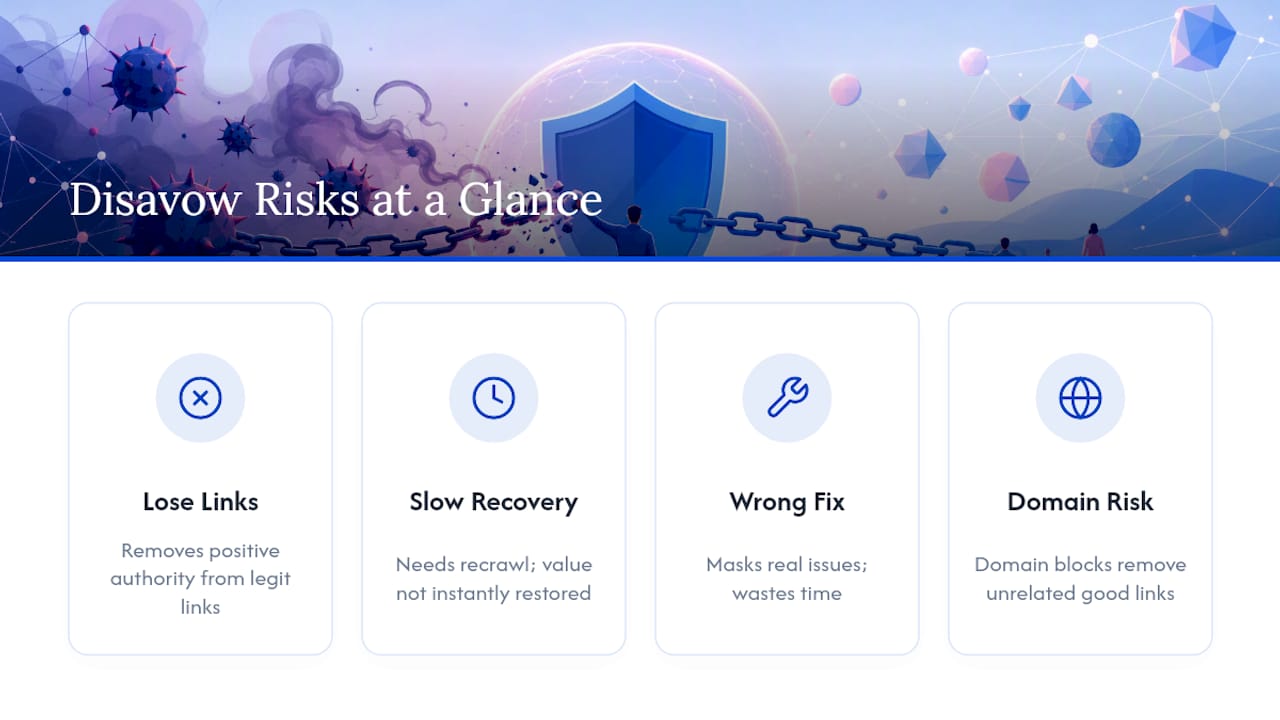
The risk compounds because reversal is slow. Removing a URL from your disavow file doesn’t instantly restore the value Google once assigned to it. The link has to be recrawled and reevaluated, and there’s no guarantee the original authority signal returns at full strength, particularly if the linking domain’s own profile changed in the meantime.
There’s a second, quieter risk: disavowing as a substitute for real problem-solving. If your traffic dropped because of a core update targeting content quality, and you respond by disavowing links instead of improving the content, you’ve spent effort on the wrong fix while the actual cause goes unaddressed. That delay can cost more than the disavow file ever helps.
Finally, blanket domain-level disavows carry outsized risk compared to URL-level ones. Disavowing an entire domain because of a handful of spammy pages can also wipe out unrelated, legitimate links from the same site, including ones on pages you never reviewed. Scope your disavow entries as narrowly as the evidence allows, and reserve domain-level blocks for domains that are genuinely spam through and through.
Author Perspective: A Short Workflow Recommendation
Audit first, attempt removal second, disavow last. Semdash’s backlink data speeds the audit step; the discipline still has to come from you.
— Leonid
Semdash as an Adjacent Tool for Audit and Monitoring Decisions
Search Console handles the actual disavow submission, and nothing replaces that step. But deciding what belongs in that file is where most of the real work happens, and that’s where a dedicated audit tool earns its place. Semdash’s backlink research tool lets you pull a full referring-domain list, sort by spam signals and anchor-text patterns, and flag candidates for manual review far faster than working through raw Search Console exports alone.
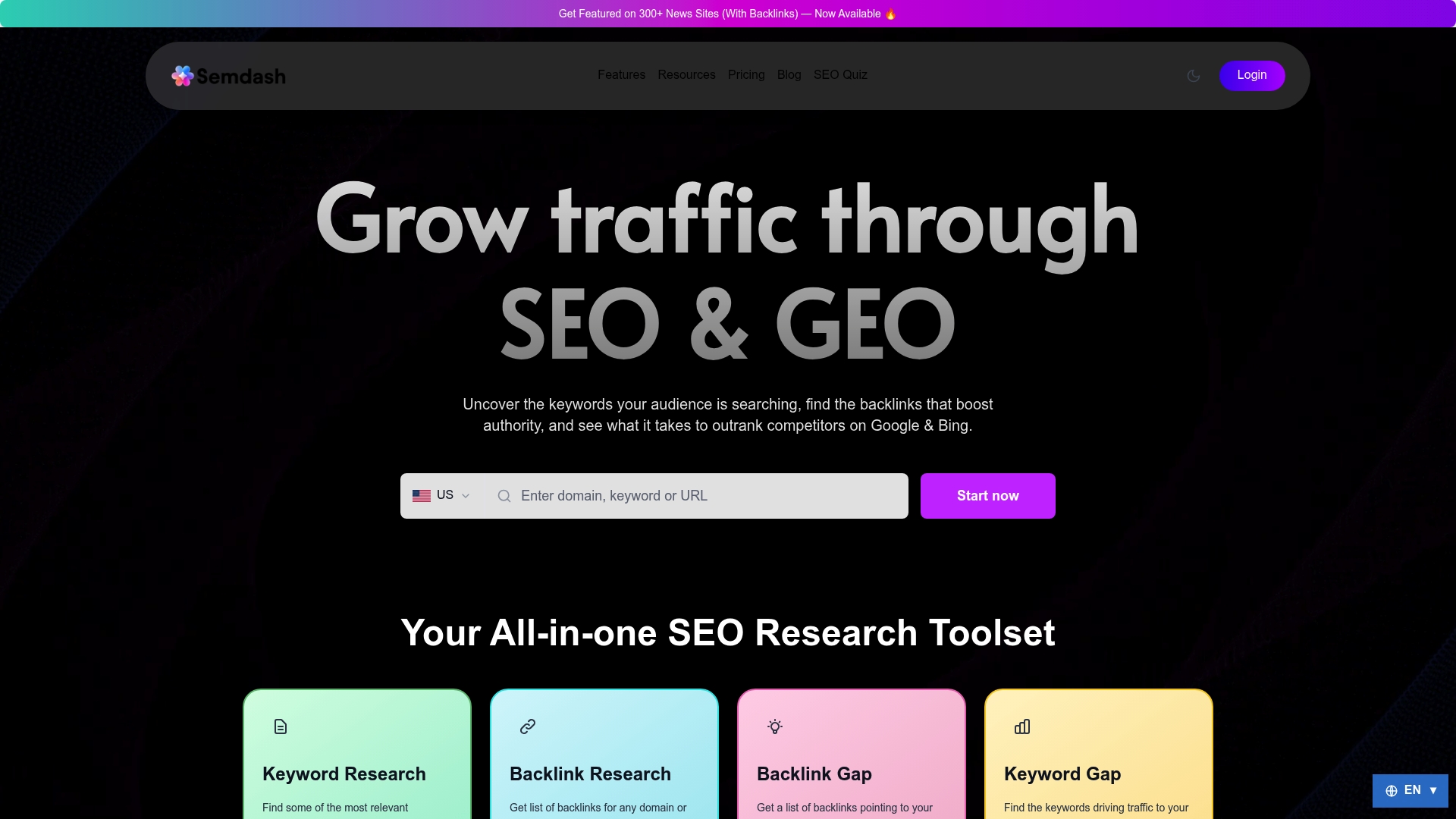
The practical workflow: run your domain through Semdash to generate a prioritized candidate list, cross-check the highest-risk domains manually, then move only the confirmed offenders into your Search Console upload. You can also use Semdash’s SEO competition analysis tools to see whether a ranking dip lines up with a competitor’s content gains rather than a link issue at all, which often prevents an unnecessary disavow before it starts. If you want to test the backlink audit workflow before committing to a subscription, Semdash’s free SEO tools are a low-friction place to start.
Quellen
Review Google’s disavow documentation and Search Engine Land’s practitioner guide for full detail.
- Disavow links to your site - Search Console Help
- Disavowing Backlinks: How to Safely Remove Toxic Links for SEO
- Notepad++
Häufig gestellte Fragen
Are Backlinks Still Relevant for Rankings?
Yes. Backlinks remain a core ranking input, but Google’s spam-detection systems, including SpamBrain, already discount most low-quality links automatically, which is why manual disavowal is needed far less often than site owners assume.
What Is a Toxic Backlink?
A toxic backlink typically comes from a link farm, a private blog network, a malware or spam domain, or a site carrying its own manual action, often paired with unnatural exact-match anchor text or a sudden spike in volume.
How Do I Disavow Backlinks From Google?
Confirm you have a manual action, link scheme, or spam attack, export the offending URLs, build a plain-text file following Google’s exact format rules, and upload it through Search Console under a URL-prefix property.
What Is Disavow in SEO?
Disavowing is a request to Google to ignore specific backlinks when evaluating your site, used narrowly for confirmed spam or penalty situations rather than as routine link cleanup. Tools like Semdash can help identify which links genuinely warrant that request.