%20(1)-B86R08ZzwhPzS6UZbG3mSxRWPCwGwn.png)


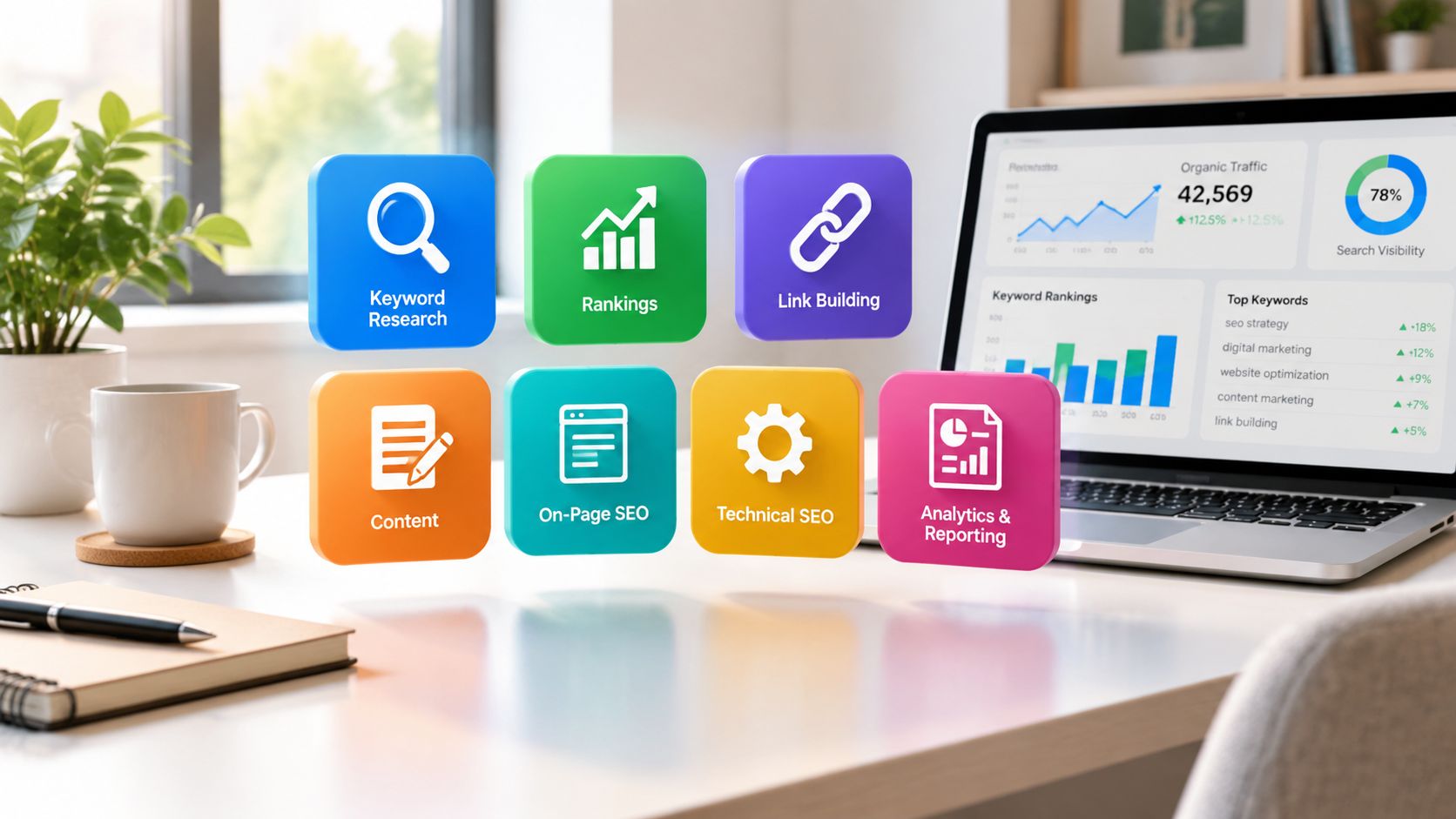
Most advice about seo tools for digital marketing starts with the wrong question. Agencies don't need seven overlapping subscriptions just to feel covered, they need a workflow that moves cleanly from opportunity discovery mit technical validation, content production, link acquisition, und reporting. When I audit stacks, I'm not asking which brand has the longest feature list, I'm asking which tool helps a team make the next decision faster without creating extra cleanup work.
That's why I judge each platform by the operational job it strengthens. A good research tool should expose competitor gaps and page-level targets. A crawler should catch broken architecture before a client sees it. A content tool should give writers usable direction, not just a score. A backlink platform should help me separate real prospects from noisy lists. And a reporting layer should make the work easier to explain to clients, not harder.
SemDash fits naturally in the middle of that workflow because it consolidates keyword, backlink, and SERP data into one workspace for competitive discovery and planning. The list below compares it with specialist tools that still earn their place when the job is technical crawling, content optimization, or deeper link analysis. For anyone who wants a broader historical lens on how the category evolved, this overview of SEO tool history is a useful reminder that the market matured from tracking and submission software into full search intelligence.
Inhaltsverzeichnis
- 1. SemDash
- 2. Semrush
- 3. Ahrefs
- 4. Moz Pro
- 5. Screaming Frog SEO Spider
- 6. Surfer
- 7. Majestic
- Top 7 SEO Tools: Side-by-Side Comparison
- Build the Stack Around the Work, Not the Brand
1. SemDash
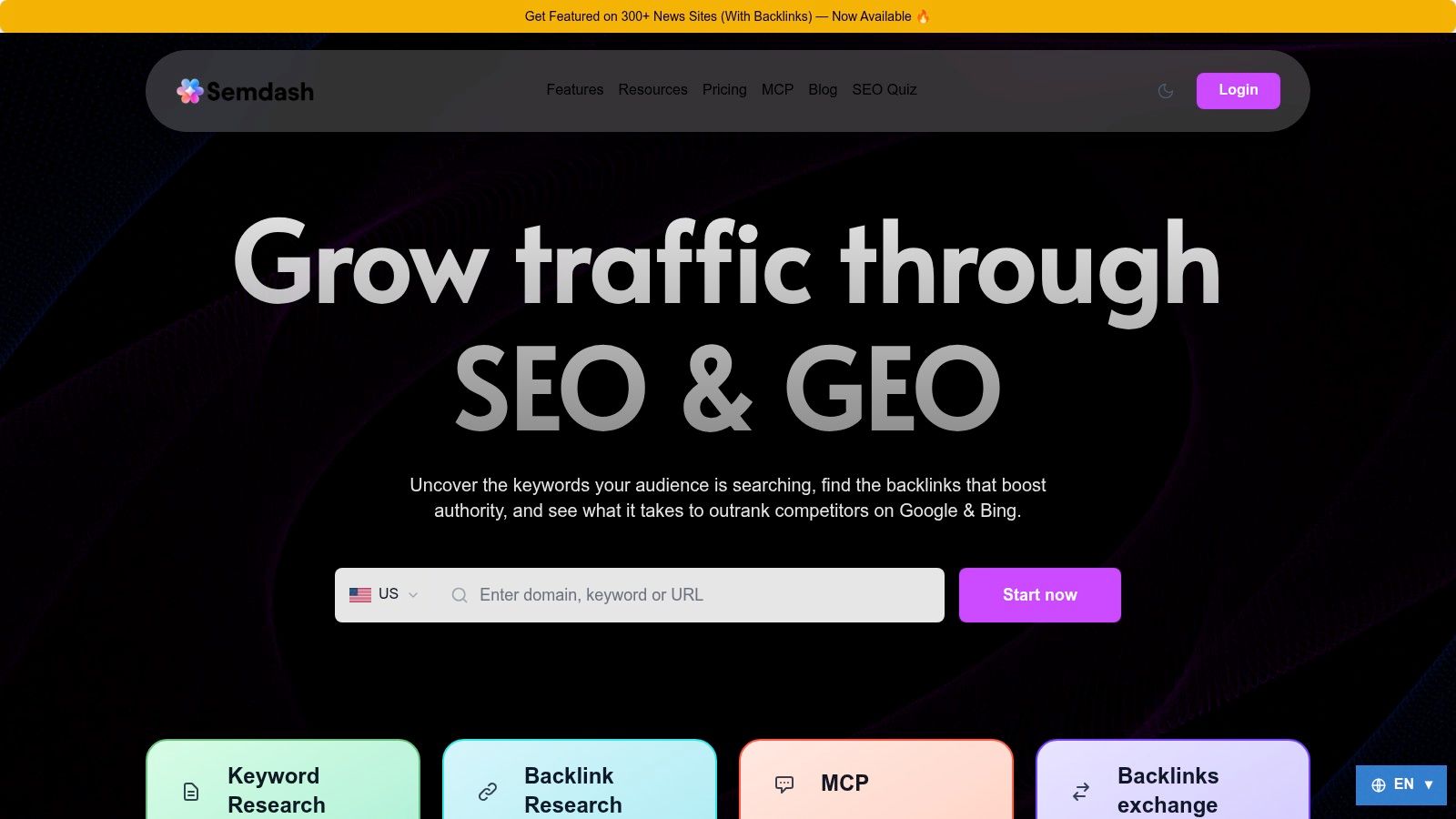
SemDash is the tool I'd start with when the bottleneck is research speed. It's built for teams that need to see competitor gaps, ranking URLs, backlink opportunities, and SERP behavior in one place instead of bouncing between separate subscriptions. The practical advantage isn't just convenience, it's that fewer handoffs usually means fewer missed opportunities.
Where SemDash fits in an agency workflow
The strongest part of SemDash is how it supports domain-level and page-level decision-making. Keyword Gap and Backlink Gap reports help me see not just what competitors rank for, but which URLs are driving that visibility and which linking domains are already warm for outreach. That matters because it turns “we should target this topic” into “this specific page and this specific angle are worth building now.”
Its SERP history and AI Overviews tracking are also a real differentiator for current search work. Google's AI visibility is volatile, and recent research shows that AI Overviews have moved sharply by query intent over time, which is exactly why generic rank tracking isn't enough for planning Semrush's 2025 AI Overviews study. SemDash's URL-level mapping, intent classification, and citation visibility help connect those changes to actual pages.
What I'd use it for first
Praktische Regel: if a keyword has commercial value, I'd check the exact ranking URL, the 12-month SERP history, and whether AI Overviews are changing how that query behaves before I brief content or outreach.
SemDash also leans into link recovery, not just prospecting. Unlinked-mention detection and broken-link recovery are useful when a team wants to reclaim equity instead of constantly chasing new links. It's also easy to see why users describe it as a simpler alternative to pricier suites, especially for marketers who care more about output than interface clutter.
I'd choose SemDash when I want one workspace for discovery, briefing, and link recovery, but I'd still verify subscription fit directly on SemDash before committing to a team-wide rollout.
2. Semrush
Semrush makes sense when a team wants an all-in-one operating system rather than a focused research layer. It's broad enough to handle keyword research, site audits, backlink analytics, rank tracking, reporting, and AI search visibility in one platform, which reduces the need to stitch together multiple point tools. For agencies, that consolidation can save time in onboarding and client reporting.
The tradeoff is cost control. Semrush's pricing and data usage can scale as users, prompts, and keyword needs grow, so it rewards teams that use the full stack instead of paying for features they'll barely touch. Lower tiers also make you manage caps carefully, which is fine for disciplined teams and frustrating for anyone who wants unlimited exploration.
When I'd pick it over a narrower stack
Semrush is strongest when the work is continuous and cross-functional. If one team needs competitive research, another needs site auditing, and a third wants AI search monitoring, Semrush keeps all of that under one login. That matters in agencies where handoffs are constant and the reporting burden is high.
The other reason it stays on these lists is the breadth of its ecosystem. It's the kind of platform that can support large internal teams that care about governance, shared access, and repeatable workflows. The downside is that broad suites can become underused if the team only needs keyword research and reporting.
Praktische Regel: if your team has separate owners for content, technical SEO, and reporting, Semrush is easier to centralize than a patchwork of smaller tools.
For pricing specifics and current plan limits, I'd check the live Semrush pricing page rather than assuming the plan you saw last quarter still fits.
3. Ahrefs
Ahrefs is the tool I reach for when competitor analysis has to be deep, fast, and exportable. Its Site Explorer workflow is still one of the cleanest ways to see what a competitor ranks for, which pages carry the most visibility, and how their backlink profile is built. If the job is reverse-engineering a market, Ahrefs is excellent.
It's also a better fit when the team needs structured limits and usage planning. Credit-based workflows and export controls can be helpful in agencies because they force discipline. You know what you can crawl, what you can pull, and where you need to prioritize.
What makes it different in practice
Ahrefs is particularly useful when I need to answer a specific question quickly, not browse a dashboard for inspiration. Which competitor pages are earning links. Which keywords support a topic cluster. Which URLs are driving the strongest market share. That kind of analysis is where the tool pays for itself.
It now also has Brand Radar for AI visibility research, which is useful for teams that want to see how brand mentions show up across AI prompts. That's important because AI search is no longer a side note in SEO planning, it's part of the visibility stack.
The main drawback is price creep. Once you need more users, more rows, or more API units, the bill rises quickly. The learning curve also gets steeper as you move from simple keyword use into advanced workflows and export-heavy analysis.
Praktische Regel: Ahrefs is best when the output is an analysis memo or a content strategy doc, not when the assignment is “log in and poke around until something looks interesting.”
If you're deciding between it and a more consolidated research stack, this internal comparison on SemDash vs Ahrefs alternatives is worth reading before you commit.
4. Moz Pro
Moz Pro works best for teams that want a steady, teachable SEO system instead of a dense power-user environment. It covers keyword research, site crawling, rank tracking, and link metrics in a way that's easy to onboard, which makes it a strong fit for smaller teams or newer marketers who need clarity more than complexity. Its education layer is a real advantage because tool adoption often fails when people don't understand the why behind the data.
I also like it when authority tracking matters. Moz has long been associated with domain and page authority metrics, so it's useful for teams that need a quick read on site credibility and link profile growth. That's especially relevant for marketers who are building a long-term content program and need a simple way to monitor whether authority is moving in the right direction.
Where it helps and where it slows you down
Moz Pro's biggest strength is accessibility. You can hand it to a junior marketer and still get useful output without a long ramp-up period. For agencies, that can reduce training time and make it easier to get consistent reporting across accounts.
The limitation is depth. Link data and keyword coverage can lag behind more specialist tools in some niches, and advanced campaigns may outgrow its lower tiers quickly. If you need deep competitive intelligence or heavy export workflows, Moz Pro won't feel as expansive as the bigger suites.
What I'd use it for is straightforward: baseline keyword research, crawl checks, and authority monitoring. What I wouldn't use it for is aggressive market reverse-engineering or large-scale link prospecting.
Praktische Regel: Moz Pro is a good fit when the team needs confidence and consistency, not when the workflow depends on highly specialized data depth.
For a clean overview of the platform, go to the official Moz Pro site.
5. Screaming Frog SEO Spider
Screaming Frog is the crawler I trust when a site needs technical truth, not marketing-friendly summaries. It's the tool I'd use to validate redirects, hreflang, canonical tags, structured data, crawl paths, and indexability issues at a level that most cloud suites don't match. When a technical problem is subtle, desktop crawling still finds it faster than guesswork.
The free version is useful for smaller checks, and the paid license opens up unlimited crawling for serious audits. That makes it cost-effective for agencies that own multiple websites or need to run repeatable technical sweeps after launches, migrations, or content updates. It's also strong for custom extraction, which is where technical SEOs can turn crawl data into something actionable instead of just descriptive.
What works in real client work
I like Screaming Frog because it forces specificity. If a page isn't indexable, or a redirect chain is too messy, or a structured data pattern breaks, the crawl output usually makes the issue obvious. That's a huge advantage when the client's internal team needs evidence rather than a theory.
It also integrates well with Google Search Console, Google Analytics, and PageSpeed Insights, which helps connect crawl findings to performance context. That combination makes it easier to move from “there's a problem” to “this problem is affecting the page we care about.”
The downside is obvious. It's a desktop tool, so large crawls can be resource heavy, and it's not a research suite. There's no native keyword database, no competitor intelligence layer, and no content brief engine. That's fine if you know what you're buying.
Praktische Regel: use Screaming Frog to validate what the research tools suggest, not to replace them.
For plan details, check the current Screaming Frog SEO Spider pricing page.
6. Surfer
Surfer is strongest when the bottleneck is content production. It gives writers SERP-based guidance, a content score, internal linking support, and AI-assisted drafting tools that help turn a keyword into a publishable brief. For agencies with editorial teams, that's a useful bridge between strategy and execution.
The reason I keep it in the conversation is that content teams don't just need more writing, they need better targeting. Surfer reverse-engineers the current SERP and gives writers a path to matching intent without manually comparing every competitor page. That speeds up briefing, and it usually reduces the back-and-forth between SEO and editorial.
What I've found useful and what I'd watch
Surfer works best for pages that already have a clear keyword target and need on-page refinement. If your team understands the topic and just needs sharper coverage, the workflow is smooth. The content editor, internal links, and AI search visibility features make it practical for teams that publish frequently.
The caution is that content tools can be over-trusted. A strong score doesn't guarantee rankings, because off-page factors still matter and SERP behavior changes. Surfer helps you build a better page, but it can't manufacture authority.
It's also a credits-and-documents model, so higher-volume teams need to plan usage carefully. That's not a dealbreaker, but it does matter when multiple writers are moving quickly and expect limitless drafts.
Praktische Regel: I use Surfer to sharpen the page, not to decide the strategy.
If you want the official pricing and plan structure, start with Surfer's pricing page.
7. Majestic
Majestic is the specialist I'd keep around when link quality matters more than link quantity. Its Trust Flow and Topical Trust Flow metrics make it useful for judging whether a backlink profile is relevant, not just large. That's important in outreach work, where a long prospect list can hide a lot of weak opportunities.
The platform's Fresh and Historic indexes are valuable because link analysis is rarely just about what exists today. I often want to know whether a site has steady link momentum, whether topical relevance lines up, and how a domain fits into a broader link graph. Majestic is built for that kind of inspection.
Where it earns its place
Majestic is good at bulk analysis and at giving link builders a more technical view of authority signals. If a team is prospecting at scale, the graph and topic tools can expose patterns that a general-purpose suite won't highlight as clearly. It's not flashy, but it's useful.
The downside is scope. Majestic is narrower than all-in-one platforms, and the interface can feel technical for non-specialists. That's not a flaw if the user is a link builder or SEO analyst, but it can frustrate general marketers who want a prettier dashboard.
I'd use Majestic when the question is “is this link worth pursuing,” not “what should we publish next.” It complements a broader research platform rather than replacing one.
Praktische Regel: if a prospect list looks good in a spreadsheet but weak in context, Majestic is the tool that usually tells the truth.
For current plan details, go straight to Majestic's pricing page. For a deeper side-by-side look at specialist link tools, the internal SemDash and Majestic comparison is useful.
Top 7 SEO Tools: Side-by-Side Comparison
| Werkzeug | 🔄 Implementation complexity | ⚡ Resource requirements | 📊 Expected outcomes | 💡 Ideal use cases | ⭐ Key advantages |
|---|---|---|---|---|---|
| SemDash | Low–Moderate, cloud UI, minimal setup | Low cost; modest team/API needs; free tier available | URL-level rankings, fresh keyword/backlink data, AI briefs | SMBs and agencies needing fast competitive discovery & link building | Large, frequently refreshed datasets; URL mapping; AI‑assisted briefs |
| Semrush | Moderate–High, broad suite, onboarding required | Higher cost; scales with users, keywords and add‑ons | Comprehensive visibility, rank/authorship tracking, AI search mentions | Agencies and large in‑house teams wanting all‑in‑one platform | All‑in‑one toolkit for competitive research and market tracking |
| Ahrefs | Moderate, intuitive UI but feature-rich | Moderate–High cost; export/API credit planning | Deep backlink intelligence and large-scale keyword research | Teams needing exportable competitive intelligence and link analysis | Very strong link index and competitor analysis workflows |
| Moz Pro | Low–Moderate, accessible onboarding and tools | Lower‑cost entry; add‑ons for higher caps | Reliable keyword research, audits, and beginner-friendly reporting | Small teams, learners, and agencies starting SEO programs | Transparent pricing, strong educational resources and onboarding |
| Screaming Frog SEO Spider | Moderate, desktop install and configuration for advanced audits | Low licensing cost; resource‑dependent for very large crawls (local CPU/RAM) | Deep technical crawl data, redirect/hreflang/structured data findings | Technical SEOs, migrations, in‑depth site audits | Industry‑standard crawler with custom extraction and exportable reports |
| Surfer | Low, writer‑friendly, quick to adopt | Credits/documents model; plan for high‑volume teams | Data-driven content briefs, on‑page optimization and Content Score | Content teams, SEO writers, agencies focused on on‑page performance | Practical content workflows, AI writing assistant and Content Score |
| Majestic | Low–Moderate, specialist link tool | Competitive specialist pricing; efficient for bulk link analysis | Trust Flow/topical metrics, bulk backlink evaluation and link prospecting | Link builders, outreach teams and link researchers | Deep link‑centric dataset and unique Trust Flow metrics |
Build the Stack Around the Work, Not the Brand
The cleanest way to choose seo tools for digital marketing is to map the workflow before you buy anything. If the team's biggest gap is competitor discovery, start with a research platform that shows keyword gaps, top pages, SERP history, and page-level targets. If the pain is technical uncertainty, add a crawler that can validate redirects, indexability, and structured data. If writers need better briefs, use a content platform that translates SERPs into instructions they can follow. If prospecting is the problem, a specialist backlink tool will usually surface better opportunities than an all-in-one suite.
SemDash is a strong consolidation candidate for teams that want keyword research, backlink intelligence, SERP tracking, content briefs, AI Overviews visibility, and link-recovery workflows in one workspace. That doesn't make it the only answer. Semrush and Ahrefs still make sense for teams that want broader enterprise ecosystems, deeper competitive operations, or established reporting structures, while Screaming Frog, Surfer, and Majestic remain purpose-built complements for technical audits, content optimization, and link evaluation.
The mistake I see most often is buying around brand familiarity instead of workflow fit. A small agency can waste months paying for overlapping modules it barely uses, while a larger team can stall because nobody owns the handoff between research, writing, crawling, and reporting. The better approach is to pick the bottleneck, assign the tool to that job, and let the stack grow from there.
Run a pilot on one live client, document the current process, and repeat the same workflow in the shortlisted tools. Compare the outputs that help you ship, like better target URLs, clearer briefs, cleaner crawl findings, or stronger prospect lists. Before you standardize anything, confirm the pricing limits, export caps, and user rules so the stack still works when the workload grows.
SemDash gives digital marketing teams one workspace for keyword discovery, backlink research, SERP history, AI visibility, and content planning. If you want a practical way to tighten research and reduce tool sprawl, visit SemDash and see how it fits your workflow.