%20(1)-B86R08ZzwhPzS6UZbG3mSxRWPCwGwn.png)


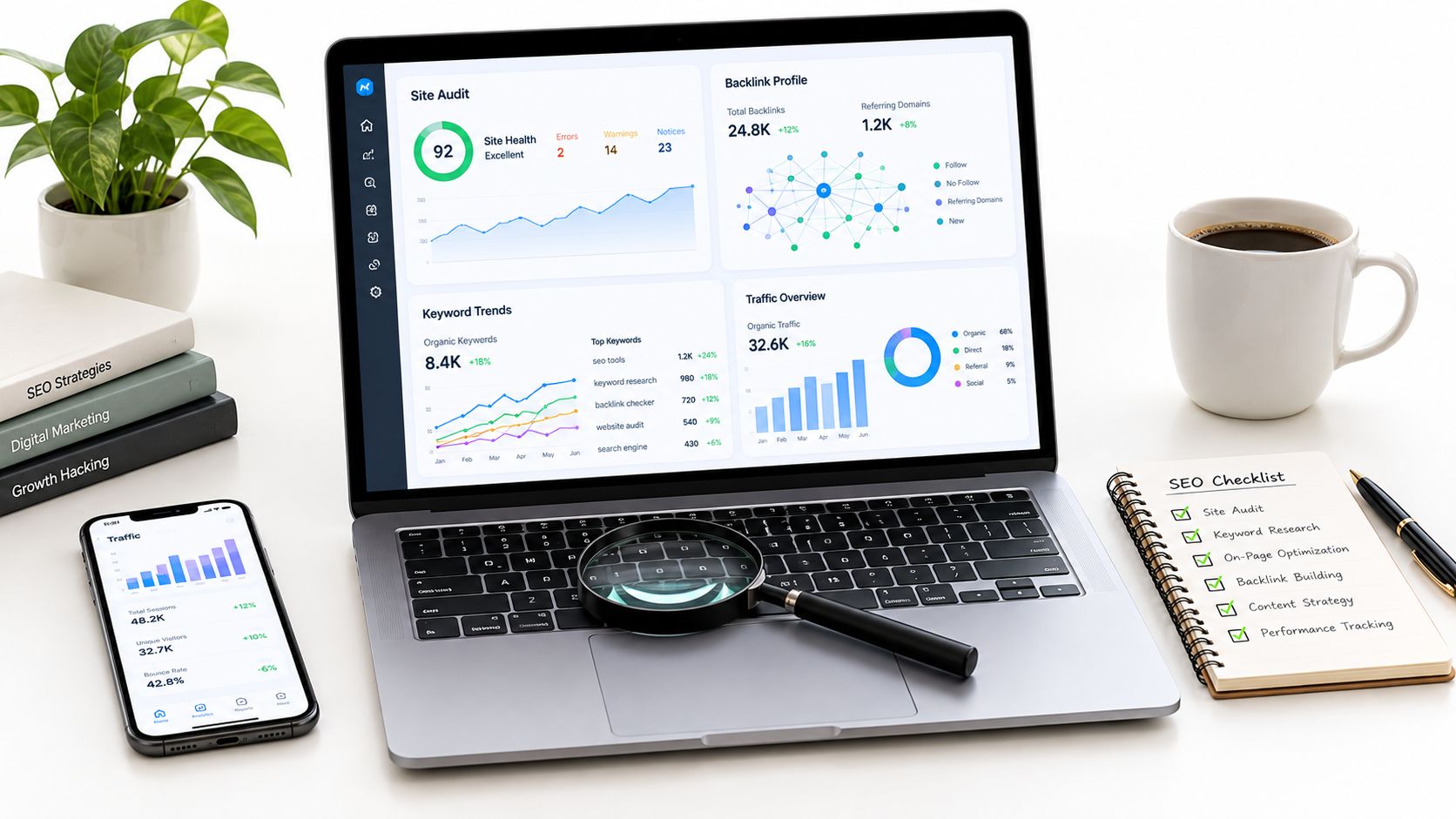
The worst advice I hear about an SEO analysis tool is that one platform should do everything equally well. In practice, I start with the decision I need to make, fixing crawl issues, finding competitor gaps, prioritizing links, or reading SERP changes, then I test data freshness, URL-level detail, export limits, workflow speed, and how cleanly the tool fits reporting. That's the only way I've found to separate a broad suite from a specialist that moves work forward.
A solid stack usually mixes one primary platform with one or two specialists. For example, a suite can handle research and reporting, while a crawler handles technical diagnosis and a backlink database handles link recovery or competitive link mapping. That approach matters because SEO tooling has evolved from simple tracking utilities into a mature industry built around ranking history, keyword research, backlink intelligence, and now AI visibility reporting, a category that traces back to early tools like WebPosition Gold in 1997, which helped webmasters track rankings, research keywords, and submit sites to search engines SpyFu's history of SEO tools.
Inhaltsverzeichnis
- 1. SemDash
- 2. Ahrefs
- 3. Semrush
- 4. Moz Pro
- 5. Screaming Frog SEO Spider
- 6. Majestic
- 7. SE Ranking
- 8. Serpstat
- 9. SISTRIX
- 10. SpyFu
- Top 10 SEO Analysis Tools: Feature Comparison
- Build a Tool Stack Around Your Next Decision
1. SemDash
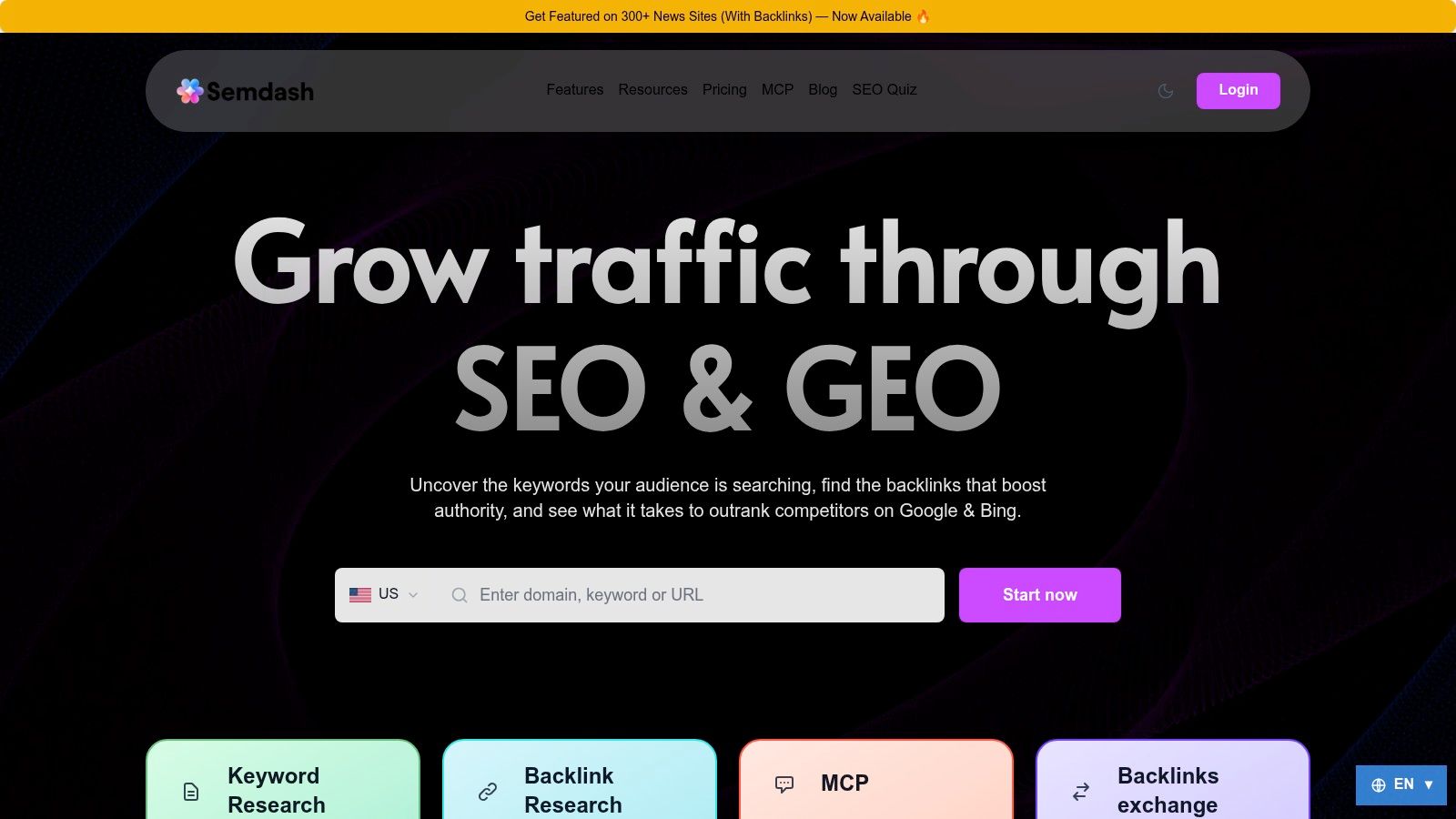
SemDash fits best when the job is to compare competitors, find keyword gaps, check backlink gaps, and read the SERP without bouncing between tools. I use it when I need to move from a vague sense that a rival is ahead to a clear list of URLs, queries, and links that explain why. The product is positioned as a cloud-based SEO research and analysis platform, which matches that workflow better than a passive dashboard I only open for status checks SemDash.
What makes it different in day-to-day SEO work
SemDash is useful because it keeps Domain-Schlüsselwörter, Keyword-Lücke, Backlink-Lücke, und Nach oben in one workflow. That matters more than a long feature list, because I can start with a rival domain, see which pages pull visibility, and decide whether the problem is content, links, or intent. The platform also claims a large keyword index, backlink index, and SERP coverage, which supports broad comparisons across many URLs, but the value is how quickly it turns that data into a prioritization list SemDash.
I usually treat those modules as a sequence. Domain-Schlüsselwörter shows the terms a competitor already owns, Keyword-Lücke exposes what they rank for that I do not, Backlink-Lücke points to missing link sources, and Nach oben helps me identify which URLs are carrying the visibility. Used together, they make it easier to spot whether one strong page needs better internal support, more links, or a cleaner match to search intent.
Praktische Regel: if a competitor outranks you on several related terms, start with the page pattern, then check links, structure, and intent before you rewrite anything.
SemDash is also helpful for teams that need to explain the next move instead of just reporting movement. Its KI-gestützten Content-Briefings und intent classification are built from live SERP data, and its KI-Übersichten reporting shows which keywords trigger domain mentions and which URLs are cited SemDash features. That is useful when a page needs a rewrite, a supporting cluster, or a different primary intent. It also makes the comparison between your page and a rival's page more concrete, because the decision is tied to observed SERP behavior rather than a generic checklist.
The other workflow I value is recovery work. Unlinked-mention detection und Wiederherstellung defekter Links turn brand mentions into outreach targets, which is a faster path than waiting for new opportunities to appear. If a team already runs link outreach, the paid placement service on 300+ news sites can be a tactical add-on, but it is not the main reason I would choose the platform.
Pros
- Strong competitive mapping through keyword, backlink, and page analysis in one place.
- Useful workflow for gap discovery, especially when I need to decide whether the fix is content, links, or intent.
- AI-driven planning tools for briefs, intent, and AI Overviews visibility.
- Fast interface that works well for recurring research.
Cons
- Per-domain depth can vary in side-by-side comparisons.
- Bulk analysis limits may be tighter than enterprise-only suites.
- Pricing details are limited on the public site, so a demo is still the safer way to judge fit.
For me, SemDash is strongest when I need a research tool that points to the exact page, query, or link gap worth acting on next.
2. Ahrefs
Ahrefs is the tool I reach for when competitor analysis und backlink intelligence are the main task, not a side feature. Its setup centers on Site Explorer, Keywords Explorer, Site Audit, and Rank Tracker, which fits the workflow I want when I'm mapping a rival's top pages or tracing how a content cluster earned links Ahrefs. If I'm doing link gap work, I still prefer a specialist platform like this over a broad all-in-one that treats backlinks as one module among many.
Where Ahrefs is strongest
The main advantage is how Ahrefs brings competitor data together. I can review a domain's top pages, backlink profile, keywords, and SERP history without jumping between separate tools, which makes pattern spotting easier across several competing pages. That matters when I need to judge whether a rival is winning through page quality, link equity, or both.
It also fits into a reporting workflow. Ahrefs supports agency use through API access and report-building options, so client updates can rely on repeatable exports instead of screenshots and manual notes. For teams that need to explain why a page moved, not just that it moved, that matters.
I still pair it with a crawler if the site has serious technical problems. Ahrefs is strong on research and competitive visibility, but canonical issues, rendering problems, and sitewide indexation checks belong in a purpose-built crawler. For a closer alternative comparison, see best Ahrefs alternatives.
What I've found: the more competitive the niche, the more useful Ahrefs becomes for reverse-engineering. The tool does not make the SEO decision for you, but it usually exposes the pattern you need to act on.
The trade-off is cost and scope. Ahrefs is a premium platform, and some advanced capabilities sit behind add-ons. That works if competitor intelligence is central to your process, but it is less attractive if you only need occasional keyword checks or light backlink review.
Am besten für
- Competitor page analysis and backlink inspection.
- Top-page and gap discovery for content planning.
- Agency-style reporting around research and visibility.
Less ideal for
- Deep technical crawling.
- Budget-conscious solo use where a cheaper suite would cover enough ground.
If I am building a workflow around competitor discovery and link context, Ahrefs stays near the top of the stack. For technical diagnosis, I would still bring in a crawler.
3. Semrush
Semrush is the broad suite I reach for when one subscription needs to cover most of the recurring SEO workflow. It handles keyword research, technical auditing, competitive intelligence, rank tracking, and AI visibility reporting, which makes it practical for teams that would rather work from one system than stitch together separate tools Semrush. In practice, that usually means marketing teams, agencies, or in-house groups that need research, monitoring, and reporting in one place.
Why it works as a primary suite
Semrush earns its place by doing the day-to-day jobs well enough to sit at the center of the stack. I use it for Position Tracking, Website-Audit, Domain-Übersicht, and competitor research, then lean on the historical view when I need to see how a domain shifted over time. That helps with diagnosis, but it also helps with planning, since you can compare what changed against what you expected to change.
Its AI visibility reporting matters for the same reason. Search behavior is changing, and the question is no longer whether a platform mentions AI tracking, but whether the evidence is stable enough to make decisions from it. I prefer suites that treat it as a reporting layer, not a novelty, because that is how it gets used in real workflows Search Influence's analysis of AI SEO tracking tools.
If you are weighing suites head-to-head, see Semrush vs Ahrefs for a detailed comparison.
Reporting is another reason I keep Semrush in the conversation. When I need to hand findings to stakeholders, the integrated workflow is cleaner than juggling exports from different platforms. That said, the broader the suite, the more you need to watch plan limits and add-ons, because cost creeps up when more teams start using the same account.
Where I'd be careful
Semrush is easy to overbuy. If your team only needs keyword research and a light audit, the platform can feel larger than necessary, and the bill can rise quickly once you add modules or capacity. I've seen teams pay for breadth they never use.
It also works better with a clear owner. Someone has to decide how data gets reviewed and acted on, otherwise the suite turns into a reporting library instead of a decision tool.
Use Semrush when
- You need recurring reporting across research, audit, and rank tracking.
- You want AI visibility treated as part of the SEO workflow.
- You manage multiple sites or clients and need shared visibility.
For a full-stack SEO operation, Semrush is one of the safest primary choices. For specialized technical work or link-only investigations, I would still add focused tools around it.
4. Moz Pro
Moz Pro is the tool I recommend when a team wants approachable SEO analysis without losing the core basics of keyword, audit, and backlink work. It's a good fit for marketers who want a steadier learning curve and a cleaner UX, especially if they don't need every advanced feature an enterprise suite packs in Moz Pro. I've always treated it as a practical middle layer, useful for visibility and link research, but not the deepest option if backlink granularity is the whole mission.
Why Moz Pro still earns a place
Moz Pro's value is in how it balances site audits, rank tracking, und link research with a simpler operating model. The campaign-based structure makes it easier to keep tabs on tracked sites and keywords without getting lost in a maze of tabs. That can matter a lot on smaller teams where the person running SEO is also doing content, reporting, and stakeholder communication.
Its AI Visibility dashboards are useful when I want to keep an eye on prompt tracking alongside classic SEO work. I wouldn't buy Moz Pro only for that, but it helps if the team is already watching how brand visibility changes across search surfaces.
The platform also has a useful reputation for being beginner-friendly, which is not the same thing as simplistic. I see that as a real advantage when the person on the account changes frequently, or when multiple teammates need to understand the same data without a long onboarding session.
Der Kompromiss
Moz Pro is not the deepest backlink specialist, and that shows up when you start comparing it with a tool built around link graph analysis. If I'm trying to do serious link auditing, I'll still reach for a dedicated link database.
It also tends to feel more limited than top-end suites in raw data scale. That doesn't make it bad, it just means you should buy it for workflow clarity rather than for the biggest possible dataset.
Domain authority metrics explained helps if you're still untangling authority-style metrics from the rest of your reporting.
Moz Pro works best when the buyer wants clarity, consistency, and a manageable learning curve more than maximal depth.
Am besten für
- Teams that want a simpler suite for core SEO work.
- Campaign-based reporting on tracked sites and keywords.
- Light backlink research paired with a friendlier interface.
5. Screaming Frog SEO Spider
A site can look fine in a suite and still fail under a real crawl. Screaming Frog SEO Spider is the tool I open when I need to see that failure clearly. It is a desktop crawler built for technical audits, so it goes after status codes, canonicals, JavaScript rendering, structured data, internal links, and custom extraction rules Screaming Frog. That makes it useful when the question is not “what is wrong,” but “where exactly is it breaking.”
Why it earns a place in the stack
Screaming Frog helps because it shows the site the way a crawler sees it. I can isolate template-level issues, compare sections of a site, and pull custom fields that explain why a pattern keeps repeating. The integrations with Google Analytics, Search Console, and PageSpeed Insights matter here, since crawl data is more useful when I can line it up with traffic and performance signals.
The strongest use case is diagnosis. If content is injected dynamically, buried in a messy template, or handled inconsistently across page types, a browser-based audit usually misses the pattern. Screaming Frog gives me the crawl evidence I need to prove the problem before anyone starts guessing at fixes.
It is also limited in ways that matter. Because it is a desktop app, crawl scale depends on the machine running it. That makes scope planning part of the job on larger sites. It also does not replace a keyword database or a backlink index, so I do not use it as the only SEO platform in a workflow.
How I use it in practice
I usually pair Screaming Frog with a broader suite. The suite handles keyword research, competitor tracking, and reporting. Screaming Frog handles the technical layer that needs precision. That split keeps me from paying for crawl features in a general platform when I still need a dedicated crawler to inspect the details.
One practical pattern works well: run the wider suite first to spot where the business issue sits, then crawl the affected area in Screaming Frog to confirm the technical cause. That approach is faster than starting with a full crawl on every project, and it keeps the audit tied to a decision instead of a spreadsheet.
Am besten für
- Technical diagnosis on architecture and indexability.
- Custom extraction for template-level inspection.
- Crawl comparison and segmentation after site changes.
If the issue is structural, Screaming Frog gives the clearest view. If the issue is market discovery or link research, it belongs beside another tool, not in place of one.
6. Majestic
Majestic is the backlink specialist I reach for when the work depends on link graph quality and historical context. Its Fresh and Historic backlink indexes, Site Explorer, Clique Hunter, Backlink History, and Trust Flow plus Topical Trust Flow metrics give me a more focused view of relevance and authority Majestic. If a page underperforms because the link profile looks thin, noisy, or off-topic, Majestic helps me show where the problem starts.
Why I use it differently
Majestic treats links as a graph, not just an export. That matters during competitor analysis and link cleanup, because the question is rarely “how many links exist?” It is usually “which parts of the profile support the page I want to rank?”
Topical Trust Flow helps with that check. I use it to see whether a backlink profile matches the subject matter I am trying to rank for, instead of treating every referring domain as equal.
The Fresh and Historic split gives another useful angle. Fresh shows current movement, while Historic shows the authority a site has carried over time. That split matters in migration reviews, recovery work, and long-horizon competitor analysis. If I am auditing a site after changes, I want to know whether the links are still arriving or whether the profile only looks strong because of older accumulation.
Majestic is narrow compared with a full SEO suite, and that is the trade-off. I do not rely on it for keyword work or SERP monitoring. I use it beside a broader platform when I need a deeper link index than the suite can provide on its own.
Where it fits in a workflow
The cleanest use case is competitor link comparison. I can check whether a rival's strongest links are topic-relevant, then use that pattern to judge whether my own prospect list is worth pursuing. Majestic is also useful for recovery work, because it helps separate toxic-looking noise from links that still sit inside the right topical neighborhood.
The learning curve is real. The plan structure and allowances take some getting used to, so I recommend it when link analysis is part of the job every week, not when it is an occasional check.
Am besten für
- Link prospecting and historical link analysis.
- Topic-relevance checks for backlink quality.
- Competitor link comparisons where a graph view is more useful than a raw export.
For teams that live in link acquisition, Majestic earns its seat. For broader SEO management, it works better alongside a suite than by itself.
7. SE Ranking
SE Ranking is the tool I'd pick when I need an affordable all-in-one that still covers rank tracking, audits, keyword research, and backlink work. It's a strong fit for agencies and SMBs that care about cost-to-feature ratio and want a platform that can scale without immediately jumping into the premium suite tier SE-Rangliste. I've found that balance useful when teams want enough depth to act, but not the overhead of a giant enterprise system.
Why it works for agencies and SMBs
The appeal is straightforward. SE Ranking covers local and maps rank tracking, competitor research, backlink tools, and website audits in one platform, which makes it practical for teams that manage multiple clients or regional sites. The 14-day free trial and transparent plan structure also reduce the buying friction that comes with larger tools.
I like the way it handles rank tracking and share-of-voice reporting because those are the metrics clients usually ask about first. The platform also integrates with GA4, Google Search Console, and Looker Studio, which gives it a cleaner reporting path than many budget tools.
The main caution is capacity creep. Once you start adding extra keywords, seats, or locations, the monthly bill can climb. That's not unique to SE Ranking, but it matters if you sold the tool internally as “affordable” and then keep expanding the scope.
What works: use SE Ranking as the main reporting surface for agencies with repeatable client needs.
Was nicht: buying it for one small website and expecting it to feel cheap forever.
Best use case
I'd use SE Ranking when the work includes recurring visibility tracking, local SEO, and client reporting, especially if the team wants a decent all-in-one without the premium-suite overhead. For deep link analysis or highly technical audits, I'd still pair it with a specialist.
Pros
- Strong price-to-feature ratio.
- Good local and maps tracking.
- Useful integrations for reporting and data consolidation.
Cons
- Add-ons can push the price up.
- Brand footprint is smaller than the biggest platforms.
- Advanced workflows may still need a specialist tool.
8. Serpstat
Serpstat is the platform I'd test when I need scalable exports, audits, and scheduled reporting without defaulting to a top-tier suite. It brings together keyword research, site analysis, rank tracking, backlink analysis, and AI Overviews visibility, so it suits teams that spend a lot of time moving data between analysis and reporting Serpstat. The value is throughput, not polish.
A concrete use case makes that clearer. I've seen teams pull 5,000 keywords across three markets, then set weekly rank reports to feed Looker Studio without rebuilding the process each time. That kind of workflow matters when the analyst is not just checking positions, but also handing clean outputs to account managers or clients.
Where Serpstat makes sense
Serpstat fits best when the job is repeatable. Higher-tier plans add API credits, bulk export, and scheduled reports, which helps if you are sending the same datasets into another dashboard or exporting the same views on a fixed cadence.
That makes sense for agency teams and in-house teams with multiple markets, multiple site sections, or recurring reporting needs. If I already know the metrics I need, Serpstat can save time by getting the data out of the platform without too much friction.
The trade-off is that quota management can become part of the workflow, especially if one account serves several use cases. Dense interfaces can also slow down occasional users. I would rather buy it with a defined reporting process than treat it as a general-purpose catch-all.
Best fit and limits
Serpstat works best as an output engine. If you need a clean interface for light, occasional checks, other tools may feel easier. If you need to export, schedule, and move data into reporting systems every week, it has a clear role.
Use Serpstat when
- You need scheduled reporting and bulk output.
- API access matters to your workflow.
- You want an all-in-one suite with room to scale.
For deeper technical diagnosis or more specialized link work, I would pair it with a crawler or a separate link database. That combination usually gets better answers than asking one platform to do everything.
9. SISTRIX
SISTRIX is the platform I'd reach for when the question is historical visibility analysis, especially across European markets. It is built around the Visibility Index and a wide country footprint, so it works well for agencies and brands that need long-running SERP context rather than a quick snapshot SISTRIX. If I need to explain why a site gained or lost presence over time, this tool gives me a cleaner trendline than a rank report alone.
Why the visibility model matters
The main value of a visibility-first workflow is that it changes the question from “Where do we rank today?” to “What has happened to search presence over time?” That matters because a single ranking snapshot can hide volatility, intent shifts, and content decay. SISTRIX's historical datasets make those patterns easier to spot without stitching together a dozen exports.
I also like that the platform adds content tools, on-page crawling, and AI prompt tracking on higher tiers. That keeps it useful after the trend is identified, because the next step is usually diagnosis, not another chart. In practice, I'd use the visibility curve to decide where to investigate, then move to a crawler or a separate link database if I need deeper technical or backlink detail.
The trade-off is pricing and orientation. The interface and terminology are more EU-centered than some global suites, and billing is published in EUR. That is fine for teams working in those markets, but it can be awkward if procurement wants a simpler buying process.
How I'd use it
I would put SISTRIX on the shortlist when I need cross-market visibility analysis, especially for clients or brands operating in Europe. For site-level diagnosis, I would pair it with Screaming Frog SEO Spider or a dedicated link tool rather than expect one platform to answer every question.
Am besten für
- Historical visibility tracking across markets.
- EU-focused SEO work with broad country coverage.
- Reporting that depends on trendlines, not just raw rankings.
SISTRIX is strongest when the workflow is visibility review first, diagnosis second. That makes it more useful than a generic suite for teams that need to explain movement, defend decisions, and then drill into the causes with specialist tools.
10. SpyFu
SpyFu is the tool I'd use when the job is competitor-driven keyword and PPC intelligence. It has long been positioned around historical domain, keyword, and AdWords data, and it now adds AI-oriented features as well, which keeps it relevant for consultants who need an affordable way to study rival organic and paid behavior SpyFu. If the main question is “What are my competitors buying, ranking for, and ignoring?”, SpyFu gives a lot of useful context fast.
Why I still keep it on the shortlist
SpyFu is attractive because it lowers the cost of competitive intel. I don't need it to be the deepest crawler or the most advanced link database. I need it to show me the terms, ads, and history that suggest where a competitor is investing and where the gap might be.
The unlimited search and export style of higher plans also fits the way consultants work. When I'm comparing multiple rival domains, the ability to move quickly across a lot of queries matters more than pretty visuals. It's especially helpful if I'm building a pitch or an opportunity map and need to support the argument with enough competitive evidence to be credible.
Where SpyFu falls short is technical depth. If I'm solving crawl issues or doing serious site architecture work, it's not the right lens. Its backlink scope is also smaller than what a link specialist gives me.
SpyFu is strongest when you want fast competitor discovery without paying for a heavyweight all-in-one.
Best fit
I'd recommend SpyFu for consultants, smaller teams, or operators who need competitive search intelligence at a lower barrier to entry. It's not the platform I'd use for technical debugging, but it's a useful companion when the strategy starts with competitor behavior.
Pros
- Accessible entry point for competitive SEO and PPC research.
- Useful historical context for keyword and ad analysis.
- Straightforward reporting support for client-facing work.
Cons
- Less technical audit depth than crawler-first tools.
- Smaller backlink scope than specialized link platforms.
Top 10 SEO Analysis Tools: Feature Comparison
| Product | Kernfunktionen | Einzigartige Stärken ✨ | UX & Qualität ★ | Preis / Leistung 💰 | Best for 👥 |
|---|---|---|---|---|---|
| SemDash 🏆 | Keyword (6.6B), backlinks (2.7T), SERP history, gap & cluster reports, AI briefs | ✨ URL‑level mapping; AI Overviews & intent; unlinked‑mention recovery; large fresh datasets | ★★★★☆, fast, simplified UI | 💰 Competitive; free trial/demo | 👥 SEOs, agencies, content teams, SMBs |
| Ahrefs | Site Explorer, Keywords Explorer, Backlinks, Rank Tracker, API | ✨ Market‑leading backlink index & clear competitive views | ★★★★★, mature, reliable | 💰💰💰, higher entry | 👥 Consultants, in‑house SEO teams |
| Semrush | Keyword research, site audit, position tracking, AI visibility | ✨ Broad marketing stack + integrated reporting | ★★★★★, feature‑rich | 💰💰💰, can add up with add‑ons | 👥 Marketing teams needing all‑in‑one |
| Moz Pro | Keyword & rank tracking, audits, AI dashboards, MozBar | ✨ Approachable UX; predictable plan limits | ★★★★☆, beginner‑friendly | 💰💰, mid with discounts | 👥 Small teams, beginners, agencies |
| Screaming Frog SEO Spider | Deep technical crawler, JS rendering, custom extraction | ✨ Extremely deep audits; flexible extraction | ★★★★☆, powerful but desktop‑based | 💰, low annual cost | 👥 Technical SEOs, site auditors |
| Majestic | Backlink explorer, Trust Flow metrics, link graph tools | ✨ Specialized link graph & topical trust metrics | ★★★★☆, focused backlink depth | 💰💰, mid for link specialists | 👥 Link builders, researchers |
| SE-Rangliste | Rank tracking (local/maps), audits, backlink & keyword tools | ✨ Transparent plans; local tracking & GA4 integrations | ★★★★☆, good UX for price | 💰, affordable; 14‑day trial | 👥 SMBs, agencies on budget |
| Serpstat | Keyword, site & backlink analysis, rank tracker, AI overviews | ✨ High export/audit limits for price | ★★★★☆, dense UI but scalable | 💰, strong annual value | 👥 Teams needing high limits |
| SISTRIX | Visibility Index, historical SERP data, content planner | ✨ EU‑focused visibility metrics & history | ★★★★☆, robust datasets | 💰💰, priced in EUR | 👥 Brands/agencies in EU markets |
| SpyFu | Competitor keyword & PPC history, unlimited exports (pro) | ✨ Very low entry price for competitive intel | ★★★★☆, simple, export‑friendly | 💰, low entry cost | 👥 Consultants focused on competitor intel |
Build a Tool Stack Around Your Next Decision
The cleanest way to buy an SEO analysis tool is to match it to the next decision you need to make. If you need recurring research and reporting, I'd start with a broad suite like SemDash, Semrush, oder SE-Rangliste. If the site has crawl or index problems, I'd add Screaming Frog. If links are the bottleneck, I'd bring in Ahrefs oder Majestic.
That stack-first mindset saves money and usually improves output quality. A suite gives you the ongoing workspace, but a crawler can expose issues that a suite only summarizes, and a backlink specialist can surface link patterns that a broader platform doesn't explain enough. I've found that the best results come from combining tools by workflow, not buying another dashboard because the feature list looked impressive.
A short validation process helps a lot before you commit. Run the same domain, the same keyword set, the same crawl scope, and the same competitor comparison through the shortlisted tools. Then check whether the output gives you actionable URLs, clear priorities, and enough evidence to decide what to fix, publish, or link to next. If the tool only gives you generic data without a clear next move, it's not helping enough.
I'd also verify the non-glamorous parts before signing off. Check quotas, add-ons, exports, team access, und regional coverage. Those details decide whether a tool works for one analyst or for an entire workflow across content, technical SEO, and reporting.
The best seo analysis tool isn't the one with the longest feature list. It's the one your team can use repeatedly to turn reliable data into a decision, then into a finished SEO action without friction.
SemDash gives you one place to research keywords, compare competitors, inspect backlinks, and read SERPs with enough depth to make better calls faster. If you want a tool that fits the workflow this article is built around, visit SemDash and see how its keyword, backlink, and AI visibility data can support your next SEO decision.